AirGradient Forum

AirGradient Go: Battery Life and Care | AirGradient Knowledge Base

Battery use depends on:

Shorter measurement intervals, GPS use, active route tracking, and brighter LEDs can reduce battery runtime.


This is a companion discussion topic for the original entry at https://www.airgradient.com/documentation/kb/airgradient-go-battery-life-and-battery-care

How long does the battery last when its settings are optimized? Or how long on average?

Hi @KB123 - on the highest measurement frequency, the battery lasts around 12 hours. The lower the frequency is, the more the battery will last. On lower measurement intervals, it can go over a week or mote.

How long does the battery last when its settings are optimized? Or how long on average?

Hi @kimkomnb, please refer to Altair’s reply to the same question above.

Feel free to let us know if you have any other questions. Thank you.

A couple observations on battery life…

It doesn’t seem to charge past 90-91%, not sure if this is on purpose to optimize battery longevity?

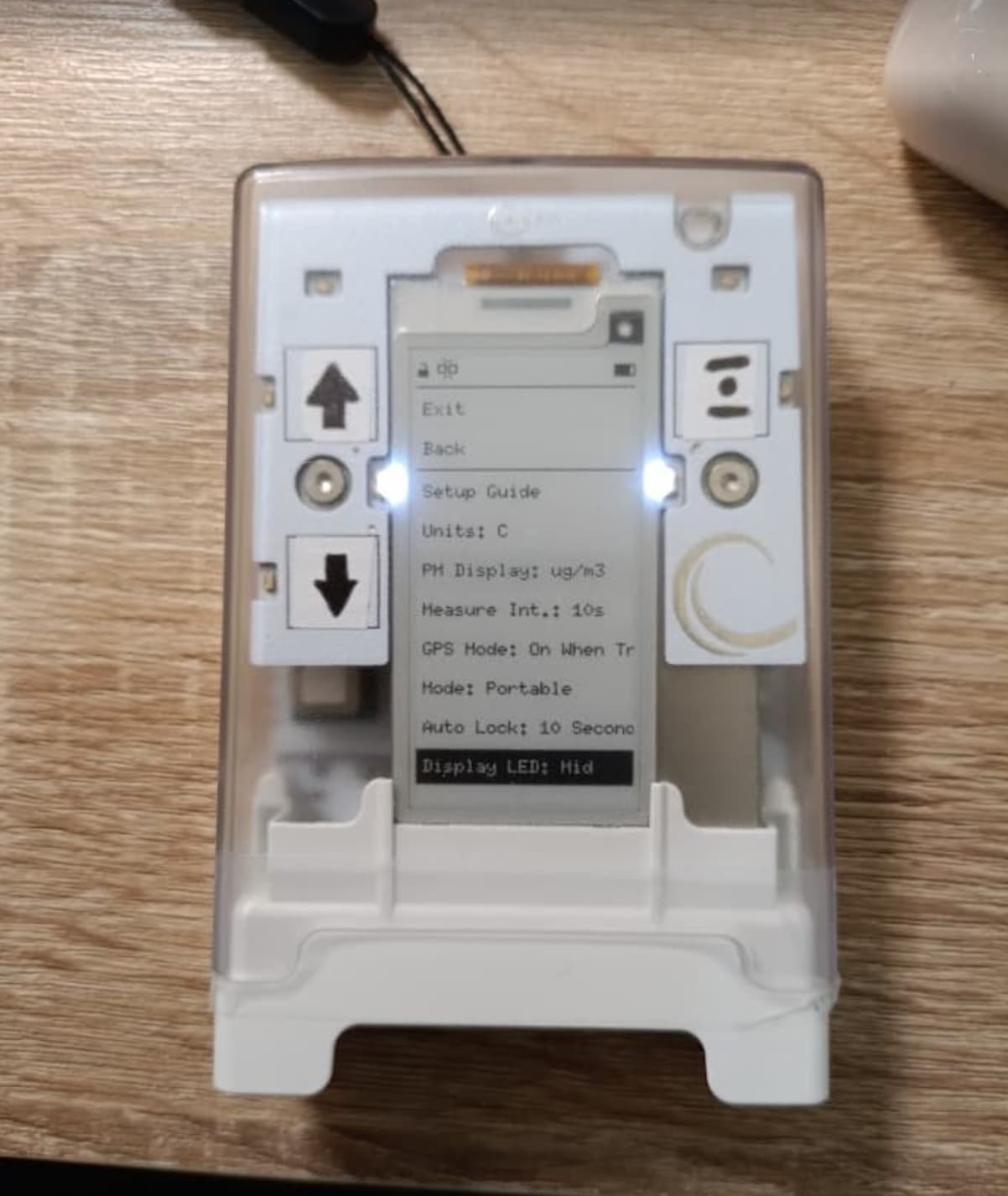
When on 1 hour measurement interval and GPS on “on when tracking”, the battery life appears to be only about 1-2 days? (Unless the 1 hour setting is not sticking somehow-- it does show as “1h” on device in the settings)
EDIT: Confirmed the sensors are updating at the set 1 hour interval

I just charged as much as I could (91%) yesterday and a little less than 24 hours later sitting on the table without interacting with it, it’s at 34%.

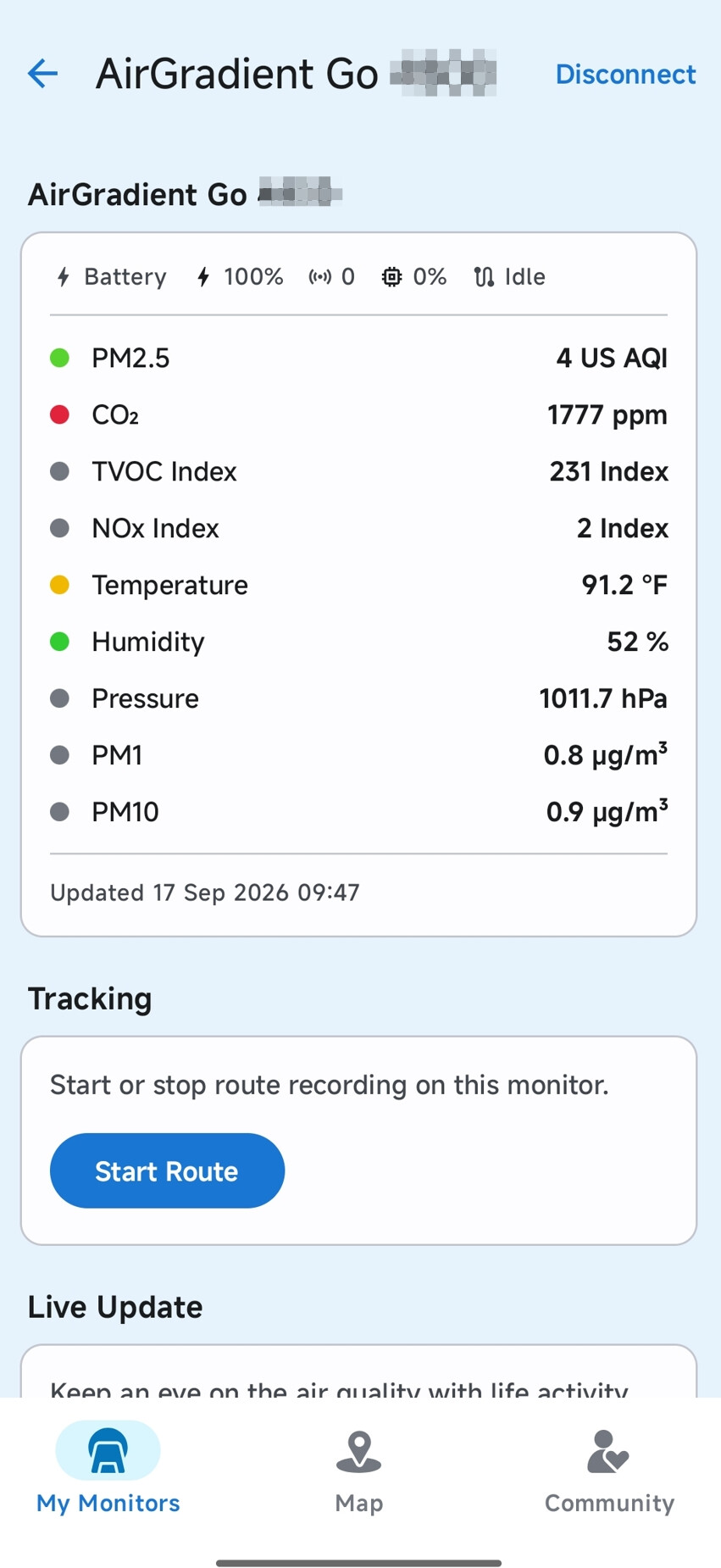
Also-- is the app set up to update sensor readings on demand? Is that what it means by “Updated XX/XX/XX, XX:XX:XXAM/PM”? Or is it just confirming that it’s reading whatever the device last measured, at whatever interval it’s set at? (If it’s the latter, this is a little confusing for me, my first assumption is that whatever date/time it says is the date/time of the sensor readings displayed)
1 Like

Hi @vlotty, according to the app, when you connect your AirGradient Go with the app via BLE (running the Go in Portable Mode), the air quality readings shown on the mobile app are synced in real-time with the AirGradient Go (depending on the set measurement interval on the Go).

However, you may see ‘Updated xx Sep 2026 xx:xx’ on the mobile app, and the incremental time changes every minute. This indicates that the AirGradient Go and your phone are still actively communicating with each other, while the air quality reading shown on your mobile app remains the same, depending on the measurement interval set on the AirGradient Go.

For other questions, please let me observe my Go, and consult the team on this for an accurate answer, and I will get back to you.

Thanks!

My suggestion would be for it to say “Synced” instead of “Updated”, as “Updated” suggests the sensor readings were updated. and then maybe below another line that says “Readings updated” and the date/time?

And as another update to battery life, with the setting at 1 hour update interval, the battery died at about 1.5 days. (unsure exactly when because it happened while asleep)

1 Like

Hi @vlotty, thank you again for your suggestions! I will report this to our mobile app developer.

By the way, regarding your update on the battery life. May I ask if the Go was connected to your phone’s Bluetooth all the time when it was running?

Thanks!