AirGradient Forum

PM2.5 Calibration Formula

Hi, I have just received a fully assembled Airgradient One. But I am confused by the PM2.5 Calibration Formula page in the advanced settings. What should I select if I have a fully assembled unit that comes with a test report?

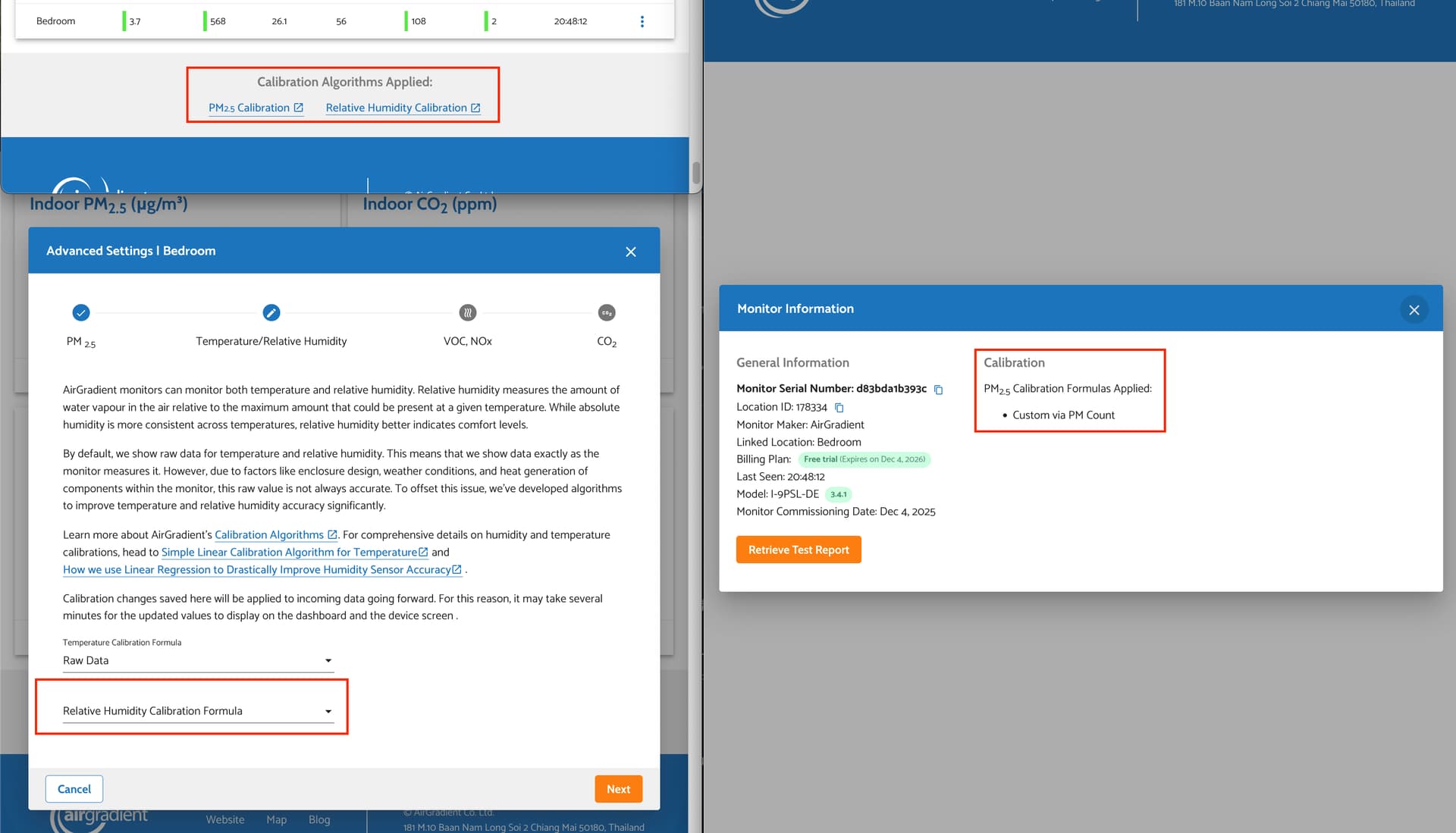
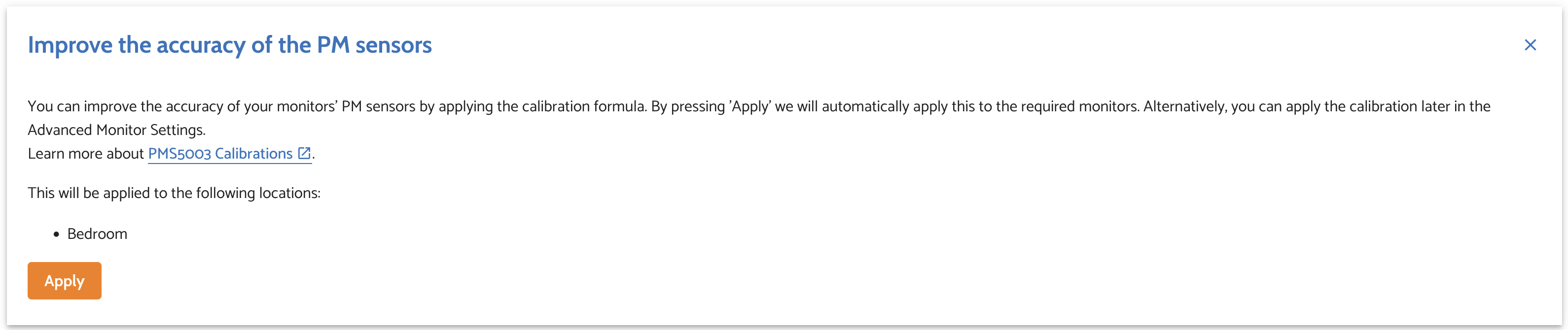
I see PMS5003_20240826 was preselected, and I found in the notes section (pasted below), that the values in the test report was set initially, but changed to PMS5003_20240826 minutes later. My guess would be that was when I clicked the apply calibration button from the banner message (screenshot attached below) right after I set up my device.

id,title,description,date,measure,location_id,place_id
"32270","Calibration formula change","The calibration formula has changed, now slr_PMS5003_20240826 is applied","2025-12-04T08:38:01","pm02","178334","20263"
"32239","Calibration parameter change","The calibration parameters have changed, now offset -0.271 / scaling factor 0.014 epa false are used","2025-12-04T08:33:26","pm02","178334","20263"
"32238","Calibration parameter change","The calibration parameters have changed, now offset -0.271 / scaling factor 0.014 epa false are used","2025-12-04T08:33:26","pm02","178334","20263"
"32237","Calibration formula change","The calibration formula has changed, now custom is applied","2025-12-04T08:33:26","pm02","178334","20263"
"32236","Calibration formula change","The calibration formula has changed, now custom is applied","2025-12-04T08:33:26","pm02","178334","20263"

Also, assuming we should use the value from the test report for the calibration page, if a user buys a fully assembled unit, I think the message asking the user to apply the calibration should not appear or should apply the value from the test report, do you agree?

Side note, I think the time in my notes were wrong, it should have been 8PM not 8AM.
1 Like

Hi @superjeng1! Thanks for bringing this up. Yes, you’re totally right - with the test report V2 each unit is now individually calibrated with a reference so you no longer need to apply the batch correction formula. I am creating a ticket for the team to remove the banner suggesting application of the batch calibration formulas. Thanks a lot, again, for bringing this up!

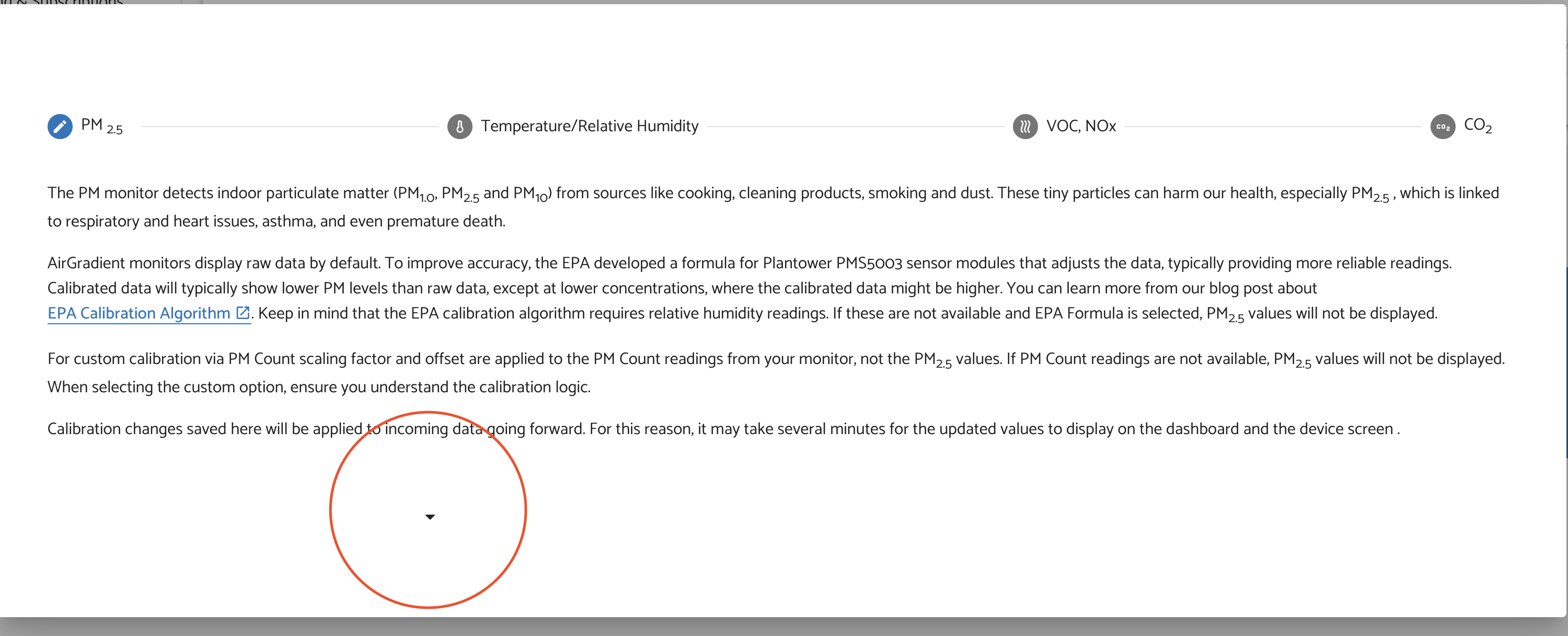
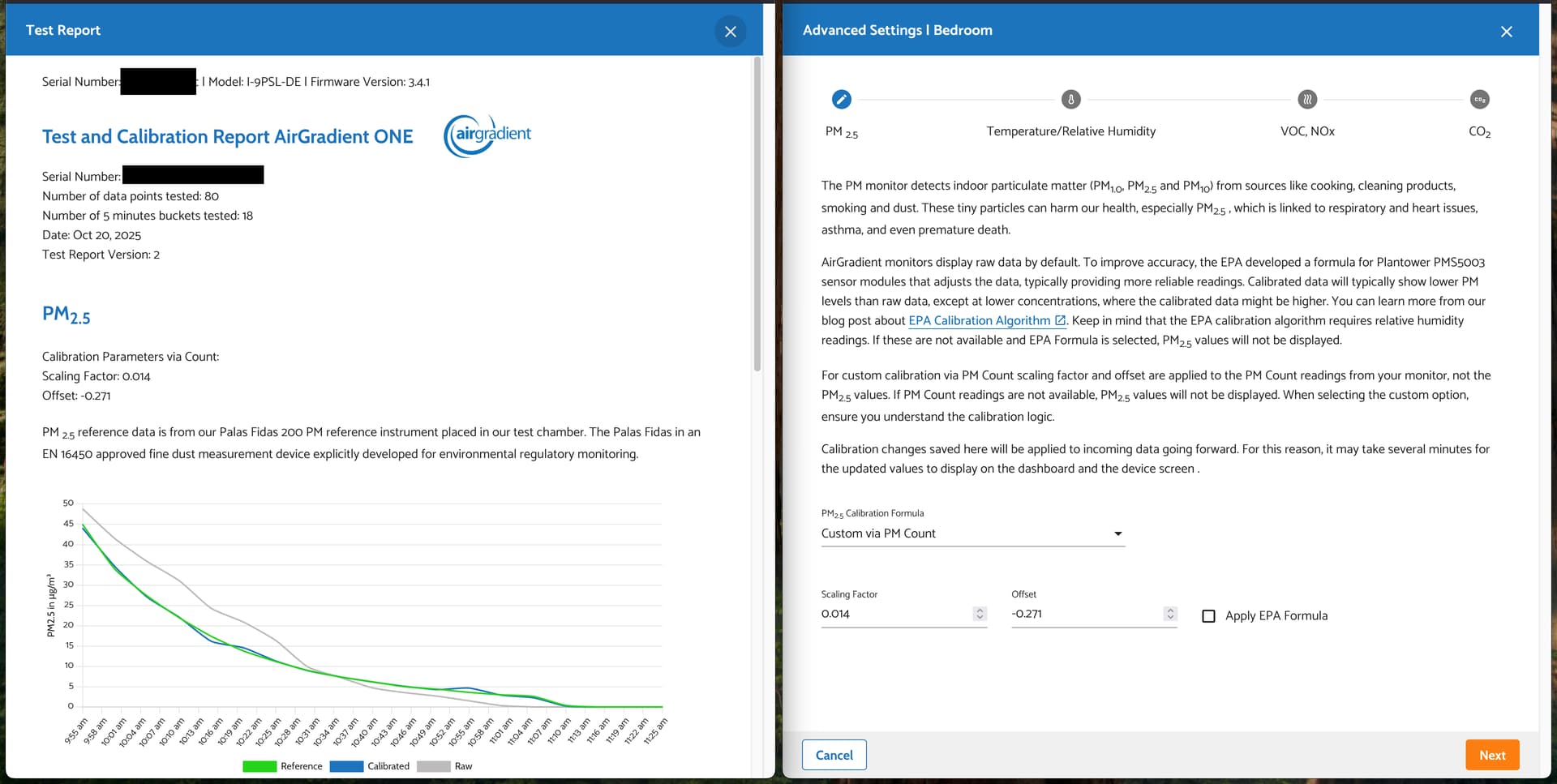
Hi @Altair_AirGradient! Thanks for your reply. So I should set “PM2.5 Calibration Formula” to “Custom via PM Count”, then set the “Scaling Factor” and “Offset” according to my test report, but keep “Apply EPA Formula” unticked, is that correct?

Also, one bug I think I found is that, when changing the calibration settings, the notes that were automatically add had the wrong timestamp. In my case, it was 8PM but the note said 8AM.

Yes, that is correct!

The EPA correction aims to align (classic) Plantowers sensor with ambient reference measurements. As we already align the measurements with a reference now with Test Report V2, there is no need for the EPA formula anymore.

Regarding the timestamp bug, I will have a look and create another ticket for the dev team - appreciate your diligence!

1 Like

Thanks @Altair_AirGradient! I will check the EPA formula checkbox.

I am curious what is the difference between “Custom via PM2.5 Raw” and “Custom via PM Count”?

I see “Calibration Parameters via Count” in the test report so that’s why I assumed we should use “Custom via PM Count” so correct me if I am wrong.

On a side tangent, for temperature and humidity, I assume we should select raw data, as I don’t see any calibration for them in the test report, is that also correct?

Good follow-up questions!

I need to correct part of my earlier comment: the EPA correction is not needed when using individual calibration from Test Report V2. I’ve edited the comment as well so as not to mislead anyone.

Re: Custom via PM2.5 Raw and Custom via PM Count. Both options apply a linear calibration (offset + scaling factor). The difference is Custom via PM2.5 Raw directly adjusts the raw PM2.5 mass concentration reported by the sensor and is to be used if the the scaling factor and offset were derived from raw PM2.5 mass values. So you would use this if you calibrated against a reference using mass concentration output.

Custom via PM Count is used to calibrate using the raw particle count data instead of the mass output. This is what “Calibration Parameters via Count” in the test report refers to. We use this also for the reason that with newer Plantower batch at very low concentrations, raw PM2.5 often collapses to 0 ”g/mÂł, while particle counts still have resolution. This is what the batch correction was made for. So now that we calibrate the monitors to a reference based on particle counts this avoids the “low reading” behavior.

So yes, Custom via PM Count is the right choice in this case. We should have some documentation guiding users on these things soon.

The EPA correction was designed to align “classic” (that is to say, the sensors before the newer batches with low-readings came into the picture) uncalibrated Plantower outputs to ambient references. Since Test Report V2 already aligns each unit to a reference at our factory, the EPA correction is not needed. So you do not need to enable EPA correction when using individual calibration.

For temperature & humidity, you can leave them on raw data as for indoor monitors as this is accurate data without applying further correction. For outdoor monitors, you can apply the Standard Open Air correction formulas as the temperature sensor is inside the weatherproof enclosure, so it needs correction.

@Altair_AirGradient Thank you so much for your really detailed answer! I have learned a lot from this thread!

I have one more question regarding CO2 Automatic Baseline Calibration. I have read elsewhere in the dashboard that “outside concentration is at around 430ppm.” But in the CO2 calibration page, it said “The CO2 monitor auto-calibrates by setting the lowest CO2 level detected as 400 ppm”.

My question is, why do we calibrate the monitor to 400 ppm when the best case scenario should have been 430 ppm? Wouldn’t that make the measurements lower than it should?

I would also like to report a bug I found. By default, both temperature calibration formula and humidity calibration formula is unselected instead of raw or custom. And if the user did not choose either raw or custom, footer of the dashboard showed both temperature and humidity calibration was used, but in the monitor information page, it correctly showed only PM2.5 calibration was applied.

In the screenshot, I have selected only the temperature formula and kept the humidity one as default.

Hi! Thanks for starting this calibration thread, it’s been really helpful.

I have a related question, but for a slightly different case (Indoor monitor + Test Report v1):

  • My device has a v1 test report (Indoor).
  • I opened it and saw the PM sensor listed as PMS5003_20240826.
  • Based on that, I selected the calibration form/profile that matches this specific Plantower PMS5003 sensor.

Question:
After applying the calibration for the specific Plantower PMS5003 sensor, should I also apply the EPA calibration on top of it? Or is the device-specific Plantower calibration sufficient and EPA should not be layered over it?

Also: it would be great if AirGradient could publish a short “best practices” page for monitor setup and calibration (which options to use in which situations, whether calibrations stack, recommended defaults, etc.). This thread shows there’s definitely demand for it.

Thanks!

Funny timing, we had this exact debate (kind of) with the science team yesterday.

We came to be conclusion that 400 ppm is a safer baseline than 430 ppm for automatic calibration, especially for low-cost NDIR CO2 sensors because outdoor CO2 is not a fixed number. It varies diurnally and geographically due to photosynthesis, respiration, wind, and local sources.

In forested or rural areas, outdoor CO2 can drop below 400 ppm , especially at night or early morning. 430 ppm is a typical global average, not a guaranteed minimum.

Also low-cost CO2 sensors typically have an accuracy of around ±40 - 100 ppm

RE: the dashboard bug: could you please send the serial number (SN) of your monitor via the support form and ask for Altair so I can take a closer look?
https://www.airgradient.com/support/

Hello @peyuaa! For V1 test report, applying EPA correction on top of the batch correction will improve accuracy. The batch correction alings the sensor to the ‘classic’ plantower behaviour which the EPA formula was designed for.

RE best practices: I agree that this is much needed. We do have a lot of guidance in the form of blog articles but work is underway to convert this into a more comprehensive knowledge base covering all our products.

1 Like

@Altair_AirGradient Thank you, I have filled in the form. I have been thinking, why do we need automatic (or not) baseline calibration for the CO2 sensor in the first place? Is it because that it drifts over time?

Also, is it possible to set what value it calibrates to? Does it make sense to customize that? (I am not quite sure tbh) Maybe through a manual API call or something, I am comfortable with doing that.

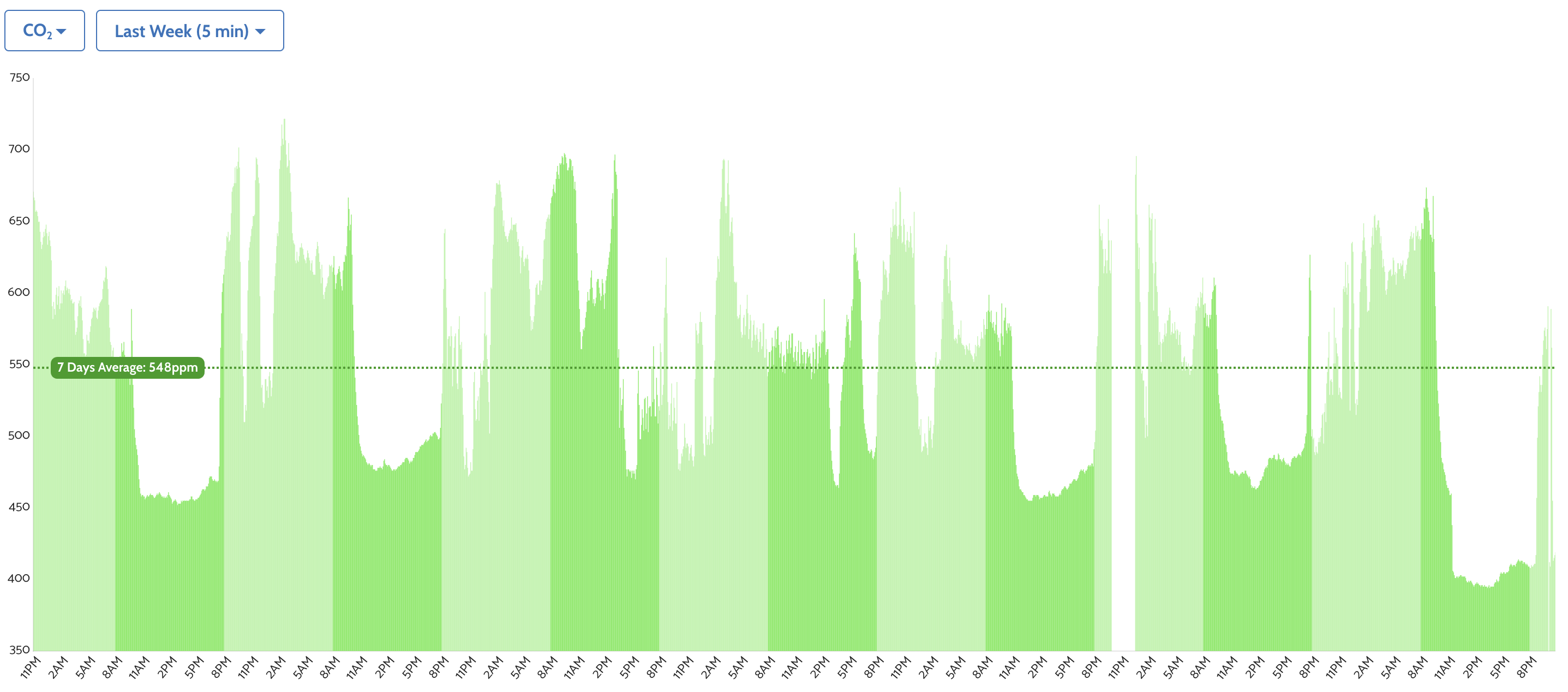
Edit: I think the calibration happened today as the CO2 value suddenly dropped about 60ppm within 10 minutes when I am not at home. And the value now is significantly lower than before, even drop to 394 this afternoon.

Moving or jostling the device can throw off the CO2 sensor, so calibrating addresses that. It does also seems to drift over time just sitting still. I see that over 2-3 months.

It calibrates to whatever the lowest it has experienced in the last week to treat it as 400 ppm. Altair addressed above why this is still the recommended value to calibrate to, even though the worldwide average is higher than that, it doesn’t mean that your location is averaging that at any particular time. Since most devices calibrate to 400, they are consistent against each other.

When mine is off, I can take the device outside and see it showing values in the 100 range and I know it needs calibrating.

1 Like

Thanks @MallocArray!

@Altair_AirGradient

Hi, I have model I-9PSL and firmware 3.4.1

I’m not tech savvy but can navigate around the dashboard. Following the different forum threads and support articles have been confusing to me.

Can you please tell me the exact steps and settings I need to calibrate my unit’s PM2.5 sensor?

Thank you!

Right now I have set both “General Settings” and “Advanced Settings” PM2.5 calibration formula to “EPA Formula” but I fear this is incorrect. Do I need to open up my unit to read the sensor label since I have an old unit?

Depends on how old. If early 2023 or earlier then you probably don’t need to do anything else. If you want to make sure you can open it up to view the label on the sensor and compare it to the batch specific corrections. If your bar h isn’t listed, it isn’t needed beyond the. EPA

1 Like

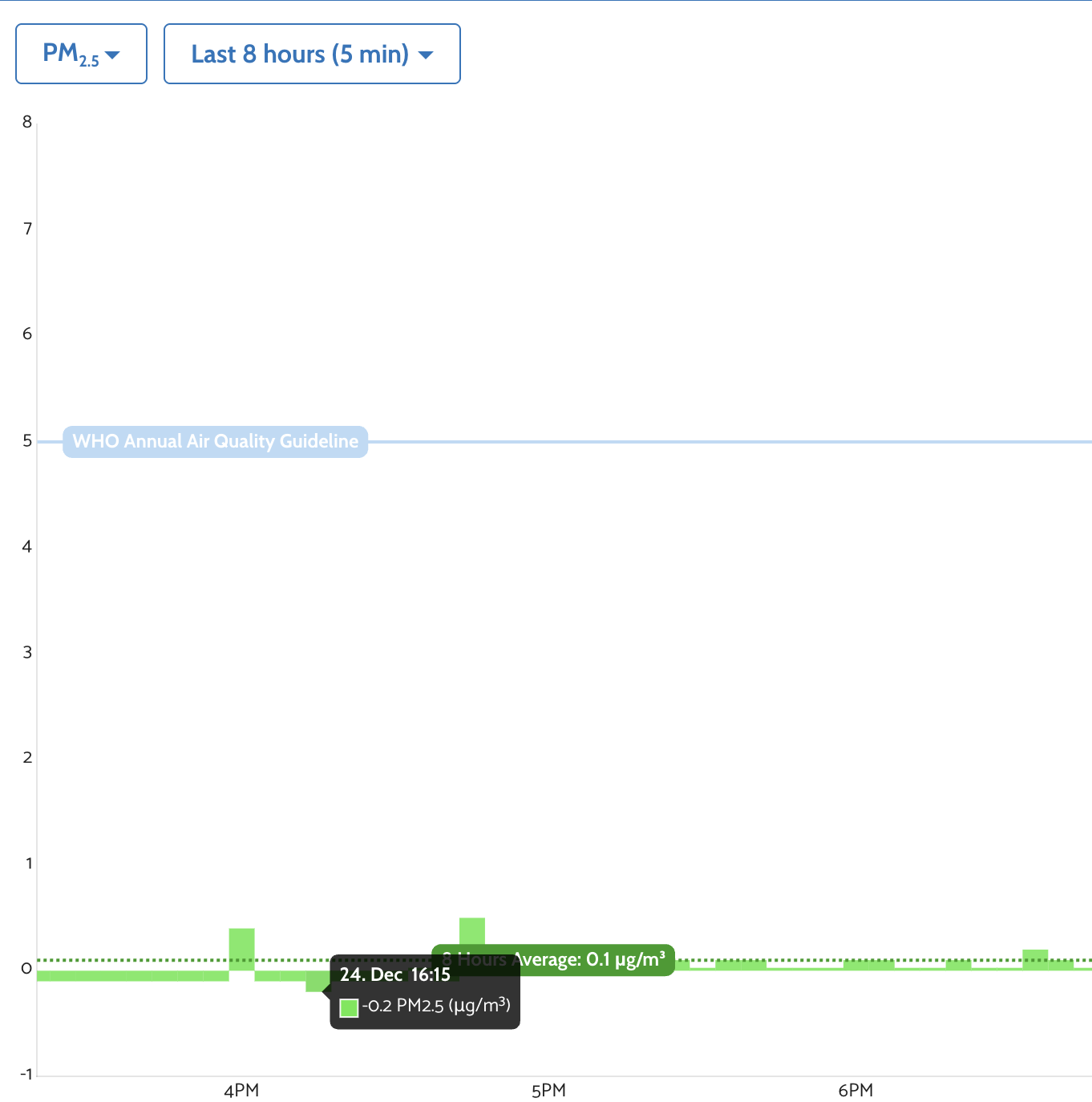
@Altair_AirGradient is negative PM2.5 value expected?

It shouldn’t. What calibration do you have assigned?

I see the offset in your test report is -0.271. If the PM readings are zero then the values will go negative. There is internal discussion ongoing on whether or not the negative values should be displayed in the dashboard.