Looks like there may be an issue with the code in the git repo, beyond 3.4.1. If I checkout 3.4.1, I can build and install fine. If I select 3.6.0, the default 3.6.1, or the fix/wifi… branch, it builds cleanly and uploads OK, but will not start - the display stays at a black screen, and the serial monitor shows the bootloader looping. In this state, if I checkout 3.4.1 again, all works. I’ve dumped the IDE cache between builds, so that should be clean, and have the specified version of NimBLE in play, and no other external libraries.
Please advise, and I’ll make another go at loading the test code.
Regular Wifi disconnects since the 3.6.0 update. somtimes after ~30mins since last reboot, sometimes after 12h+. It seems to happen more frequent to my O-1PST (Kit) sensor compared to the indoor units - might be releated to my Wifi Mesh setup and that the chances are higher that the outdoor unit will use a repeater rather than the router itself.
the LED on the left is always red, the display shows the “Wifi” disconnected" symbol but the sensors values are constantly updated on the display. My sensors don’t recover from that state, only disconnecting the power helps.
Fritzbox 7590 AX as main router, 2x Fritzbox 1200 AX repeater connected via Ethernet to the router, 1x Fritzbox 1200 repeater operating as Wifi Bridge without Ethernet connection. All running in a Mesh setup with seperate SSIDs for 2.4GHz and 5.0GHz Wifi.
I’m running a FritzBox Mesh with separated SSIDs for the 2.4GHz and 5GHz bands.
FritzBox Mesh setup: Fritzbox 7590 AX as main router, 2x Fritzbox 1200 AX repeater connected via Ethernet to the router, 1x Fritzbox 1200 repeater operating as Wifi Bridge without Ethernet connection.
I use static IPs assigned via the DHCP server of my FritzBox router for some WiFi network devices. I tried static and dynamic IP addresses for my Airgradient sensors and the disconnects do happen for both scenarios.
All of my four sensors are connected to the AirGradient dashboard, which regularly report them as offline via email.
All four sensors are connected to my HA instance. All are using a local configuration source as per default setting of the HA integration. I also tried to switch them to cloud configuration but this didn’t result in any changes regarding the WiFi disconnect issue.
Downgrading the firmware to 3.4.1 via the AirGradient Dashboard fixes the disconnect issues.
Also on a sidenote: I had a I-9PSL (Kit) sensor connected to my PC running the Online Debug Tool for about ~12h per day for three days total. While the Online Debug Tool was running no WiFi disconnects did occour - when my PC was in standby and did only deliver power via USB to the sensor the disconnects did happen again.
About a week ago, I was having persistent offline errors after I turned on my ASUS RT_AX86U wireless router’s WiFi Agile Multiband feature. More often on the outdoor, O-1PST, than the I-9PSL-DE. I attributed the difference with the sub-freezing temperatures in the Chicago region at the time. Both are firmware 3.6.0.
Neither has gone offline since I turned WiFi Agile Multiband off.
We will enable the 3.6.2 on your AirGradient Dashboard, so you can select and update your monitors to 3.6.2.
For those who don’t use the AirGradient Dashboard, please feel free to contact us via the support form mentioned above and request the firmware file so you can flash it to your monitors.
Thank you, @tadawson. I really appreciate your help.
Please don’t worry about mentioning this discussion.
I am currently conducting a preliminary test of the basic functionalities of the FW 3.6.2 to make sure it works properly and does not pose any other new issues. Then we will roll out 3.6.2 to you (and those who would like to test this with us).
FYI, the test build sent to me by Samuel (which appears identical to that discussed here) does appear to resolve the problem. I went red on AP drop, but recovered WiFi to purple state for about 60 seconds, and then back up and online.
Logging did show recovery attempts, unlike the logging fr0m 3.6.0.
The logs were sent in on 27865 to Samuel if anyone else wants to find them.
It shows at Version 3.6.1-1 at boot, but oddly does not display a version via the dashboard.
I’m going to let this run for a bit and see what transpires.
The issue has been already described multiple times and I see that a fix is on the way. I have an indoor and an outdoor, O-1PST and I-9PSL, both on firmware 3.6.0. They are both affected, too. Maybe the only new informationt to add here is that my two monitors disconnect perfectly simultanous from wifi (synchronized to the second) at random intervals without obvious root cause. I usually power cycle them to re-connect.
Currently they are back at work. I will provide more details in the questionaire below.
Model number of the monitor that has the issue? (I-9PSL-DE, O-1PST, etc.)
O-1PST and I-9PSL, both on firmware 3.6.0
Please describe the symptom of the issue you experienced. For example, it randomly disconnects from your Wi-Fi, or you can observe some patterns in its behavior.
both monitors, i-9PSL and O1-PST disconnect randomly (every 1-3 days), but simultanously (exactly to the second)
What does the OLED screen of the monitor show when it is disconnected? And what is the color of the LED on the left of the monitor (red, purple, etc.)?
currently they work - no means to observe
Network setup: Describe your network setup. Please also specify the brand and model of each network equipment.
AVM Fritz!box 5590 fiber, repeater 1750E and repeater 1200
AirGradient monitor configuration - accessible via web browser with a phone or computer connected to the same Wi-Fi as the monitor that has the issue using: {“country”:“TH”,“pmStandard”:“ugm3”,“ledBarMode”:“pm”,“abcDays”:30,“tvocLearningOffset”:60,“noxLearningOffset”:60,“mqttBrokerUrl”:"",“temperatureUnit”:“c”,“configurationControl”:“local”,“postDataToAirGradient”:true,“ledBarBrightness”:100,“displayBrightness”:100,“offlineMode”:false,“monitorDisplayCompensatedValues”:false,“model”:“O-1PST”,“httpDomain”:"",“disableCloudConnection”:false,“extendedPmMeasures”:false}
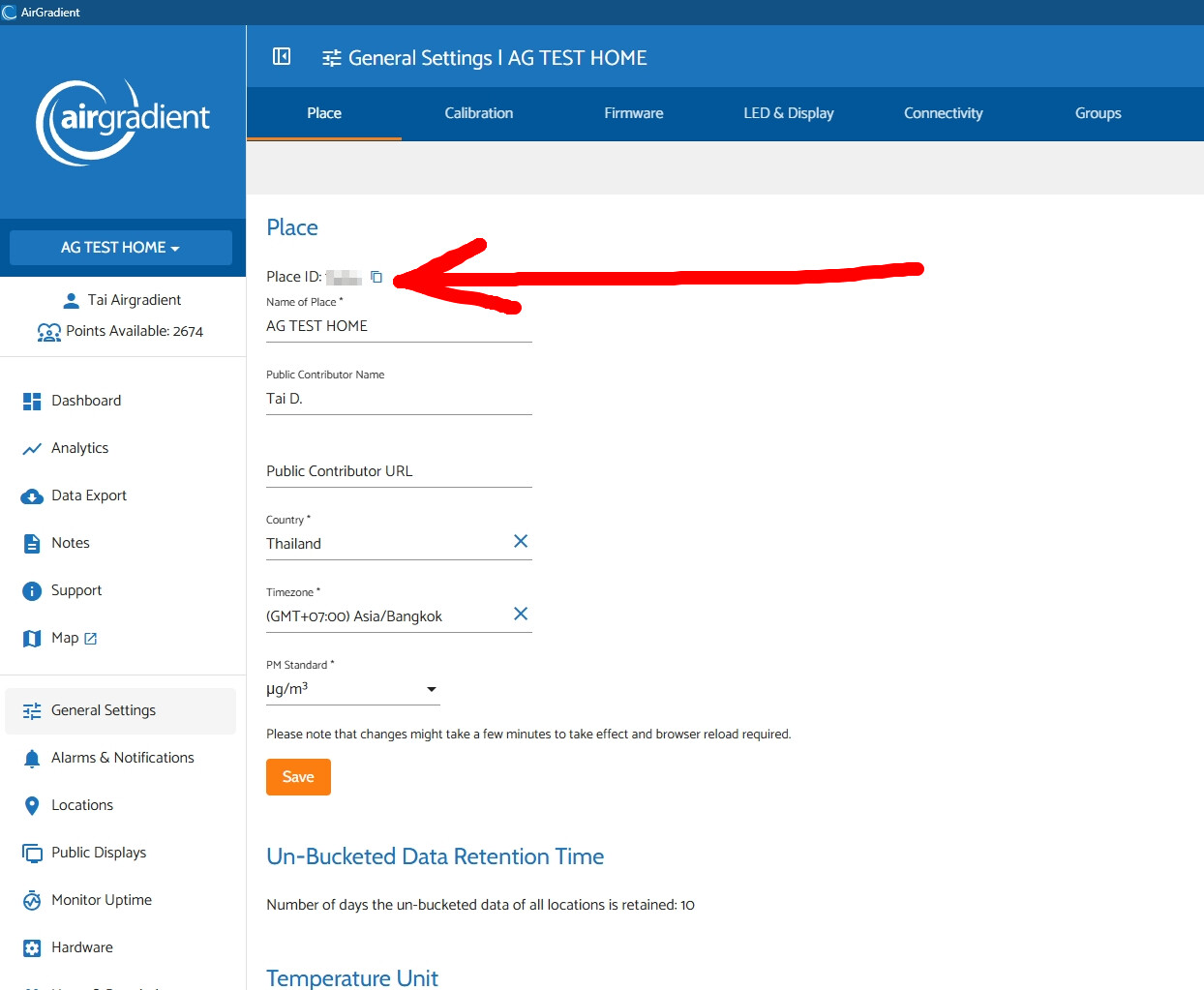
Hey guys! I have allowed the place IDs that you sent us via the AirGradient support to automatically update your AirGradient ONE/Open Air to FW 3.6.2.
You don’t have to do anything else when it’s time for the monitor to perform an OTA FW check (typically every 1 hour), your monitors will automatically download and install the 3.6.2. In case you don’t want to wait, you can power cycle (unplug and plug in again) your AirGradient monitors so they will check the new firmware when they boot up and perform the update.
Hi @tadawson , thank you a lot again for the test.
I believe the .bin file that @Samuel_AirGradient gave you is an untagged firmware version for testing the patch, so it will show something like 3.6.1-1, and the dashboard won’t display the version (which is expected).
Since this firmware is untagged, the dashboard will not be able to manipulate (automatically force) the OTA FW update over that monitor running this untagged firmware.
Thanks. I’ll keep this on until I see 3.6.2 drop to ensure no other issues. I had just noted those differences, well, because noting things is part of testing.
Hi @gianfranco.bottini I have set the target firmware for your dashboard to 3.6.2 already. I believe it could take a while (a few hours) before your air monitors detect the new firmware, as the AirGradient ONE and Open Air checks for a new update once every hour.
Anyway, you can simply force it to update more quickly by power cycling the monitor (unplugging and plugging in the power adapter or the USB-C), as the AirGradient ONE and Open Air will also check for a new update every time it first boots up (after it loses power and has access to power again).
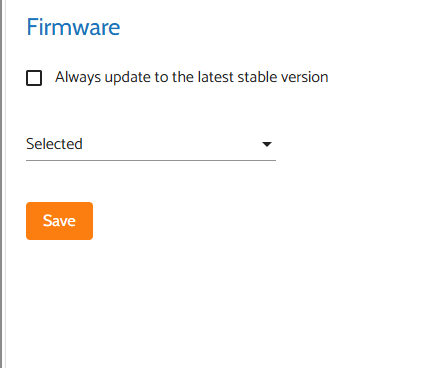
Please note that from your dashboard view, you may not see a selected firmware as 3.6.2 in the firmware setting page; you might see a blank ‘selected’ version, which you can ignore.
It could look like this:
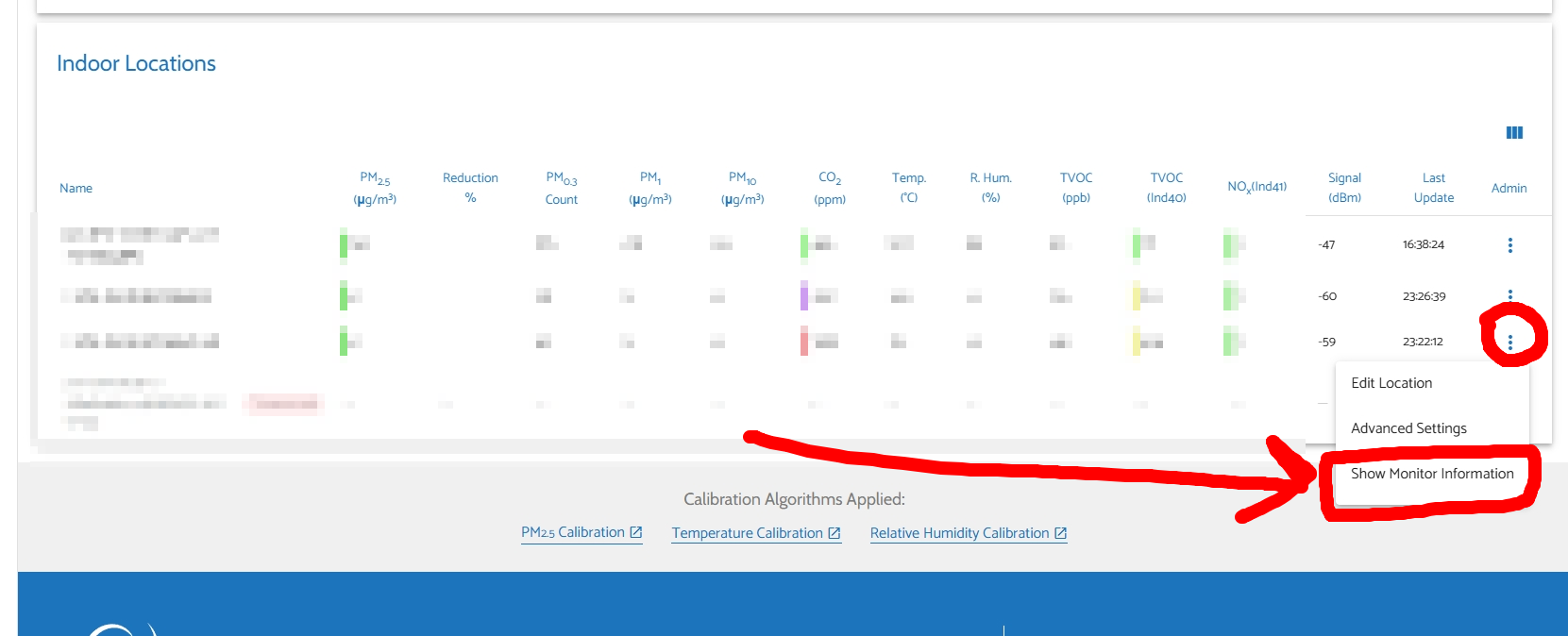
Please completely ignore this and don’t have to do anything to get the 3.6.2. Then, you can open the ‘Show Monitor Information’ of each monitor to see if it is updated or not.