I am trying to calibrate PM2.5 on a AG1 indoor device. When I click on advanced settings beside the device name in the dashboard, it opens a window with a description of the PM2.5 calibration. But the area on the bottom where the PM2.5 correction formula dropdown should appear is missing. (only the down arrow is visible). I’m stuck!
How do I get this dropdown to function properly, so I can select the proper serial number?
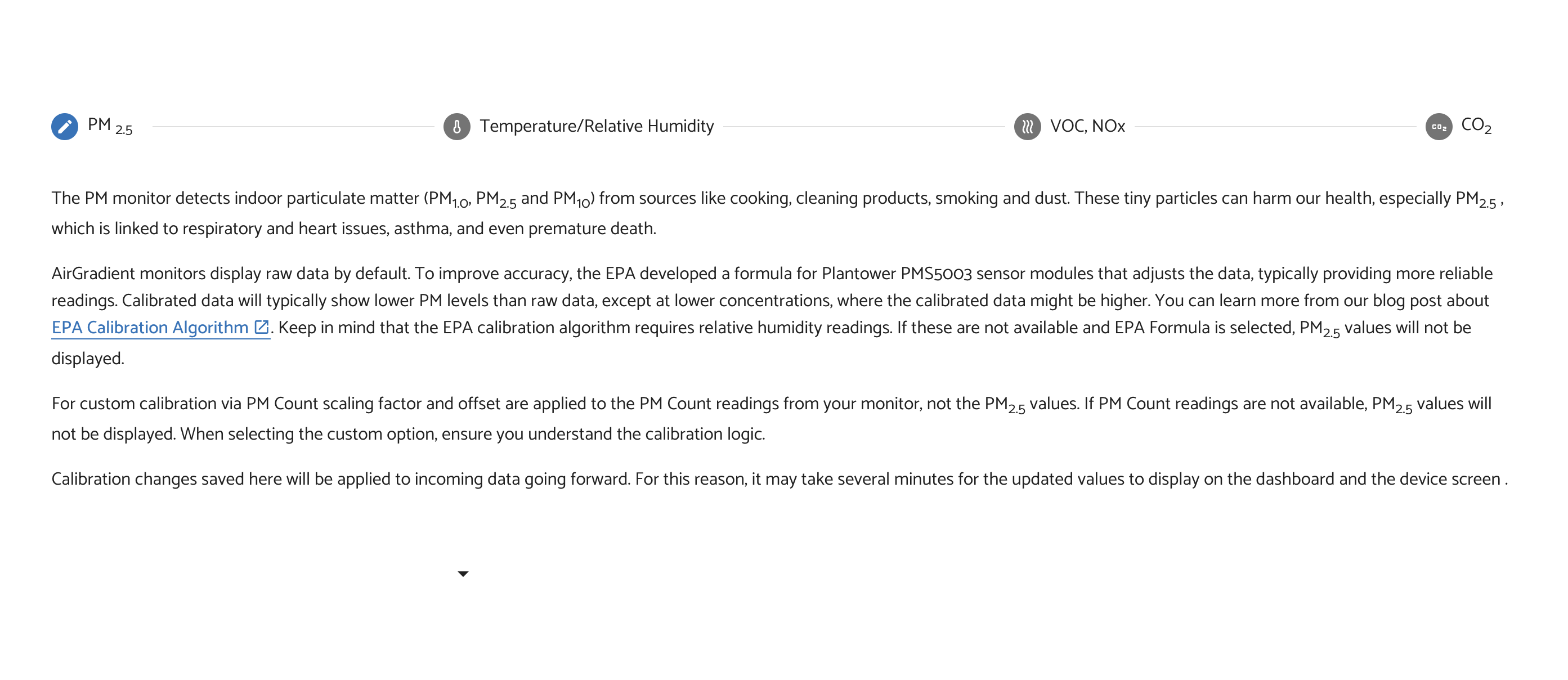
hi @Chris_Pollock! This is a known issue with the latest dashboard release and has already been escalated to the dashboard dev team by @Tai_AirGradient. Apologies for the inconvenience - a fix should be on the way soon!
1 Like
Thanks!
What’s the timeline for the fix?
1 Like
Our developer has fixed it! Could you please check and let us know if there’s still an issue? Please note to click the dashboard update prompt first.
Thank you!
2 Likes
Hi Tai,
I was able to select the new calibration formula now. Thanks for that.
However, I set up 5 AG1 monitors (4 at home, and one in my very dusty office). All 5 are showing PM2.5 at 0. (with no change). I can see dust in the air in my office, and PM2.5 levels outside are around 4.0 (and windows are open). Can you help me trouble-shoot why all 5 are showing PM2.5 at 0. (The level has been stable at 0 since I set the monitors up around 24 hours ago).
Hi Altair and Tai,
For further information, all of my 5 AG1 monitors do spike to PM2.5 levels in the range of 50 when when I blow out a candle right in front of them. But they return right back down to PM2.5 of 0 within 30 seconds or so. (So, they seem inaccurate for lower values).
Thanks.
FYI - the 5 new units had serial numbers PMS5003-20250530.
I have a 6th unit (serial number PMS5003-20250116) that seems to work fine, although it’s located in another city at the moment, so I can’t use it to compare to the 5 that are reading PM2.5 = 0.
Is it possible there is a problem with the calibration of the PMS5003-20250530 units?
1 Like
Thanks for the context, @Chris_Pollock! Are all of these units DIY kits? If so, have you already applied batch correction formulas to all of them?
Hi,
Yes, they were DIY kits. And I have already applied the calibration formulas to them. (and the problem persists, they still show PM2.5=0 on all 5 units, located in two different buildings with windows open, when PM2.5 levels outside are around 8-12)
Thanks,
Chris.
Thanks for the follow-up!
If the calibration formulas are already applied and all units respond to a known particle source (like blowing out a candle), then the sensors themselves are working as intended.
The key thing to look at next is the PM0.3 particle count. PM2.5 is a mass-based value that’s derived from particle counts and size distribution. When PM0.3 counts are very low, which is common indoors, the mass based PM2.5 can legitimately sit at or near 0 mg/m3.
Hi Altair,
How should the PM0.3 particle count be interpreted? (What are cut-offs for elevated levels? for optimal levels?)
This is confusing since a December 2024 forum post from AirGradient noted: “PM03 is the particle count. It is not comparable to the PM2.5 that is measured in ug/m3.”
Thanks,
Chris.
Hi Chris,
There’s no contradiction here, it just needs a clearer explanation.
PM0.3 is the particle count. It is literally the number of particles larger than 0.3 micrometers detected in the air. It is not a mass value and it is not expressed in µg/m³, so it is not directly comparable to PM2.5, PM1, or PM10.
PM2.5, PM1, and PM10 are mass-based values. They represent the estimated total weight of particles below those respective size thresholds. The sensor does not measure mass directly. Instead, it measures particle counts and size distribution, and then applies an internal algorithm to convert those counts into an estimated mass.
When I wrote “The key thing to look at next is the PM0.3 particle count.”, I mean that in the context where PM0.3 becomes useful diagnostically when looking at low PM readings near zero (which is what your questions was). When PM0.3 counts are very low, which is common in clean indoor environments, the calculated mass can legitimately end up at or very close to 0 µg/m³. That does not mean the sensor is broken. It means there simply isn’t enough particle mass in the air to register above zero. Especially when you already have the batch correction formulas applied.
Hope that clears it up.