AirGradient Forum

Update on PMS5003 Calibrations

In late 2024, we discovered a calibration issue with the Plantower PMS5003 sensors in AirGradient ONE indoor air quality monitors. These sensors read significantly lower PM levels than previously, which often results in these sensors consistently showing zero at low concentrations. We found this issue quite widespread, impacting many batches of PMS5003 sensors.


This is a companion discussion topic for the original entry at https://www.airgradient.com/blog/update-on-pms5003-calibration/?cmdf...
1 Like

Thank you for the update and great work!

Does my below understanding is correct ?

  • A PMS5003 sensor serial that isn’t present in the list of “special formulas by batch” should still apply the EPA calibration ?
    Example :
    – for the One I have a module from batch PMS5003-20250720 that isn’t listed, so I apply EPA calibration
    – for the Open Air I have a module from batch PMS5003T-20250208 so I apply PMS5003T_20250208 calibration.
  • It will only show the correct PM2.5 values in the dashboard, not in the device screen itself neither via the API for let’s say, Home Assistant ?

Thank you.

Hi @Xoib! For formulas which are not present in the dashboard, please see this table: PM Sensor Batch Correction Factors | AirGradient Knowledge Base

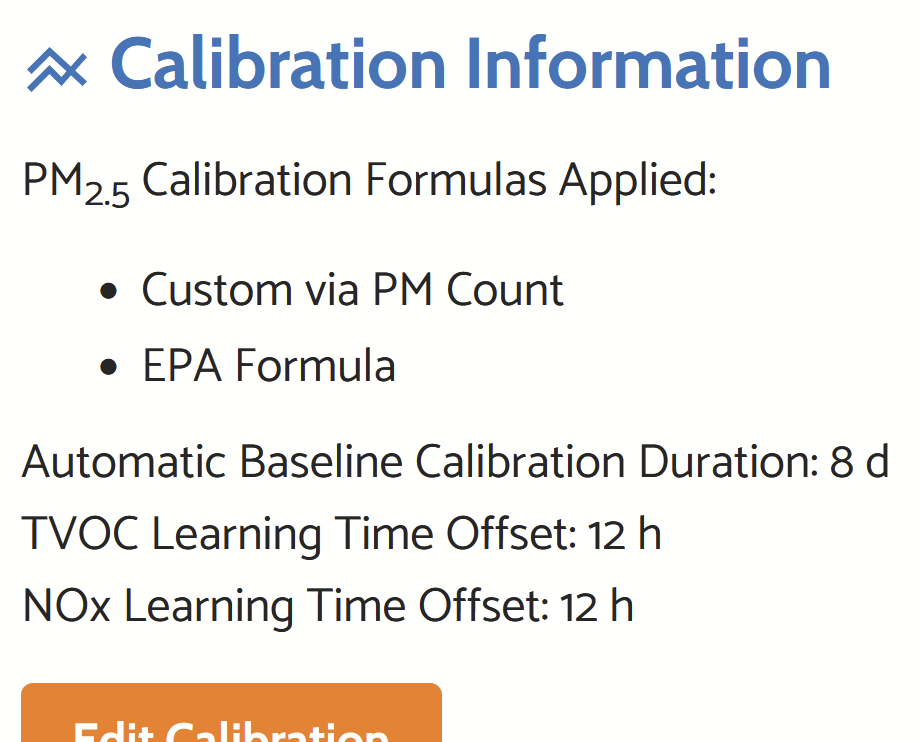
You can manually apply to correction factors for PMS5003-20250720 from here. Select “Custom via PM Count”, enter the scaling factor and apply the EPA formula on top.

We’ve decided to keep updating new correction formulas in this table and let users apply them manually. The blog articles are pending this update, should be done next week.

1 Like

If you are maintaining a table of different batches at that link, why not create a drop-down in the Dashboard for all of them?

Per my understanding, there were limitations due to which the batch correction dropdown couldn’t be integrated into the mobile app. So it was decided that in the future, all previous and new batches will be maintained in this table and everyone can use this table to copy the scaling factor for their batch number. I agree this is confusing since previous batch correction formulas are available in the dashboard still and plan to bring this up next week internally.

Thank you @Altair_AirGradient , I have applied the custom via PM count scaling factor for the inside unit. But weirdly, I still can’t make it work properly for the Open Air apparently.

One:
Dashboard config:


API confirmation:

{“country”:“FR”,“pmStandard”:“ugm3”,“ledBarMode”:“co2”,“abcDays”:8,“tvocLearningOffset”:12,“noxLearningOffset”:12,“mqttBrokerUrl”:"",“httpDomain”:"",“temperatureUnit”:“c”,“disableCloudConnection”:false,“configurationControl”:“both”,“postDataToAirGradient”:true,“ledBarBrightness”:30,“displayBrightness”:30,“offlineMode”:false,“monitorDisplayCompensatedValues”:false,“model”:“I-9PSL-DE”,“corrections”:{"pm02":{“correctionAlgorithm”:“custom”,“slr”:{“intercept”:0,“scalingFactor”:0.004629,“useEpa2021”:true}},“atmp”:{“correctionAlgorithm”:“none”,“slr”:null},“rhum”:{“correctionAlgorithm”:“none”,“slr”:null}},“extendedPmMeasures”:false}

OpenAir:
Dashboard config:

API confirmation not ok:

{“country”:“FR”,“pmStandard”:“ugm3”,“ledBarMode”:“co2”,“abcDays”:8,“tvocLearningOffset”:12,“noxLearningOffset”:12,“mqttBrokerUrl”:"",“httpDomain”:"",“temperatureUnit”:“c”,“disableCloudConnection”:false,“configurationControl”:“both”,“postDataToAirGradient”:true,“ledBarBrightness”:30,“displayBrightness”:30,“offlineMode”:false,“monitorDisplayCompensatedValues”:false,“extendedPmMeasures”:false,“model”:“O-1PST”,“corrections”:{"pm02":{“correctionAlgorithm”:“epa_2021”,“slr”:null},“atmp”:{“correctionAlgorithm”:“ag_pms5003t_2024”,“slr”:null},“rhum”:{“correctionAlgorithm”:“ag_pms5003t_2024”,“slr”:null}}}

Another weird thing for the OpenAir, on the mobile app, it says it’s in raw mode for PM2.5.

So with 3 different feedback (dashboard != API != mobile app), I am not sure if my setting is correctly applied.
Hi @Xoib - that’s unusual. Can you send it the SN of the Open Air unit via the support form? https://www.airgradient.com/support/

I’d like to have a deeper look and escalate this if needed. Thanks!

1 Like

Batch corrections not being straight forward in the mobile app still seems like a poor excuse to make the entire experience non-intuitive to need to reference another page to get values to hand paste into the main Dashboard, when the Dashboard is intended to be the single source of truth.

@MallocArray you definitely have a point here. We should do better and the decision to just put it on the website in a table was actually mine. I didn’t really think this through enough from a customer perspective.
We will implement a better solution and also integrate it into the app.

1 Like

Does this mean that the PM2.5 values seen in Home Assistant are uncorrected? If so, will the API be updated to report corrected values, or will the Home Assistant integration be updated to allow the user to enter the calibration factors?

Hi @khorton, thank you for your question. The API mentioned in this article refers to the cloud API, not the local API.

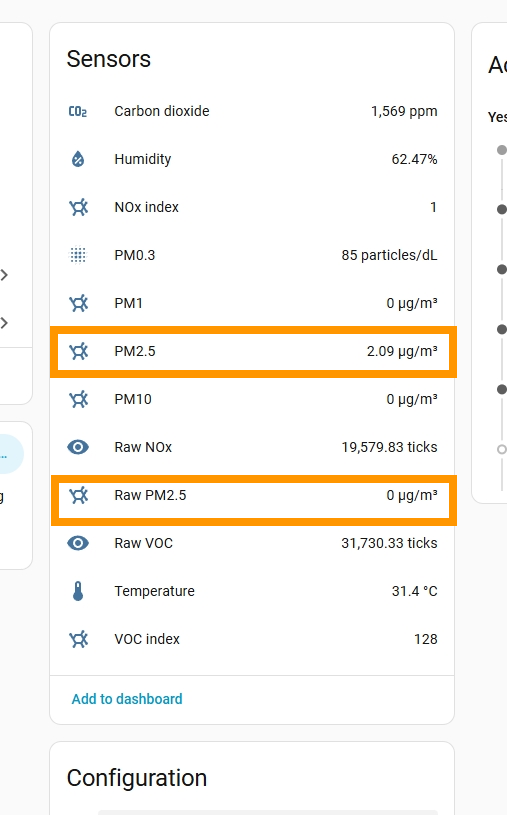
The ‘PM2.5’ entity of your AirGradient monitor in Home Assistant should display the corrected PM2.5 value, while the ‘Raw PM2.5’ entity displays the raw PM2.5 without correction.

Please note that some batch correction algorithms might not be applied properly on the older firmware. We are testing our new firmware (v3.6.6), which has fixed these issues. This has not been released globally yet. Anyway, if anyone wants to try it, we can enable this new firmware specifically for your Dashboard. I will also try to finish the test as soon as possible, so we can officially release this globally.

Is there a particular date after which this is no longer an issue?

I purchased an airgradient one in December 2025, and am wondering if it is necessary to check for this.

Hi @Jared_Still, please let me confirm this with my team, and I will get back to you.

Would you mind sharing whether your AirGradient ONE is a fully assembled unit or a DIY one?

@Tai_AirGradient this was purchased fully assembled

Hi @Jared_Still, fully assembled monitors are tested and calibrated in our test chamber. The factory calibration should be already applied to your monitor, so you don’t need to manually adjust a batch-specific calibration on the dashboard.

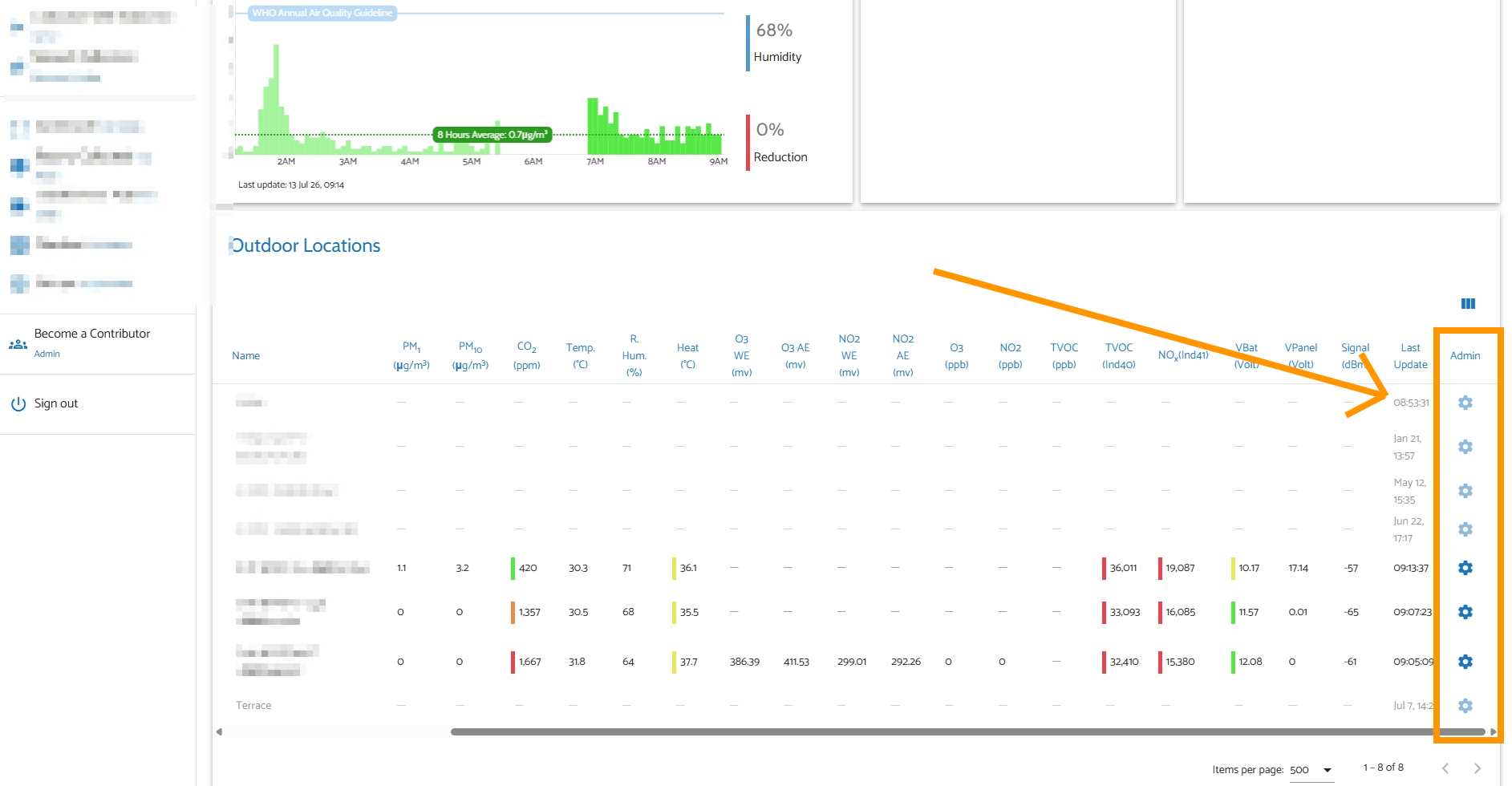
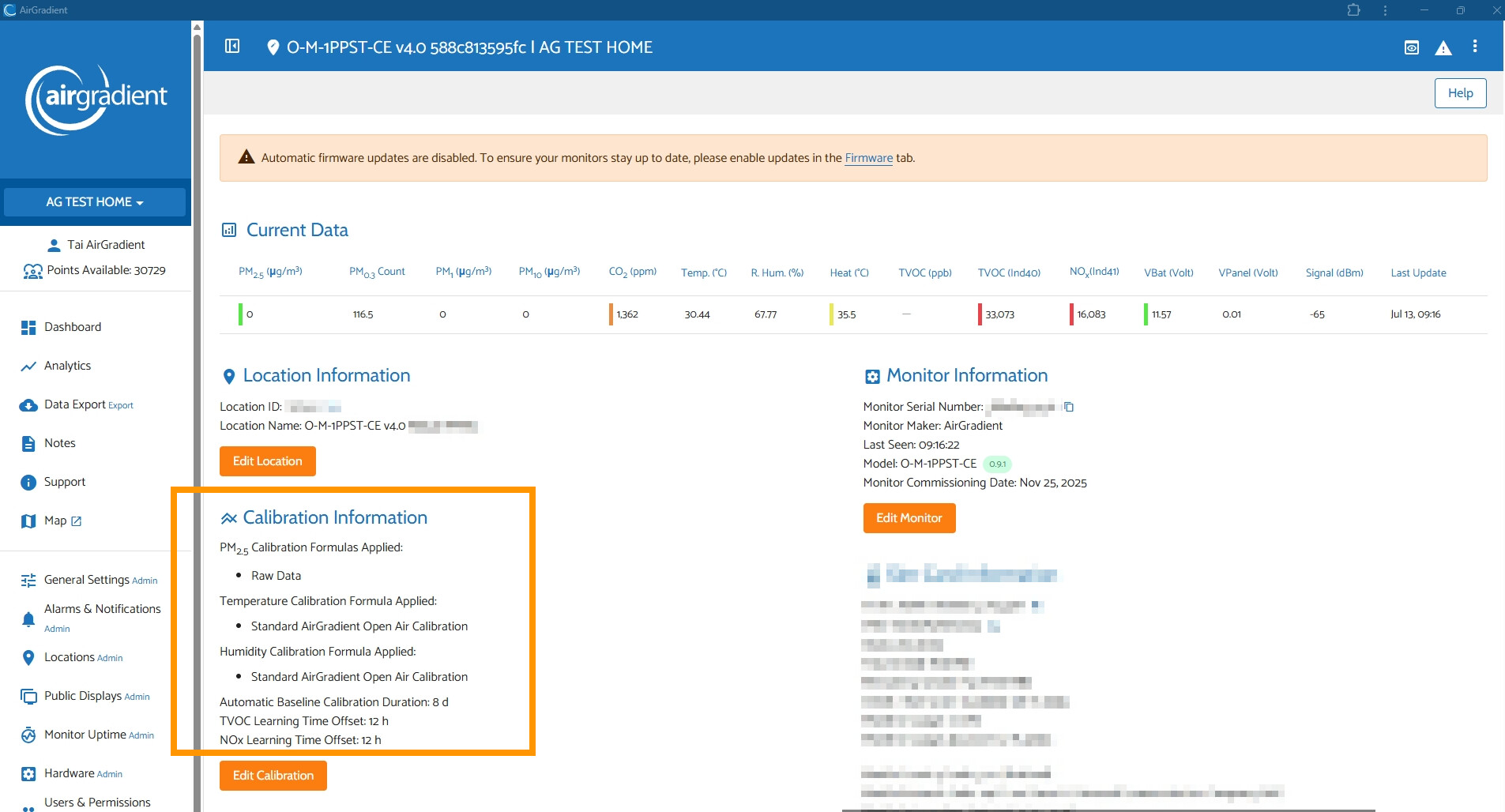
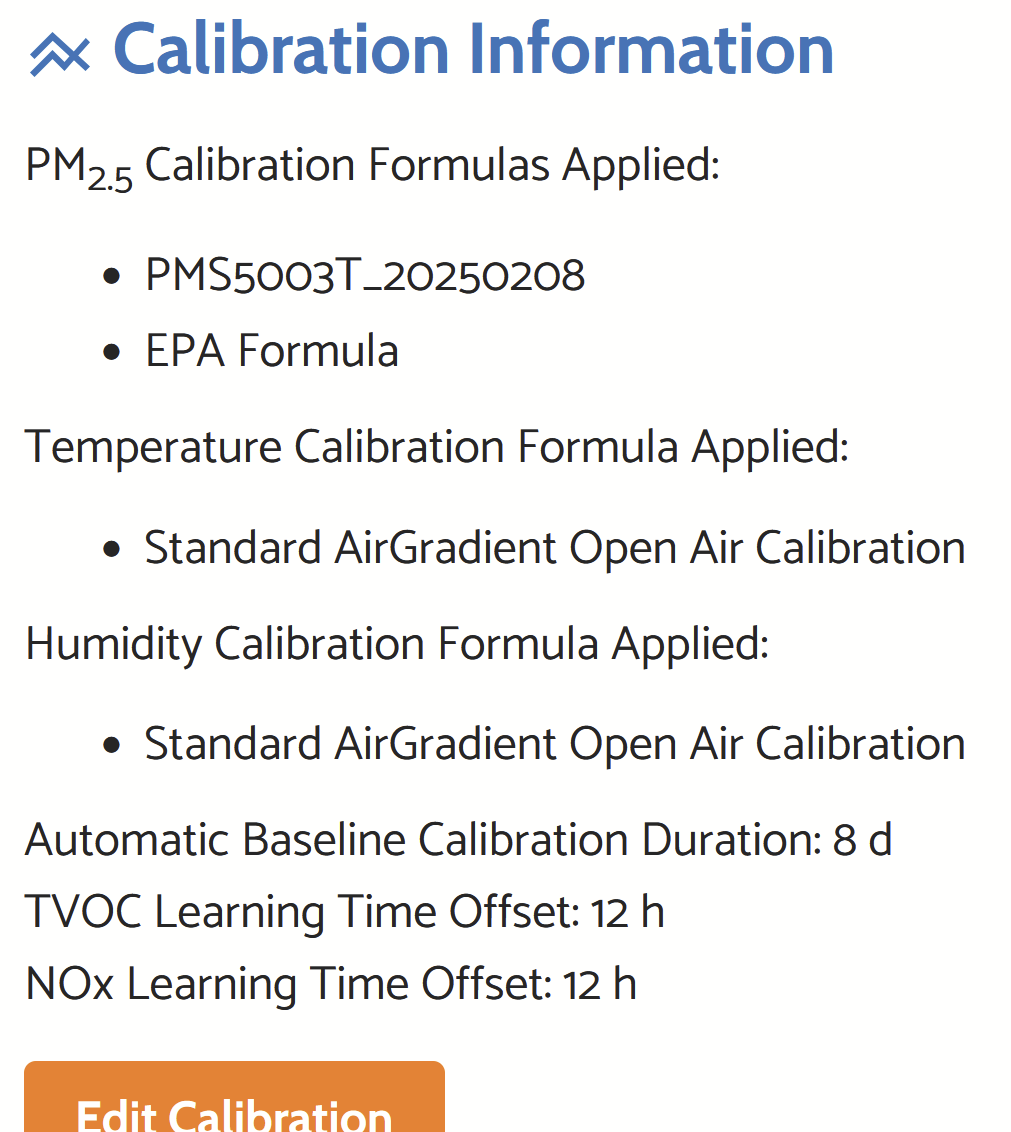
In case you’d like to see what calibration algorithms are applied, you can go to your dashboard and tap the gear icon on the right of the specific monitor you’d like to check on the dashboard list. Then you can take a look at the ‘Calibration Information’ section to see what calibration algorithms are applied.


For those who use the DIY AirGradient ONE. You can take a look at this article: PM Sensor Batch Correction Factors | AirGradient Knowledge Base