AirGradient Forum

TVOC and Nox no longer sending reading?

Morning all - my outdoor sensor is no longer showing reading for TVOC and NOx - I have rebooted… any thoughts would be great!

Serial 84fce60bf4d4
Monitor Maker: AirGradient

Last Seen: 09:22:47

Model: O-1PS

Monitor Commissioning Date: Aug 29, 2024

Andy

Hi @Andrew_Hudson-Smith, welcome to our community!

I am sorry to hear that your monitor has stopped reporting TVOC and NOx.

I have checked the readings of your monitor and saw that the last TVOC & NOx reading was on April 29th.

The Dashboard reports your monitor’s model as O-1PS also indicates that the firmware does not detect the Sensirion SGP41 sensor (the TVOC+NOx sensor).

Are you comfortable with checking if the sensor module is properly connected? This will involve opening up the enclosure with a Torx T6 screwdriver. Reseating the SGP41 (disconnecting (unplugging the connector) and reconnecting it physically) is something you can try first.

Please feel free to let me know if you need help.
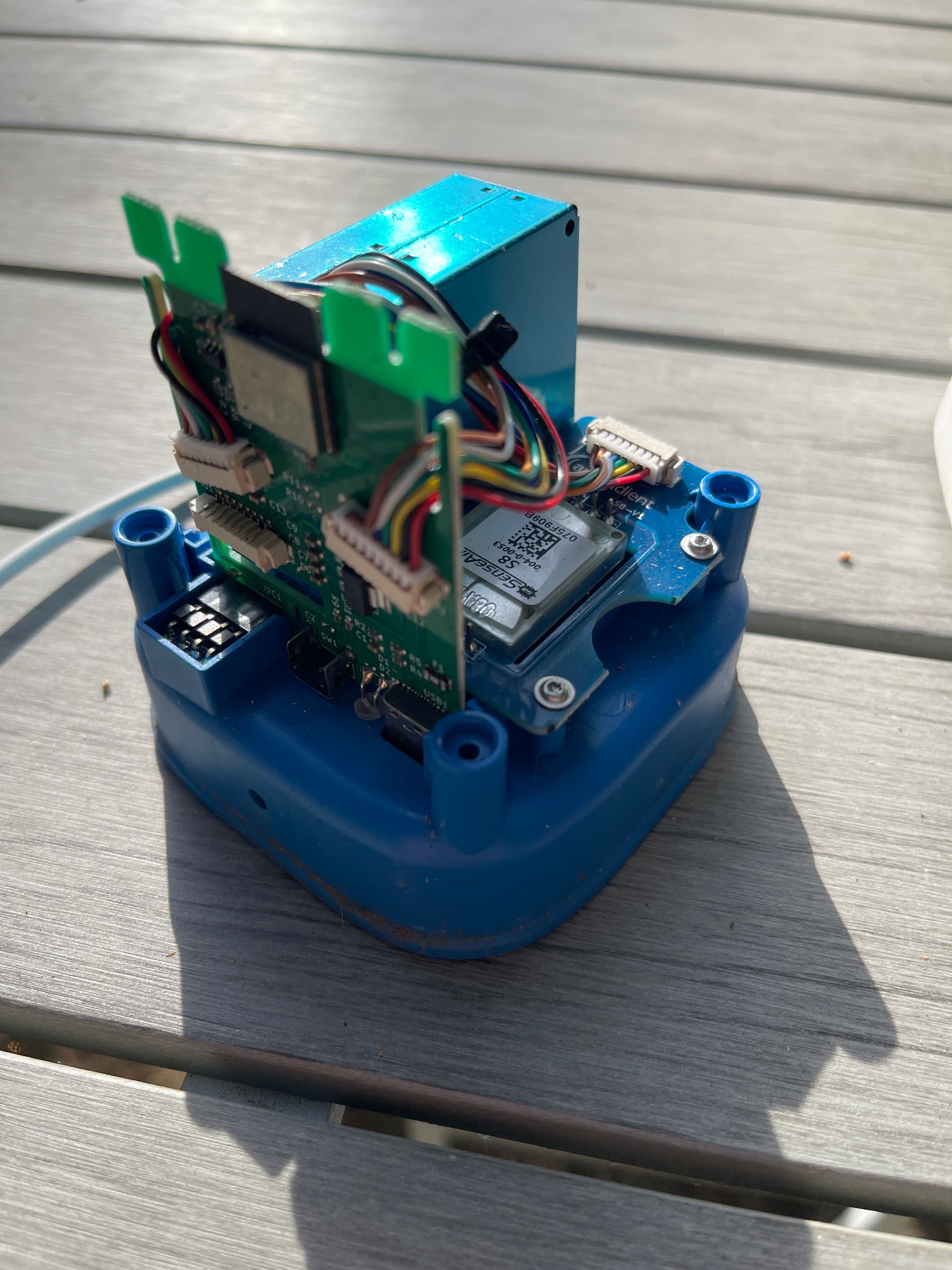
Thanks for the reply - i checked the connections - plugged and unplugged and sadly the readings have not come back

I’m assuming its dead and out of warranty?

Andy

1 Like

I tend to see this on my outdoor monitor as well, but my readings recover after I power cycle the device. Not restart but cut power and turn it back on.

Always assumed it is due to me using ESPHome, but might be a sensor behaviour if others are seeing this with a different implementation as well.

Hi @Andrew_Hudson-Smith - please send in a support ticket through https://www.airgradient.com/support/ - we’ll get you a replacement sensor. Thanks!

2 Likes

Hi @nagisa - interesting - do just TVOC/NOx readings drop off in your case, or any other parameters as well? Can you send us the SN or your unit via the support form? We’ll have a look at the data.

Just the TVOC/NOx, all other sensors continue sending fine.

As I said, my unit is using the MallocArray’s ESPHome firmware and the data is local-only, so there isn’t much for you to look at. I was just chiming in having seen a similar problem and a potential solution to try.

Cheers,
S.

1 Like

Thank you so much for your additional info!

To anyone who has experienced a similar issue, please try power-cycling the device by unplugging the power supply and plugging it back in.

If the issue continues, please feel free to let us know in this forum or contact us via the support form.