The charts in the dashboard don’t reflect the day/night hours specified in the Edit Location > Monitor settings. I was a bit confused, is that intentional? As our site is active at night and inactive in the day - so the chart colors/shading is incongruent with use.
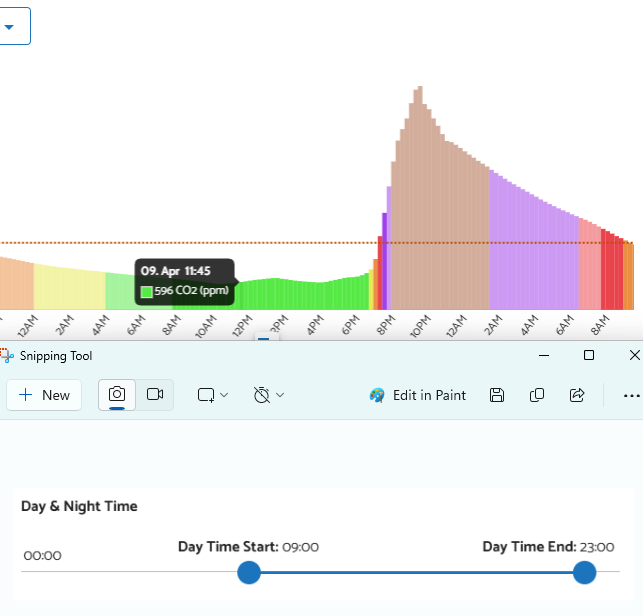
I might be misunderstanding, but I don’t think there is any color or shading on the graphs to indicate day/night hours. As far as I know the colors are based only on the values of your sensors.
The Day/night setting is for automatically dimming the display and LED brightness
You see some chunks 8am-8pm in the charts as more deeply shaded and other parts as less. Also there’s a toggle to only show data from open hours.
Hi @Cliff, as @MallocArray mentioned, the Day & Night Time setting that you adjusted is only for scheduling the AirGradient ONE’s display and LED bar.
We have a feature called “Opening Hours” which is exactly what controls the shading of the chart that you’d like to change. You can access it via the ‘Alarm & Notifications’ menu of the Dashboard, go to the ‘Opening Hours’ tab, and ‘Add New’, as shown in my screenshot below. The change won’t apply retroactively.
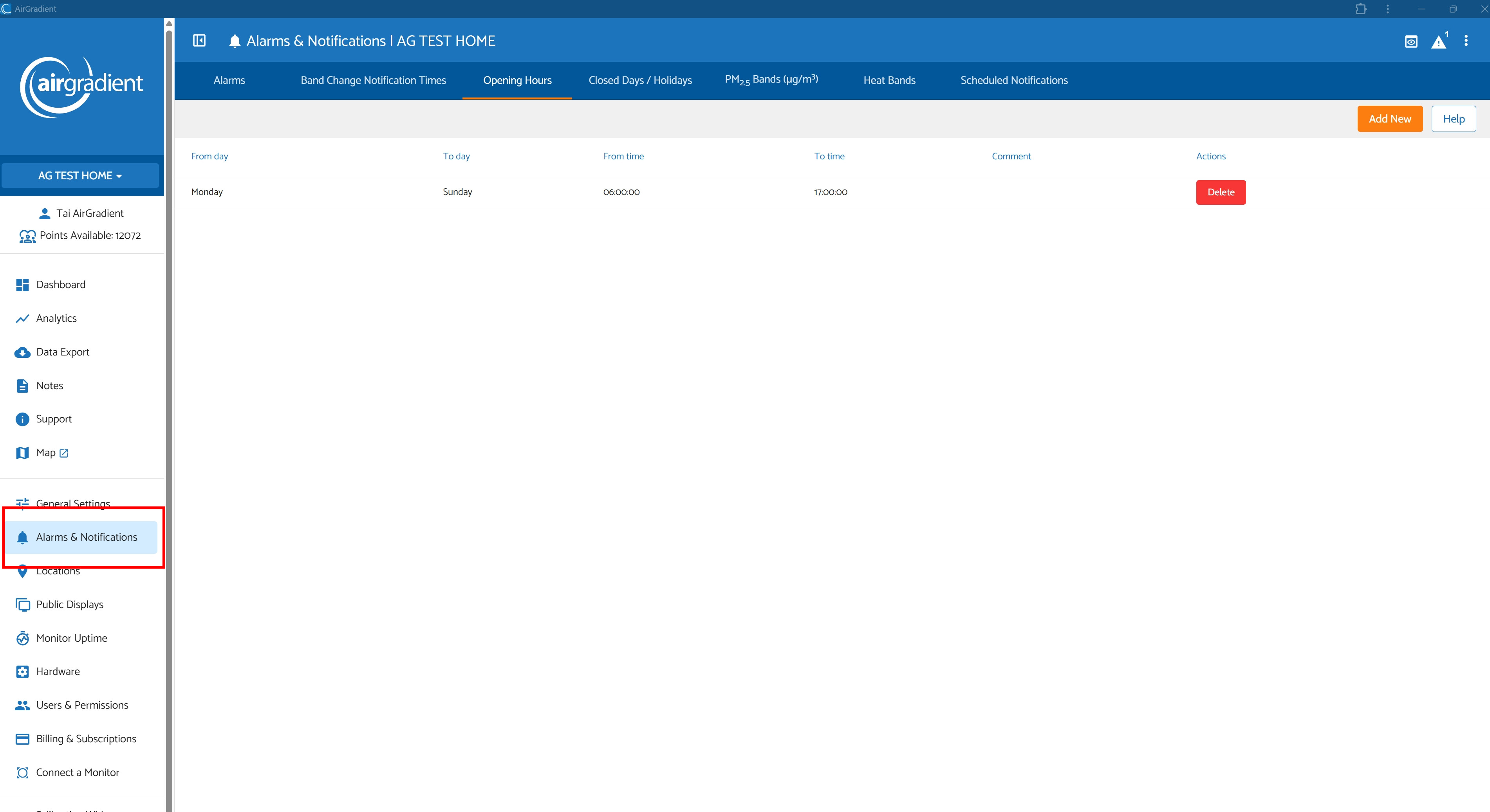
The default setting (when a user creates a new dashboard) of this feature seems to be 8 AM - 8 PM.
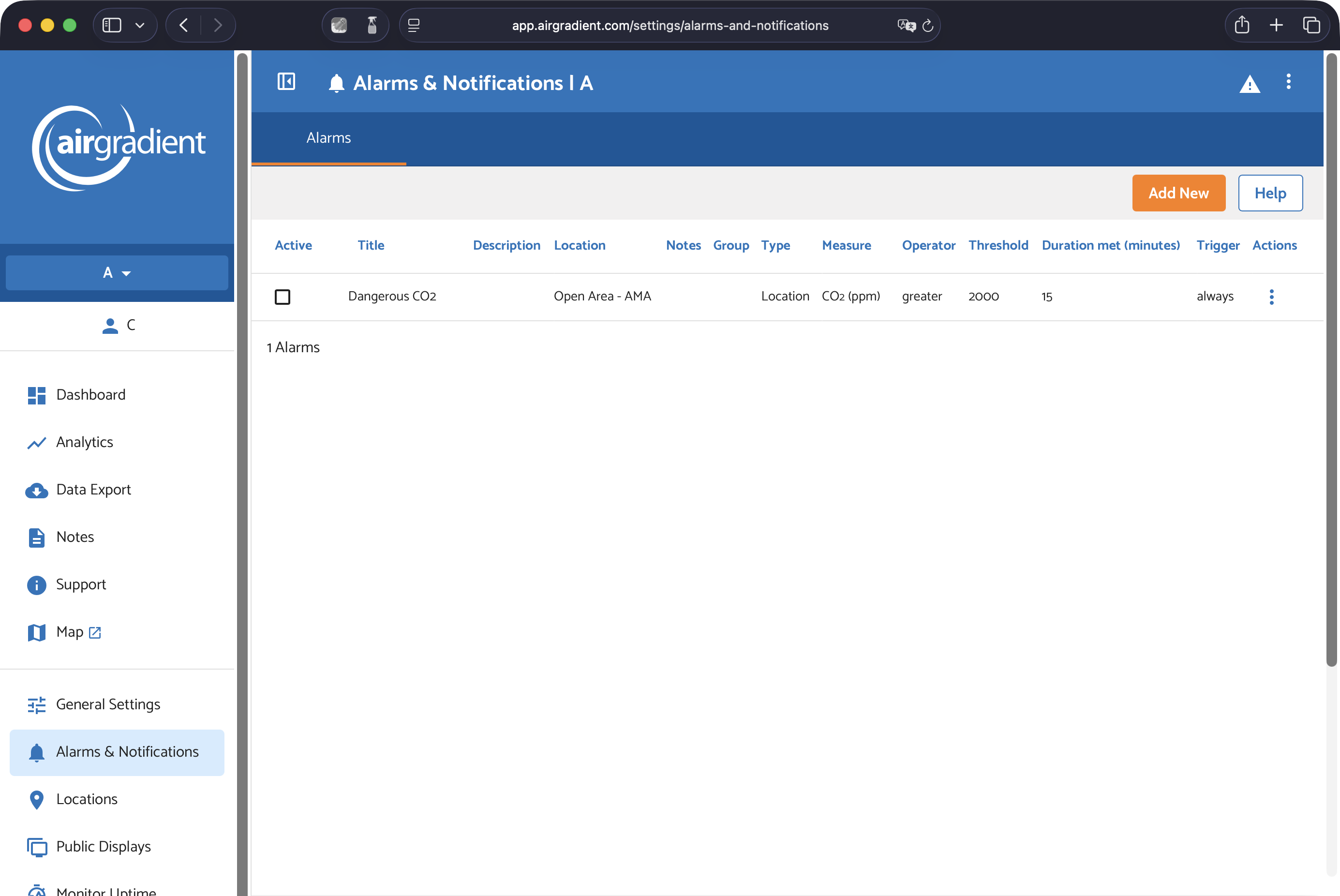
Hi @Cliff, would you mind sharing your Place ID (shown in General Settings > Place) and letting us know via our support form (please refer to this thread on your ticket)? I’ll try to investigate what’s happening. Thank you in advance!
I have found it. One needs to turn on “Advanced Configuration Settings” before being able to see those options in Alarms. Thank you.
1 Like
@Cliff Oh! I’m glad you found it. Sorry that I didn’t think about that before.
Please feel free to let us know if you have any issues.
Thanks!