AirGradient Forum

Screen died on otherwise working I-9PSL

Our kitchen I-9PSL had its screen die a few months ago. Not sure of the exact date. Everything else seems to work fine - it’s reporting data normally and the lights react to conditions. Suspect I just need to buy another display unit and swap the part (which I can do). That said I figured I would ask for software fixes here first and also ask how to select an appropriate 128x64px display part.

Thanks!

1 Like

Hi @Drex, welcome to our community!

I am sorry to hear that your AirGradient ONE’s display is not working as expected.

Is the display completely dead, or does it work intermittently?

Could you please let me know your monitor’s configuration by accessing it via a web browser on a computer/mobile that is on the same Wi-Fi network as the AirGradient monitor?

Use this URL to access your monitor config

http://airgradient_xxxxxxxxxx.local/config

Please change xxxxxxxxxx to your monitor’s serial number.

Thank you in advance

I think it’s completely dead? I haven’t seen it on since it went off but I could have missed it.

Configuration:

{
  "country": "US",
  "pmStandard": "us-aqi",
  "ledBarMode": "co2",
  "abcDays": 8,
  "tvocLearningOffset": 12,
  "noxLearningOffset": 12,
  "mqttBrokerUrl": "",
  "temperatureUnit": "f",
  "configurationControl": "both",
  "postDataToAirGradient": true,
  "ledBarBrightness": 10,
  "displayBrightness": 20,
  "offlineMode": false,
  "model": "I-9PSL-DE",
  "monitorDisplayCompensatedValues": false,
  "corrections": {
    "pm02": {
      "correctionAlgorithm": "slr_PMS5003_20240104",
      "slr": {
        "intercept": 0,
        "scalingFactor": 0.02896,
        "useEpa2021": false
      }
    },
    "atmp": {
      "correctionAlgorithm": "none",
      "slr": null
    },
    "rhum": {
      "correctionAlgorithm": "none",
      "slr": null
    }
  },
  "disableCloudConnection": false,
  "httpDomain": "",
  "extendedPmMeasures": false
}

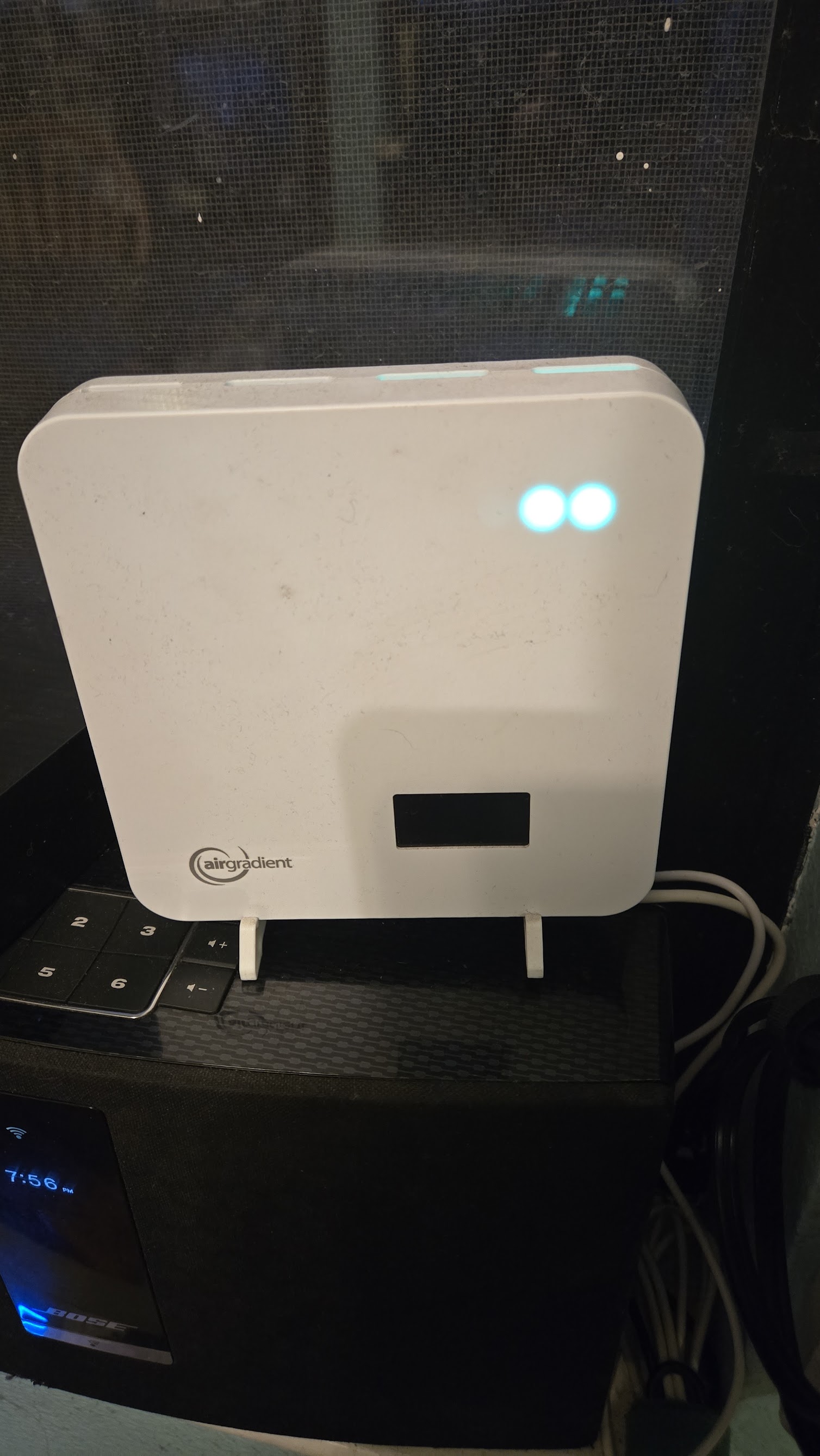
Here’s also here’s a photo of the unit:

1 Like

The Display brightness is at to 20 which should be dim but visible.

I would try changing the brightness to 100 just to see. Your picture shows daylight, but the dashboard can dim the display at nighttime hours that is customizable. Might be with checking that setting to make sure it didn’t accidentally get changed to all the time

1 Like

@Drex Thanks for providing more information.

As @MallocArray mentioned, try increasing the brightness up to 100 to see if the display works (it may take approximately 1 minute for changes to take effect on the monitor after you make changes on the AirGradient Dashboard.

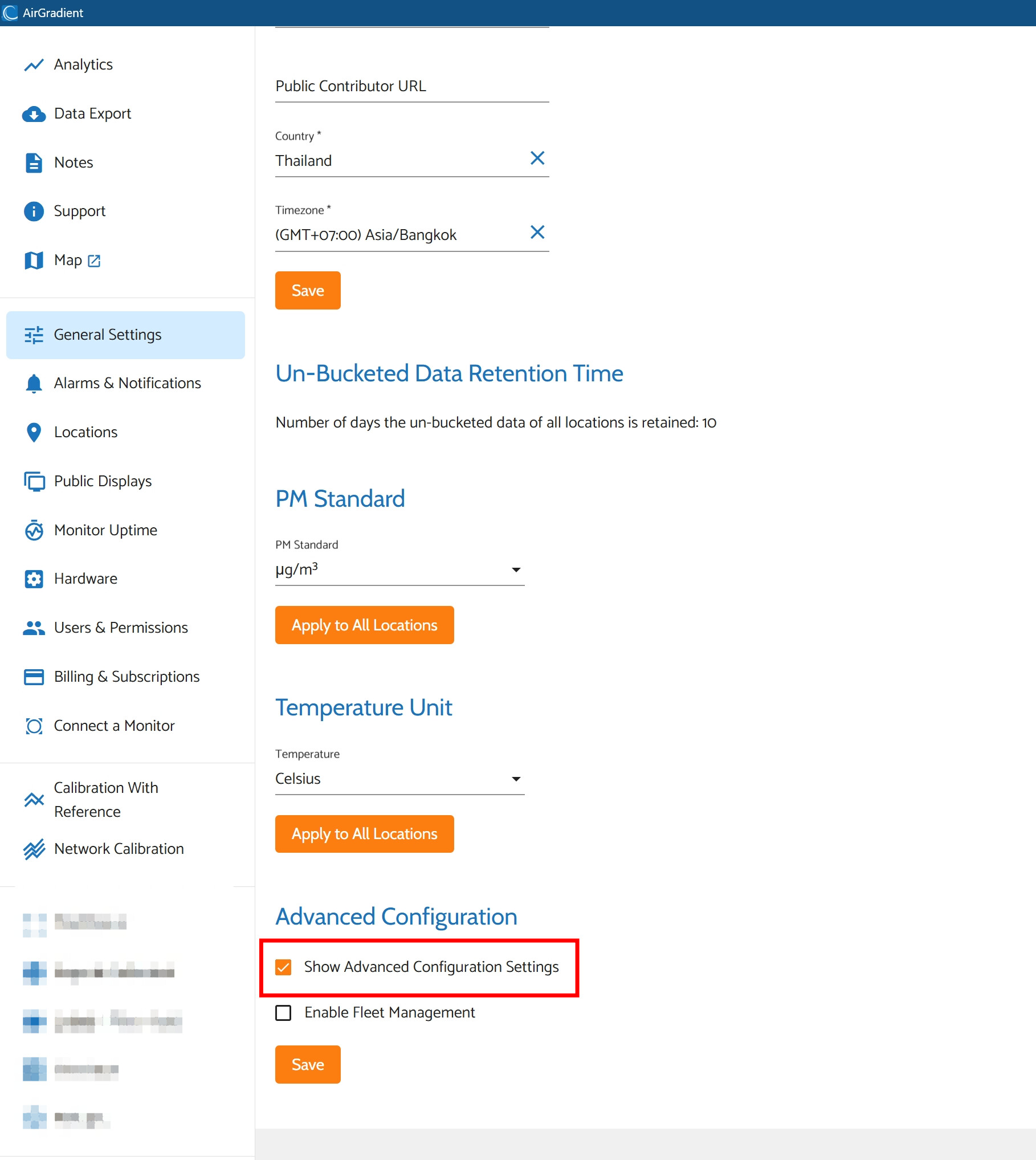
To change screen brightness, go to your AirGradient Dashboard (https://app.airgradient.com/), click ‘General Settings’ menu on the left. Scroll down to the bottom and check ‘Show Advanced Configuration Settings’ as shown in the attached image below:

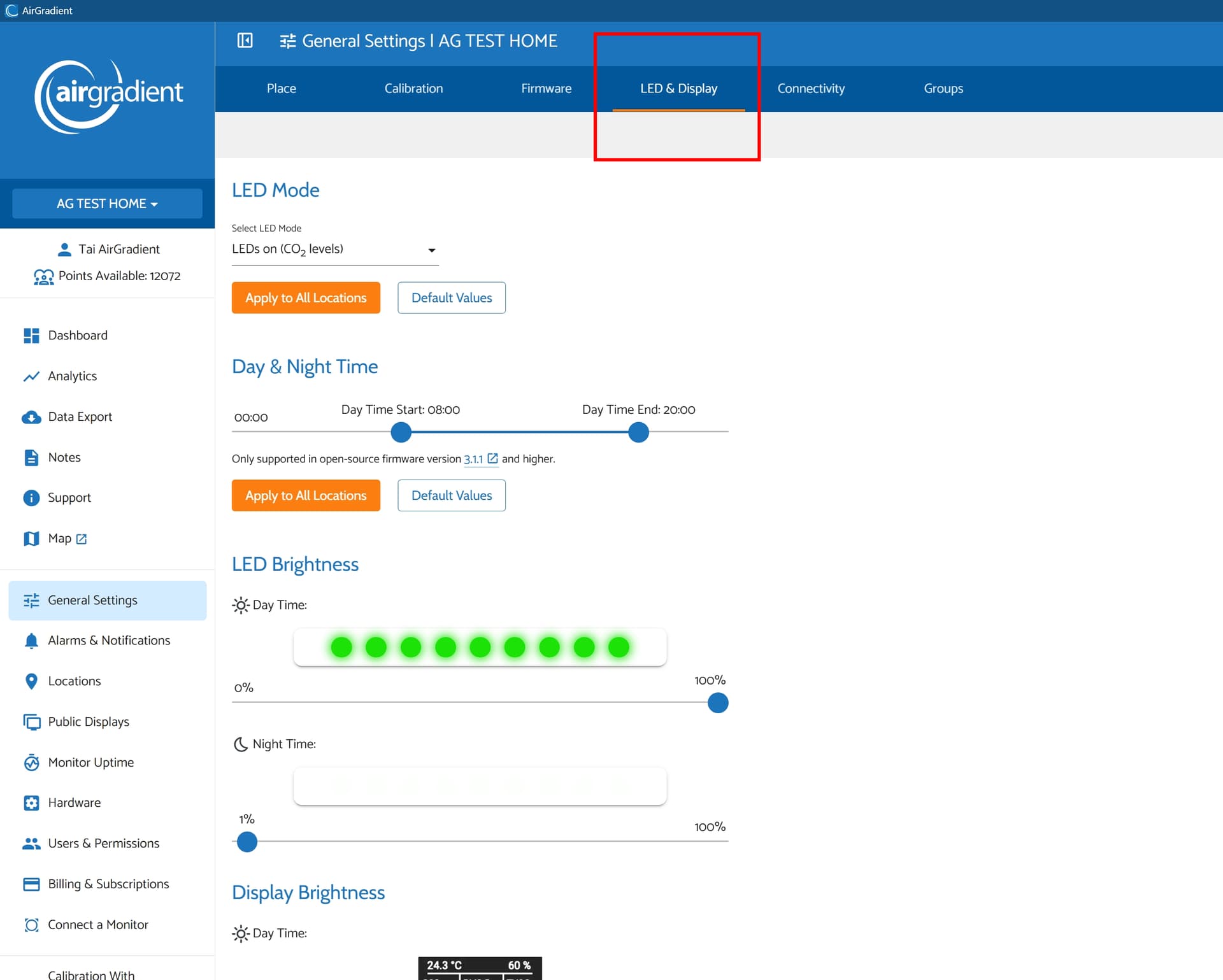
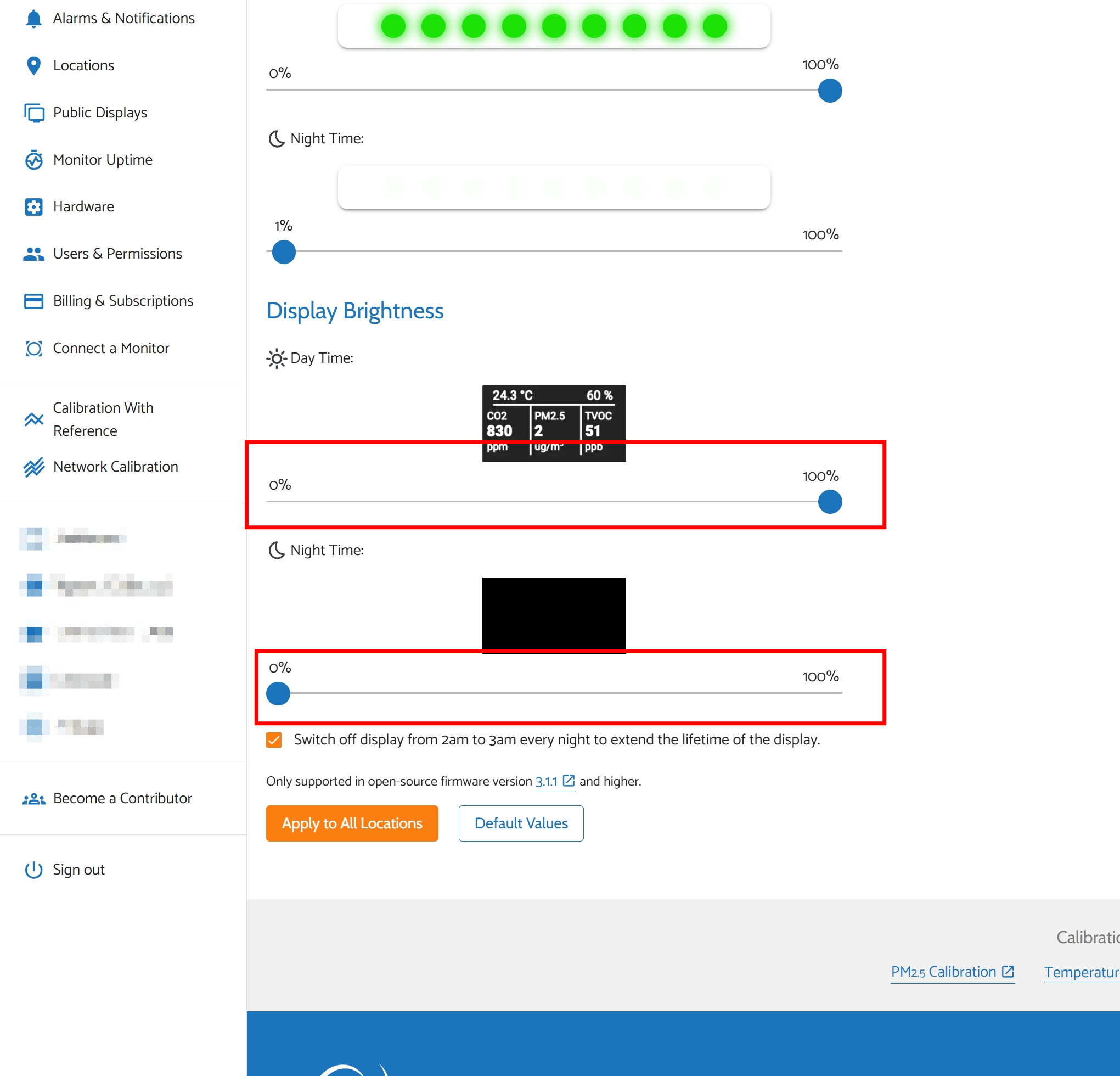
Then you will see some new tabs appear, including ‘LED & Display’. This is where you can adjust the brightness of your display and LED bar (try setting both Day Time and Night Time brightness to 100% to see).

Thank you both for your suggestions - sorry to take a bit to reply. I didn’t change any settings (the brightness was set at 100% for day and 20% at night), but I did re-apply them. As a result the config changed on the affected unit:

{
  "country": "US",
  "pmStandard": "us-aqi",
  "ledBarMode": "co2",
  "abcDays": 8,
  "tvocLearningOffset": 12,
  "noxLearningOffset": 12,
  "mqttBrokerUrl": "",
  "temperatureUnit": "f",
  "configurationControl": "both",
  "postDataToAirGradient": true,
  "ledBarBrightness": 91,
  "displayBrightness": 100,
  "offlineMode": false,
  "model": "I-9PSL-DE",
  "monitorDisplayCompensatedValues": false,
  "corrections": {
    "pm02": {
      "correctionAlgorithm": "slr_PMS5003_20240104",
      "slr": {
        "intercept": 0,
        "scalingFactor": 0.02896,
        "useEpa2021": false
      }
    },
    "atmp": {
      "correctionAlgorithm": "none",
      "slr": null
    },
    "rhum": {
      "correctionAlgorithm": "none",
      "slr": null
    }
  },
  "disableCloudConnection": false,
  "httpDomain": "",
  "extendedPmMeasures": false
}

Unfortunately the problem persists:
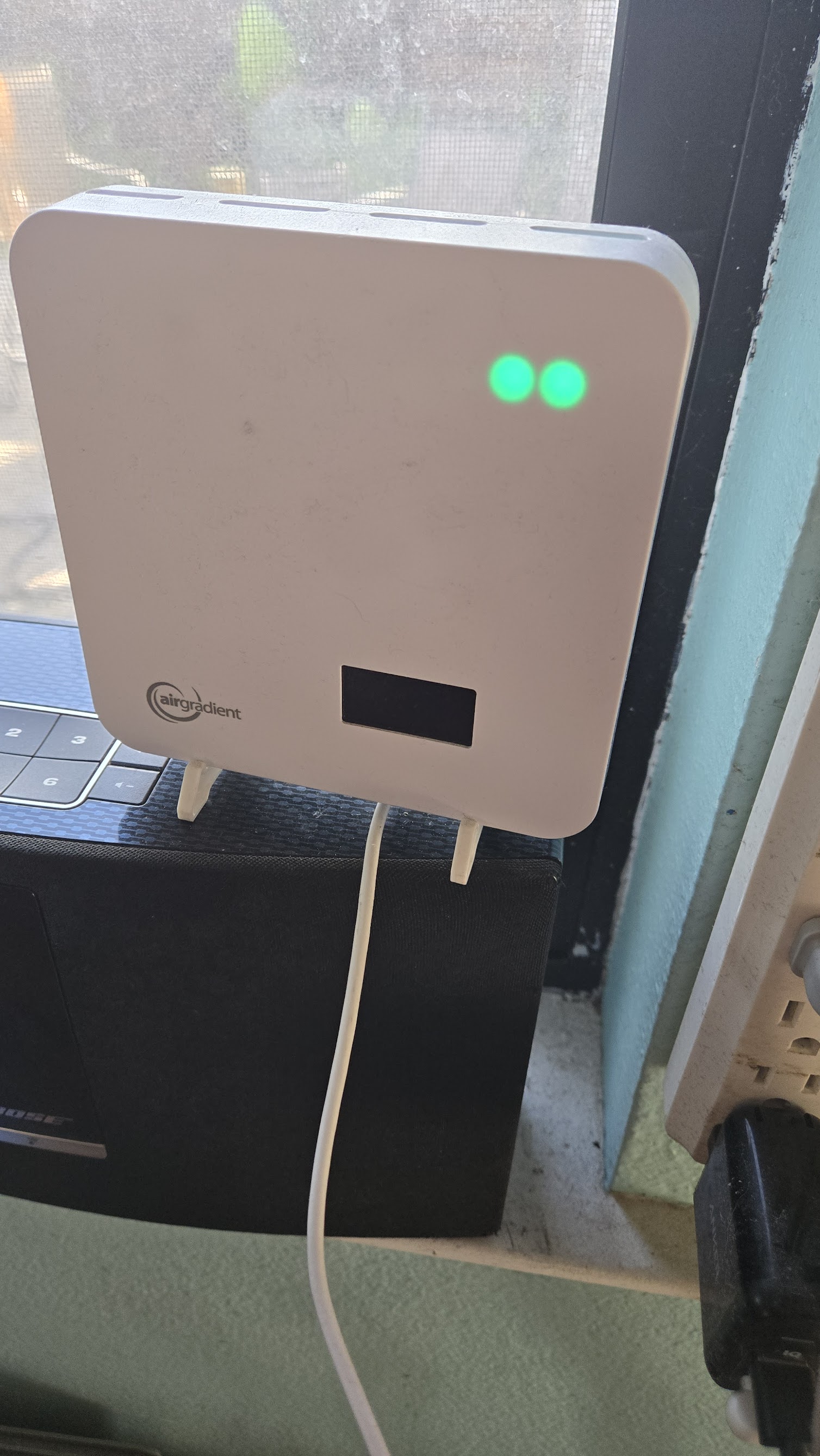
1 Like

Hi @Drex, thank you for providing more info.

Would you mind contacting us via our support form for further assistance with this case?

You can contact us at: https://www.airgradient.com/support

Thank you!

1 Like