AirGradient Forum

Pm 2.5 sensor shows zero value

Hi,

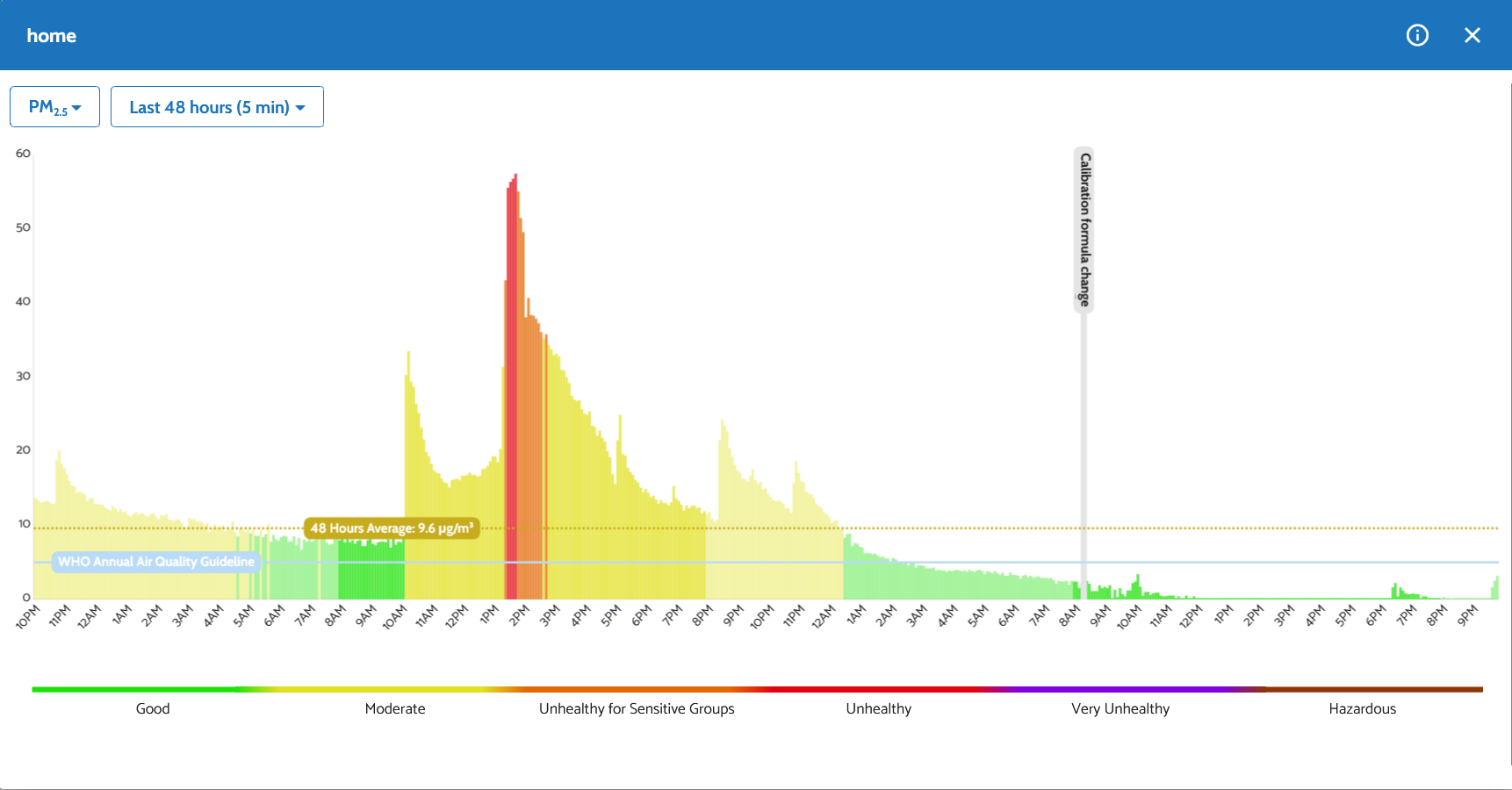
I bought an indoor Aigradient One model I-9PSL-DE and commissioned it on Dec 18, 2025. Everything worked as expected until today. The pm 2.5 readings slowly went down to zero and stay there no matter what I do. Usually when I open the windows to let in some fresh air, the co2 value goes down and the pm 2.5 value goes up. But now the pm 2.5 value is zero. I highly doubt that the air became clean all of a sudden. Could be the sensor dead already?
Now I lit a candle in the room to see what happens.
Thanks,
Gellert
Very low or zero 2.5 readings can be common, depending on the circumstances. I have three AG One indoor monitors and one AG outdoor monitor.

Two indoor monitors are currently sitting next to each other (for comparison until I move one). One is showing 0 and one is showing 0.4 PM 2.5. The third (upstairs room) is currently showing 0 and the outside monitor is 3.3.

An easy way to test the PM sensor is the AG way by lighting an incense stick to provide the smoke or striking about four matches together and blowing them out. You should see the readings sky rocket. The readings will soon drop, but will remain high for some time depending on room ventilation.

2 Likes

Hi @Gellert_Horvath !

As @Rog said, when PM0.3 count readings are low, zero PM2.5 readings are quite normal.

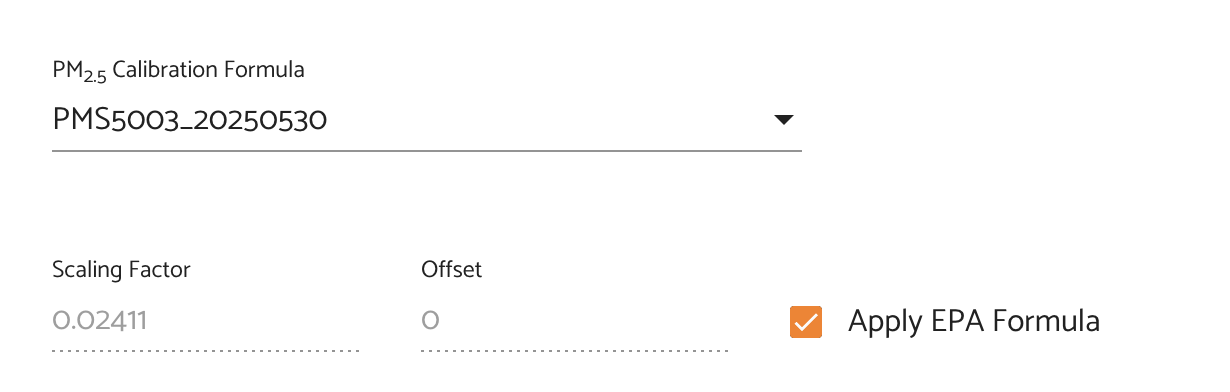
I also see from the graph you’ve shared that there was a change in the calibration formula recently.

Please check the following in the dashboard:

Go to Dashboard > Admin > Advanced Settings > PM2.5
Look at which PM2.5 calibration formula is selected.

If this is a recently purchased, fully assembled monitor, it should be set to Custom via PM count, using the scaling factor and offset from the device’s test report V2.

If you go to Admin > Show Monitor Info and opening the test report for your unit. Compare the scaling factor and offset there with what’s currently applied in the PM2.5 settings.

If the formula is set to a batch correction or something different from the test report, switch it back to Custom via PM count and enter the scaling factor and offset from the Test Report V2.

1 Like

Looks like everything is fine. The air in my apartment and around it became clearer for some reason. Maybe because of the holidays? From the previous readings I was convinced that the air in my neighborhood is not very clean, so when the pm2.5 readings dropped to zero I was worried about my newest investment. But I did the “match” test and as expected the sensor readings jumped to the hundreds suggesting that the sensor does work. Unfortunately this is a DIY kit, no test report available. I changed the correction formula back to default. I am new to air quality measurement and I learn something new every day. Thank you for the help!

No worries at all! Actually for DIY units you can also select a batch correction formula to enhance accuracy at lower PM levels.

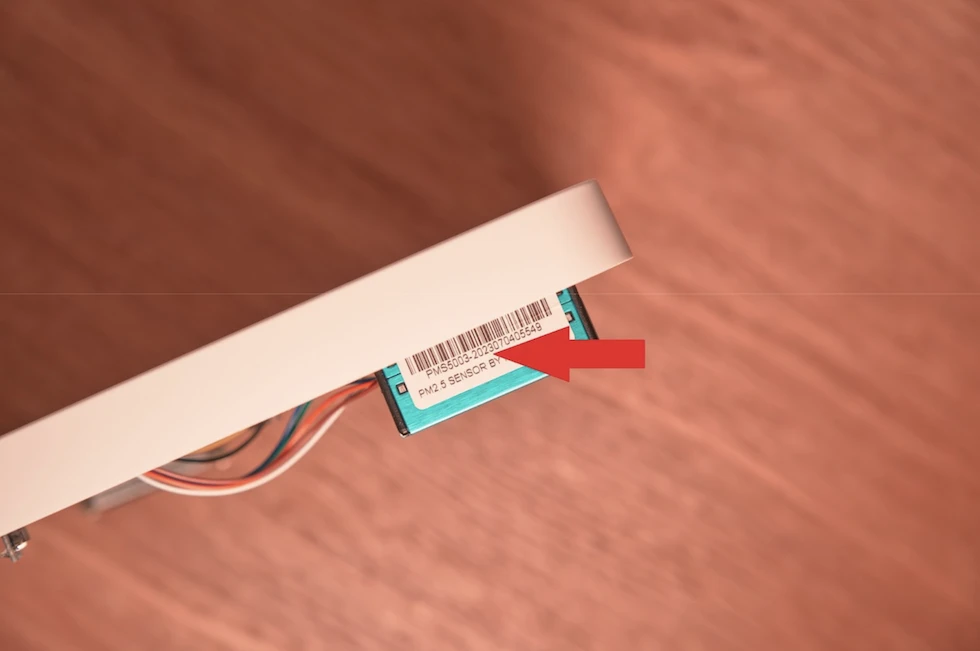
You will need to open your monitor to view the PM sensor’s serial number.

It will have a format like this: PMS5003-2023070405549

You will only need to pay attention to the first few numbers, representing the year, month and day the sensors were produced, so for the serial number above this would be 20230704

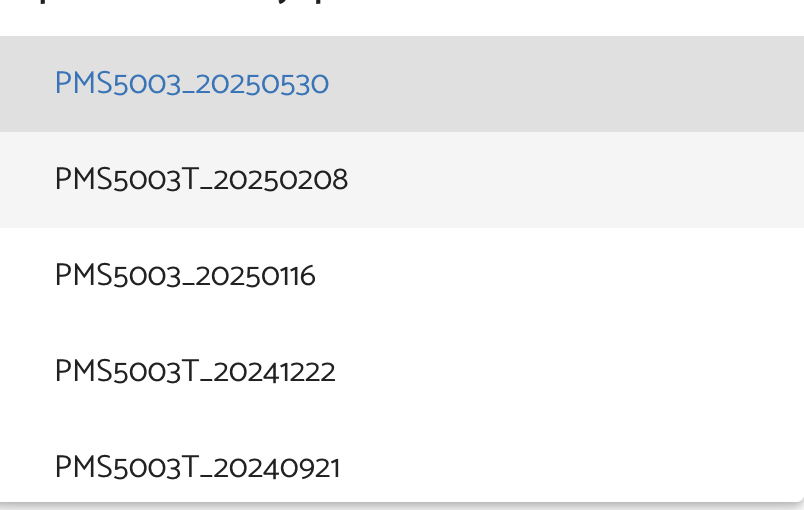
Then you can select the appropriate batch correction formula in the Dashboard depending on the PM sensor serial number:

Finally, apply the EPA formula on top of the batch correction formula. This is the optimal calibration configuration for the PM sensors in DIY kits.

1 Like