AirGradient Forum

LED Bar shows wrong CO₂ thresholds after brightness automation

  • Model: AirGradient ONE (I-9PSL-DE)
  • Firmware Version: 3.4.1
  • Integration: Official AirGradient Integration in Home Assistant
  • Serial Number: 84fce60a40f8

Problem Description

After setting up a Home Assistant automation that changed the LED bar brightness to 0% at night and 70% in the morning, the LED behavior has changed permanently:

Original behavior (working correctly):
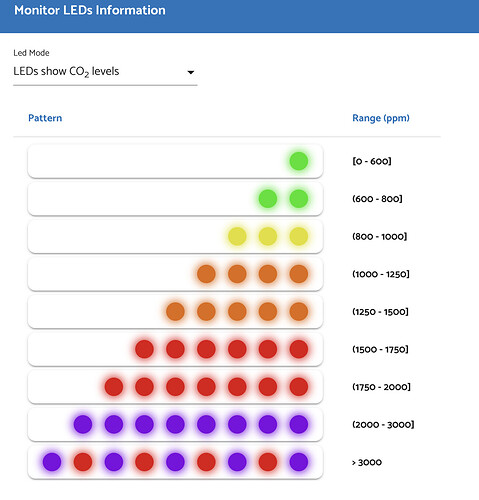
79e3b3a621c18495b64dd86a758e77d821c7786e_2_479x500
(as shown in Support > More About Monitors LEDs)
Current behavior (broken):

  • Below 1000 ppm: No LEDs light up at all (not even green)
  • From 1001 ppm: First LED lights up orange
  • From 1200 ppm: Two LEDs light up
  • CO₂ values are displayed correctly on the screen

What I’ve Already Tried

  1. Modified Home Assistant automation to never set brightness below 1% (instead of 0%)
  2. Verified LED bar mode is set to “co2” in Home Assistant configuration
  3. Restarted the sensor multiple times
  4. Factory reset via configuration button (held 8-10 seconds) - displayed “successfully” on screen
  5. LED bar test via Home Assistant - all LEDs cycled through correctly
  6. CO₂ sensor calibration via Home Assistant (after airing out the room)

None of these steps restored the original LED behavior.

How can I restore the original LED behavior so that green LEDs appear below 1000 ppm (as shown in Support > More About Monitors LEDs)?

Is this a known issue with firmware 3.4.1? Are there any hidden configuration parameters or API endpoints to reset the LED thresholds?

Thank you for any assistance!
Hi @kdeb0999, thanks for joining our community.

From what you mentioned, do I understand correctly that there is no single LED that lights up when CO2 is below 1000ppm?

Can I have a look at your Home Assistant automation? I will try to reproduce the issue.

Thank you in advance.

Hi @Tai_AirGradient,

thank you for your quick reply!

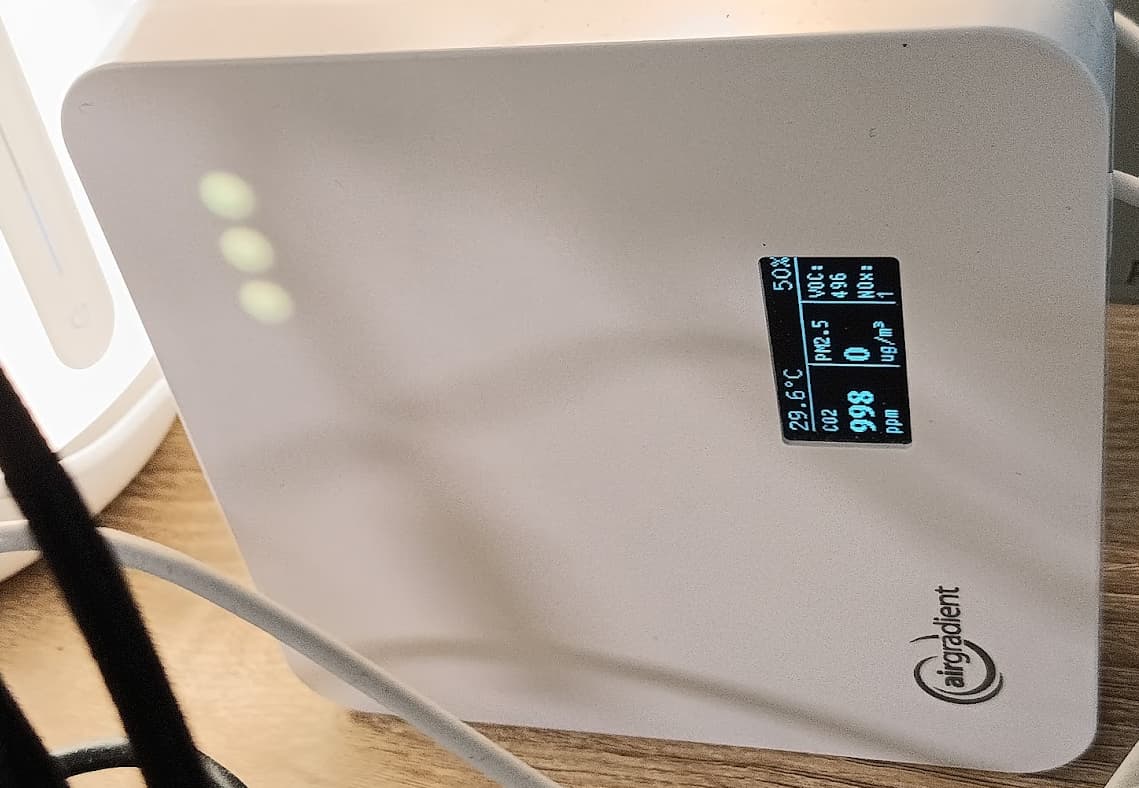
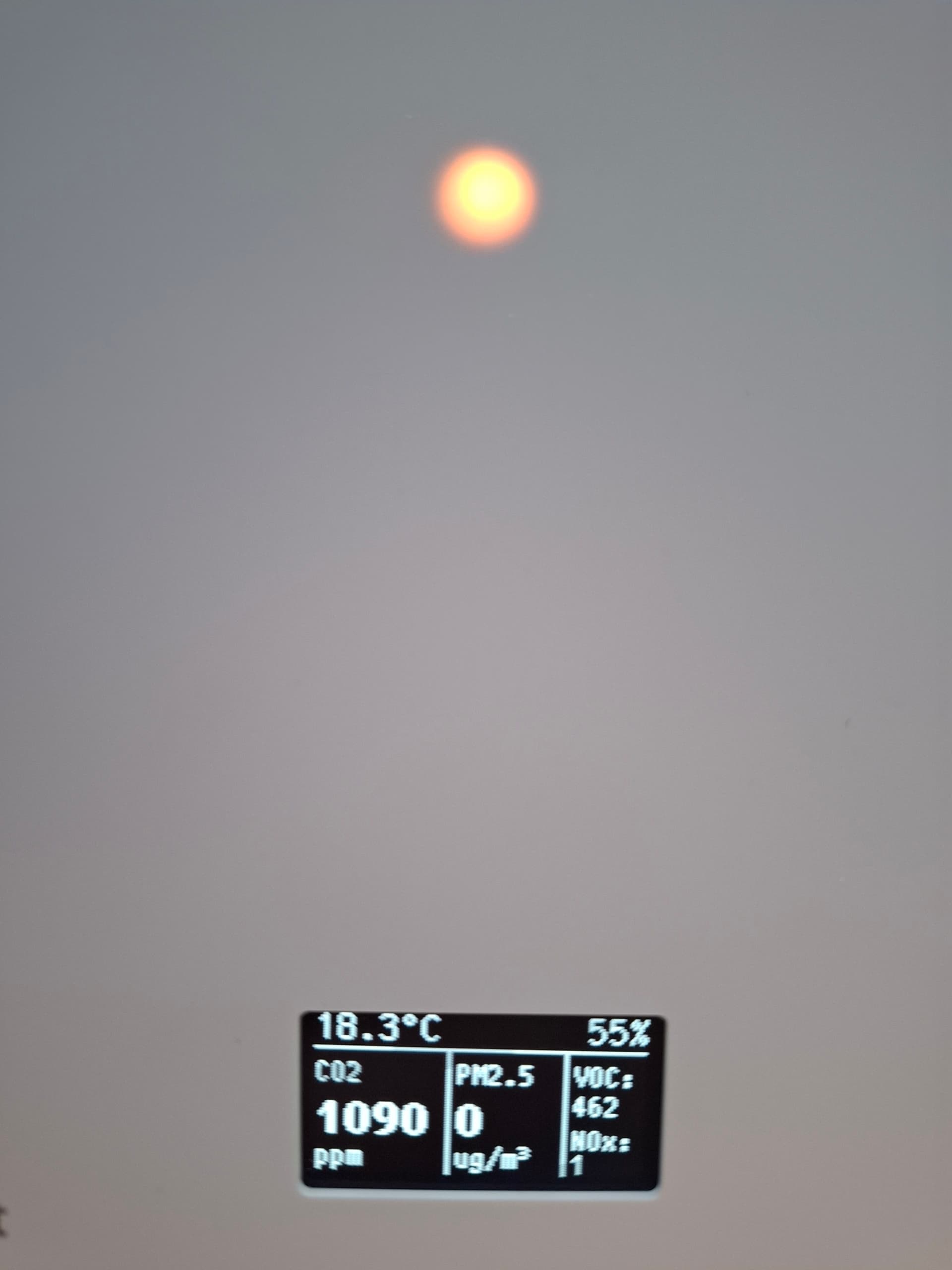
Yes, that’s correct: below 1000 ppm, no LED lights up at all (not even green). Only from 1001 ppm onward does the first LED appear .

This is a photo of the device in its current state:

Here is the Home Assistant automation that triggered the problem:

- id: '1763297512334'
  alias: AirGradient – brightness 70 %
  description: ''
  triggers:
  - trigger: time
    at: 07:00:00
  conditions: []
  actions:
  - device_id: 349fe6139e10e139ea4594d839d3f17f
    domain: number
    entity_id: f2639aedde55893fa3a78bfc0488a246
    type: set_value
    value: 70
  - device_id: 349fe6139e10e139ea4594d839d3f17f
    domain: number
    entity_id: 7c773a9fd3631e7fba5577d780f6d1e1
    type: set_value
    value: 70
  mode: single
- id: '1763297811794'
  alias: AirGradient – brightness 20 %
  description: ''
  triggers:
  - trigger: time
    at: '19:00:00'
  - trigger: time
    at: 06:00:00
  conditions: []
  actions:
  - device_id: 349fe6139e10e139ea4594d839d3f17f
    domain: number
    entity_id: f2639aedde55893fa3a78bfc0488a246
    type: set_value
    value: 20
  - device_id: 349fe6139e10e139ea4594d839d3f17f
    domain: number
    entity_id: 7c773a9fd3631e7fba5577d780f6d1e1
    type: set_value
    value: 20
  mode: single
- id: '1763462376173'
  alias: Airgradient - nightmode
  description: ''
  triggers:
  - trigger: time
    at: '23:00:00'
  conditions: []
  actions:
  - device_id: 349fe6139e10e139ea4594d839d3f17f
    domain: number
    entity_id: 7c773a9fd3631e7fba5577d780f6d1e1
    type: set_value
    value: 0
  - device_id: 349fe6139e10e139ea4594d839d3f17f
    domain: number
    entity_id: f2639aedde55893fa3a78bfc0488a246
    type: set_value
    value: 0
  mode: single

The problem occurred after this automation set the brightness to 0% for the first time. Since then, I’ve modified it to use a minimum of 1% instead.
However, changing the automation did not fix the LED behavior - the thresholds remain shifted even with the modified automation running.

Hopefully, this will help you reproduce the issue.

Please let me know if you need any further details—I’d be happy to provide them.

Thank you very much for your support!

Best regards, Kai

One thing to check on the Home Assistant side:

Can you set the “Configuration Source” in HA to either ‘Cloud’ or ‘Local + Cloud (Both)’?

If it’s currently set to Local Only, Home Assistant takes over LED control entirely and the device won’t use its normal CO2 threshold logic.

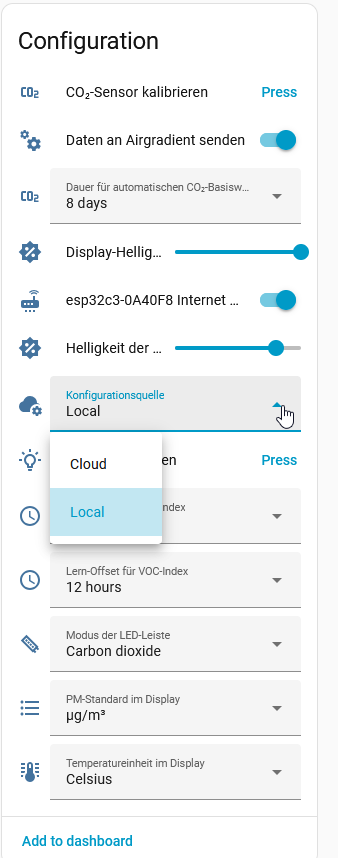
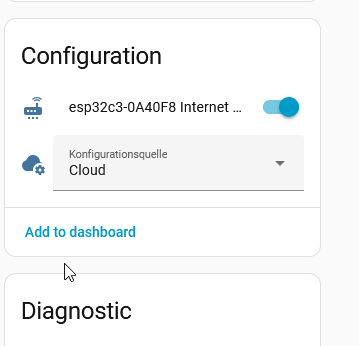
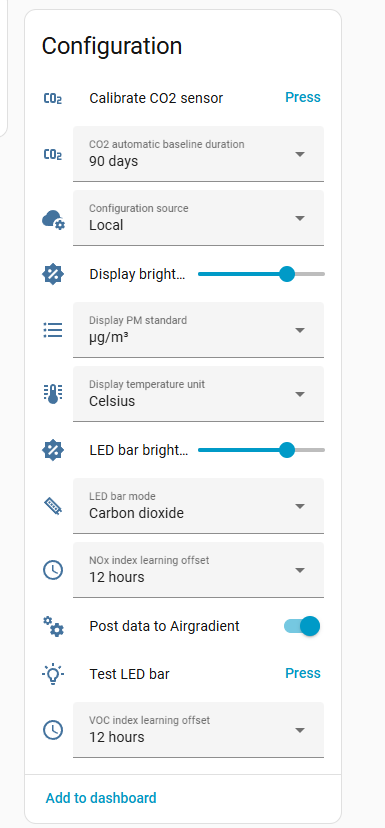
I can only choose between local and cloud.

I reset it to “cloud” and restarted the device. In the web UI, the LED mode is set to “LEDs on (CO2 levels)”. I can also see this via the API at http:///config .

However, no LED has come on (currently 412 ppm).

In this state, I can no longer adjust the brightness via HomeAssistant and can no longer select the entity in the automation.

2025-11-20 11_22_42-Settings – Home Assistant — Mozilla Firefox

Hi, I have not tried reproducing it yet.

But wondering if it is possible for you to try reflashing your monitor’s firmware with ‘Erase device’ option here: AirGradient ONE (I-9PSL), Open Air (O-1PST) and Open Air Max (O-M-1PPST...) Firmware Versions

This should perform a clean flash to firmware V3.3.8. However, please note that this will erase all data saved in your monitor (including Wi-Fi credentials), so you will have to connect it to your Wi-Fi network again after the clean flash. But your Home Assistant should be able to detect and resume the device within AirGradient integration without reconfiguring.

After the clean flash, connect your monitor to your Wi-Fi network, then it should boot up running firmware V3.3.8, and it will try to update to the current version (V3.4.1) once it initiates communication with the AirGradient server. You can observe your monitor’s behavior when it is rebooted after the update is complete.

I wonder if this will help resolve the issue.

Thank you!

I didn’t setup an Automation, but in HA I did set the configuration source to Local and then adjusted the LED brightness, including 0 and then back to 100 and others.

The bar continued to behave as expected in all of the use cases as concentrations were around 1000-1200

Hi, I have tried creating 3 automations using the same pattern that you provided in your automation (but trigger times are different, as shown below).

- id: '1763697570809'
  alias: '[reproduce 6eac] 1st block - 7AM'
  description: ''
  triggers:
  - trigger: time
    at: '11:19:00'
  conditions: []
  actions:
  - device_id: fee67eff3fae1b0ccd739cd8114d8142
    domain: number
    entity_id: fc7e6220bb18d9414e9dac16a1669961
    type: set_value
    value: 70
  - device_id: fee67eff3fae1b0ccd739cd8114d8142
    domain: number
    entity_id: 09629f53586c90591d0ff904e3f8d501
    type: set_value
    value: 70
  mode: single

- id: '1763697819819'
  alias: '[reproduce 6eac] 2st block - 19 and 06 hrs'
  description: ''
  triggers:
  - trigger: time
    at: '11:13:00'
  - trigger: time
    at: '11:17:00'
  conditions: []
  actions:
  - device_id: fee67eff3fae1b0ccd739cd8114d8142
    domain: number
    entity_id: fc7e6220bb18d9414e9dac16a1669961
    type: set_value
    value: 20
  - device_id: fee67eff3fae1b0ccd739cd8114d8142
    domain: number
    entity_id: 09629f53586c90591d0ff904e3f8d501
    type: set_value
    value: 20
  mode: single

- id: '1763697998228'
  alias: '[reproduce 6eac] 3st block - 23 hrs (night mode)'
  description: ''
  triggers:
  - trigger: time
    at: '11:15:00'
  conditions: []
  actions:
  - device_id: fee67eff3fae1b0ccd739cd8114d8142
    domain: number
    entity_id: fc7e6220bb18d9414e9dac16a1669961
    type: set_value
    value: 0
  - device_id: fee67eff3fae1b0ccd739cd8114d8142
    domain: number
    entity_id: 09629f53586c90591d0ff904e3f8d501
    type: set_value
    value: 0
  mode: single

My AirGradient ONE seems to work properly, and I can adjust the LED bar/OLED screen brightness normally.

I’d suggest you try a clean firmware flash, as I mentioned above. Please let me know if it resolves the issue or not. Also, feel free to reach out to our support team. Thank you.

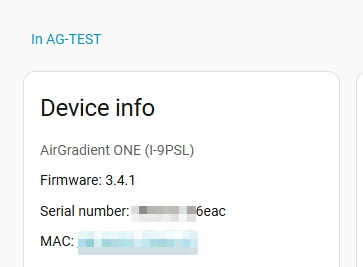
More context regarding my AirGradient ONE and my Home Assistant:

image

image

2 Likes

Hello, I reflashed the firmware as described above. When booting, I now get the following error message:

Sensor init Error: S8 not found
Sensor init Error: PMS not found

No sensor data is displayed anymore, neither on the display nor in Home Assistant.

I see the following error in the logs:

CO2 S8 sensor not found
initializing PM sensor
cleared 0 byte(s)
setting active mode
PMS sensor not found
[AGSERIAL] Info: IICSerial initialized
[AGSERIAL] Warning: IICSerial failed open serial line, retry..
[AGSERIAL] Warning: IICSerial failed open serial line, retry..
[AGSERIAL] Warning: IICSerial failed open serial line, retry..
[AGSERIAL] Error: IICSerial failed open serial line, give up..

SGP41 and SHT sensors are working fine.
I have already tried a different power supply and cable, and reconnected all sensors to the circuit board. It seems as if the I2C-to-UART bridge (SC16IS750) is not responding.

Hi @kdeb0999, could you please contact us through our support form? - https://www.airgradient.com/support/

Our support team is happy to investigate this issue further.

Thank you!