Hello,
I use the AirGradient ONE (I-9PSL) since some month … but indoor temp ist always 2 ° more than 3 other hardware sensors 5 cm away from my AirGradient ONE … so , how to tell that the inside sensor is really 2° less ?
1 Like
Hi @sebbil, to set a temperature offset for your AirGradient ONE (I-9PSL-DE), you can follow this guide to set the offset on your AirGradient Dashboard: Temperature/Humidity Sensor Calibration Guide | AirGradient Knowledge Base
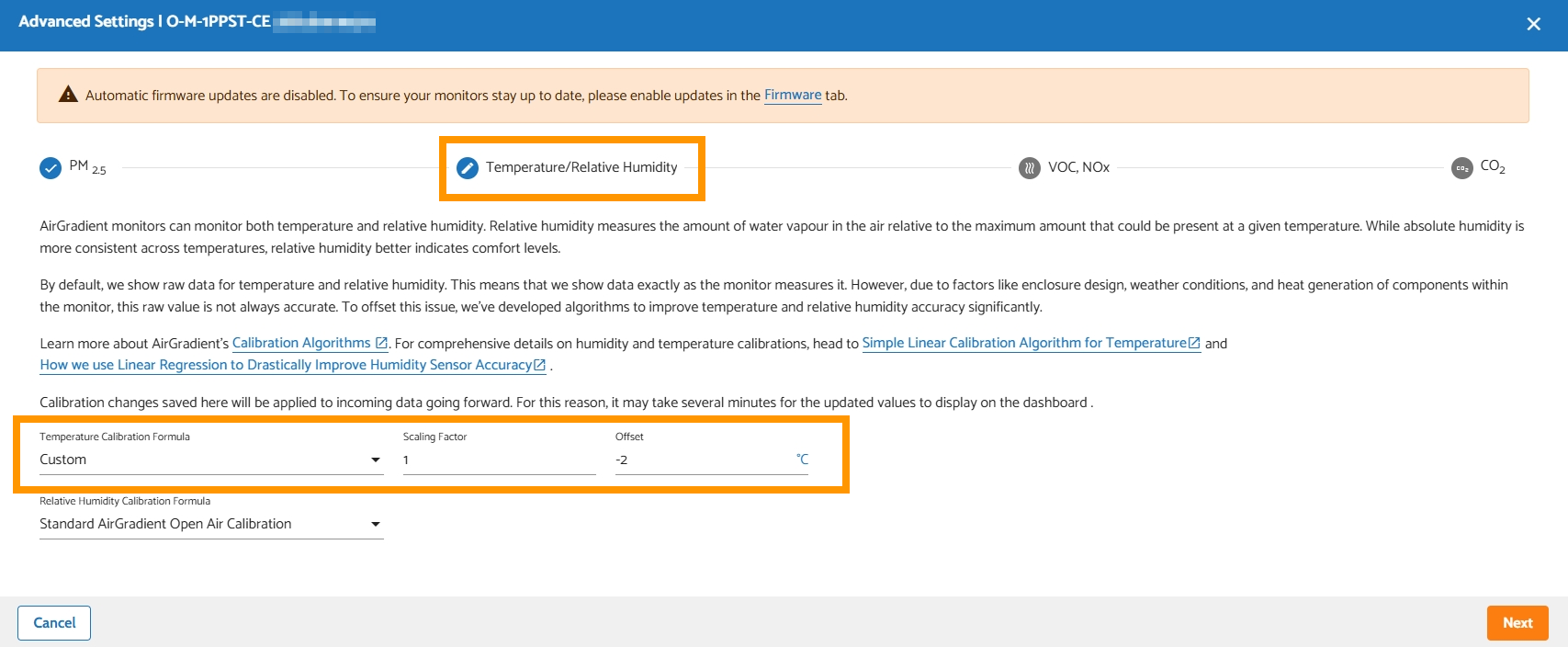
In the ‘Edit Calibration’ window of your specific air monitor → go to ‘Temperature/Relative Humidity’ tab → set ‘Temperature Calibration Formula’ = ‘Custom’, ‘Scaling Factor’ = 1, ‘Offset’ = -2
Thanks for trying to help me,
is there no way to do this locally / offline , I have no online account and dont want to use cloudthings …
Was this item one that you assembled yourself? If so, there is a chance your temp sensor got placed in the upper socket instead of the lower which can result in higher than actual temps being reported, due to heat convection.
I’ll let Tai update us if this is something the local API can configure for temperature. I know you can set some custom calibrations for the PM2.5, but don’t recall hearing about it for temperature
Yes, was a kit … I put it in there left down on image
https://www.airgradient.com/shop/#!/AirGradient-ONE-Indoor-Monitor-I-9PSL-Kit/p/594725501
Thanks for clarifying. You are also using the feet so it is standing upright and has some gap under it for airflow? (Or mounted to a wall?)
Its standing upright on the feet , who are in the kit …
so that i can read the display
You can configure this locally using tools like Postman, Bruno, or Yaak, or with curl in your PC terminal to PUT JSON config to http://airgradient_SERIALNUMBER.local/config
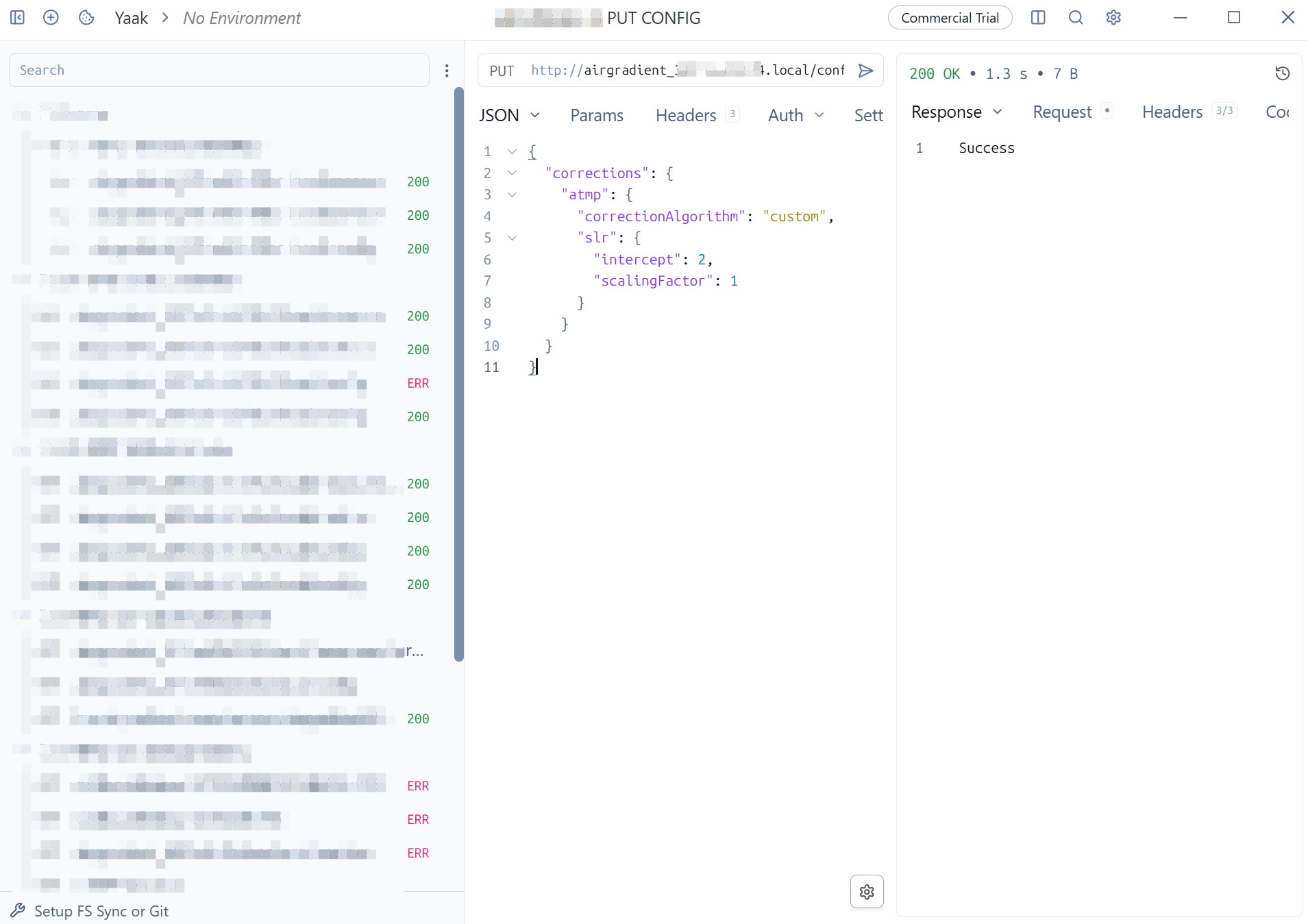
You can use this for your specific case:
{
  "corrections": {
    "atmp": {
      "correctionAlgorithm": "custom",
      "slr": {
        "intercept": 2,
        "scalingFactor": 1
      }
    }
  }
}
More details: arduino/docs/local-server.md at master · Open-Air-Foundation/arduino · GitHub
1 Like
Thanks a lot … I just make the configuration 40 min ago online 
and start new, I did it like in Post 2 here on this thread.
it works there in the AirGradient NUMBER
there is 20° on this homepage… but in my display its 22° ?°
That could be because the device didn’t fetch the configuration from the cloud.
You can check http://airgradient_SERIALNUMBER.local/config using a web browser in the same local network as the AirGradient device.
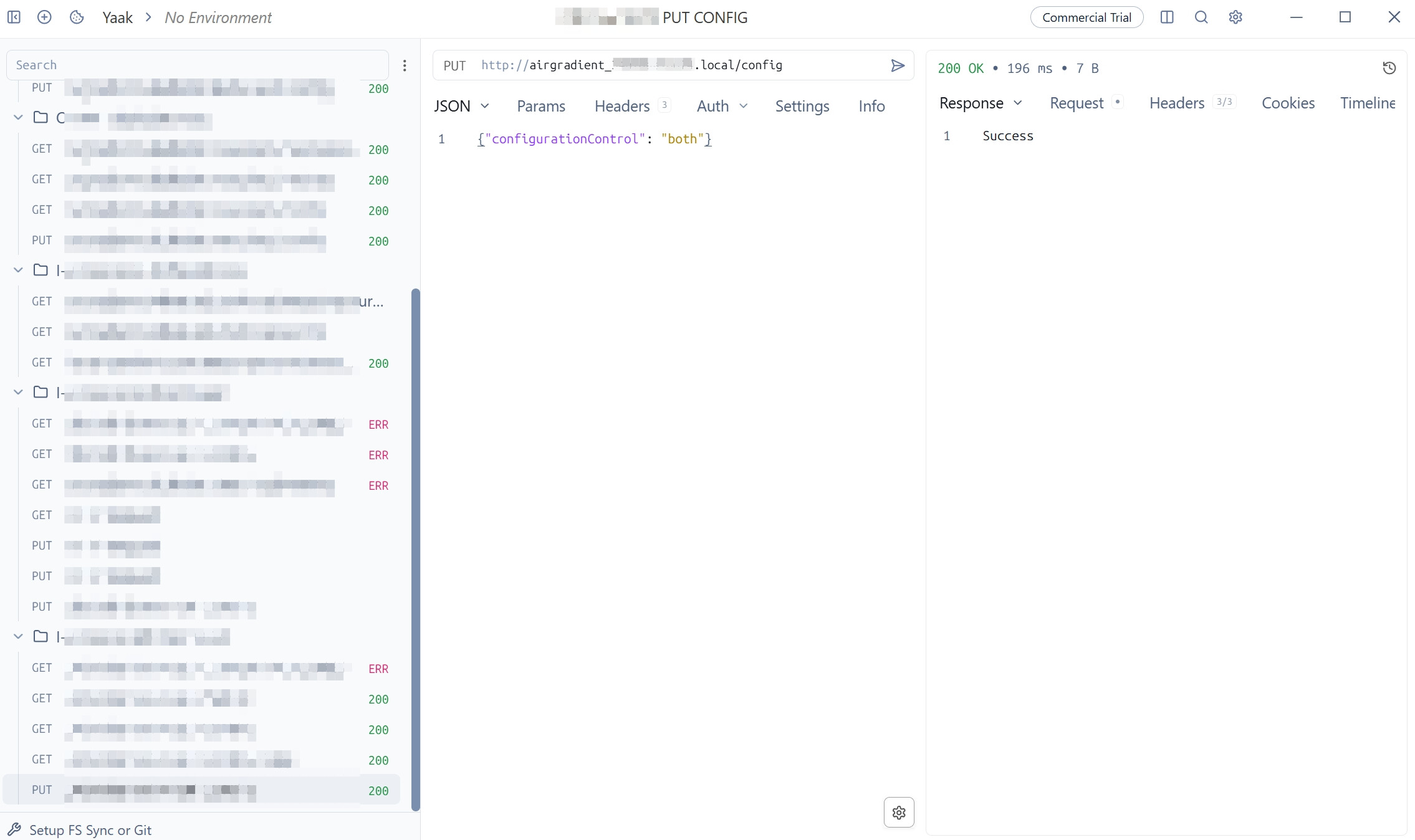
Make sure that: "configurationControl" is set to "both"
If not, you can PUT the JSON below to http://airgradient_SERIALNUMBER.local/config
{"configurationControl": "both"}
Your AirGradient ONE’s OLED display should now reflect the corrected temperature.
1 Like
Ok, thats the problem for this … i think
configurationControl “local”
How to change this to “both” ?
didnt find anything here : Temperature/Humidity Sensor Calibration Guide | AirGradient Knowledge Base
is this right in Win10 command:
http://airgradient_{{serialnumber}}.local -d “{“param\configurationControl”:“both”}”`
( i am no software programmer pro) and dont want to destroy it
I have tried this with my Windows 11 PC and can confirm it works. Please run this command in Command Prompt (not PowerShell):
curl -X PUT -H "Content-Type: application/json" -d "{\"configurationControl\":\"both\"}" http://airgradient_SERIALNUMBER.local/config
Regarding the configuration “both”, it is not directly relevant to the temperature and humidity calibration. But it is a setting that controls your AirGradient ONE to get the configuration you set (whether via local API, AirGradient Dashboard (cloud), etc.).
The “configurationControl” can be set to “both” (this one is the default), or “local”, or “cloud”.
“both” means the AirGradient device accepts the configuration you make whether via local API, AirGradient Dashboard (cloud), Home Assistant, etc.
“local” means it only accepts configuration made via the local API (including Home Assistant that interacts with the AirGradient device via the local API)
“cloud” means it will only accepts configuration made via the AirGradient Dashboard. It will ignore all configuration that is made via the local API (including Home Assistant, curl, etc.)
1 Like
THANKS a lot …that worked …he anwers " success " and 1 min later the temperatur is 2° less
JIPIIE ! nice support !
1 Like
@sebbil My very pleasure! Glad to hear that it worked for you.
Please feel free to let me know if you have any other questions. Thanks!
I’d first check whether the AirGradient ONE is getting any extra heat from nearby electronics, the display, or its power source. Since the other sensors are only about 5 cm away, the difference is worth investigating. You could place all four sensors together in the same spot for a few hours and compare the readings under stable conditions. If the AirGradient still consistently reads around 2°C higher, it may be worth checking its calibration or contacting AirGradient support.
Hmm… I’m trying to get my brand new AirGradient Go to report accurate temp/humidity. I’ve updated the config as follows:
{
  "pmStandard": "ugm3",
  "temperatureUnit": "f",
  "altitudeUnit": "m",
  "cloudConnection": true,
  "configurationControl": "both",
  "measurementInterval": 300,
  "gpsMode": "tracking",
  "frontLedBrightness": 0,
  "backLedBrightness": 0,
  "touchLedIntensity": 0,
  "buzzerEnabled": false,
  "co2AbcDays": 8,
  "tvocLearningOffset": 12,
  "noxLearningOffset": 12,
  "corrections": {
    "pm25": {
      "correctionAlgorithm": "none",
      "slr": null
    },
    "temperature": {
      "correctionAlgorithm": "custom",
      "slr": {
        "intercept": -3.9,
        "scalingFactor": 1
      }
    },
    "humidity": {
      "correctionAlgorithm": "custom",
      "slr": {
        "intercept": 0,
        "scalingFactor": 1.36
      }
    }
  }
}
Sadly, that isn’t completely working - the Go is showing the correct readings on its display, but my dashboard is still showing the uncorrected readings.
Please advise. Thank you.
Hi @MMMurphy, currently, only the PM2.5 correction algorithm is applied on the Dashboard. The temperature and humidity corrections have not been implemented.
To see which configurations are currently available on your cloud (Dashboard) side of your Go. You can take a look at:
http://hw.airgradient.com/sensors/airgradient:SERIALNUMBER/go/config
Replace the SERIALNUMBER with your Go’s serial number.
We will let you know when they are available on the Dashboard. Stay tuned!