AirGradient Forum

Help Build the World's Largest Open Indoor Air Quality Dataset

One of the biggest challenges in indoor air quality research is the lack of open, real-world data. While outdoor air quality has benefited from large public datasets for years, indoor environments remain largely a black box despite the fact that most people spend around 90% of their time indoors. Today, we're introducing a new optional feature that allows AirGradient users to share their indoor air quality data for research and public benefit.


This is a companion discussion topic for the original entry at https://www.airgradient.com/blog/help-build-the-worlds-largest-open-indoor-air-quality-dataset
Is the API open? I already take and store measurements around my home.

I would like to upload measurements from my Netatmo, Shelly and Ewpe Smart ACs.

Thank you

Daniel

We are in the last stretches to finalize the API. We want to make sure it has all privacy protection mechanism well tested and implemented.

However currently the functionality is linked to AieGradient monitors but I like your idea to add third party data. What format do you have that data available?

I poll my open air outdoor monitor from airgradient every 5 minutes for pm2, co2, temperature and relative humidity.

I also take measurements in 9 rooms every 5 minutes. Except for Shelly where the device calls a webhook when there is a change.

My MariaDb database has:

  • Local timestamp
  • temperature in °C, humidity in %RH, co2 in ppm, atmospheric pressure in hPa.
  • room/device that took the measurement.
  • device manufacturer
    I can convert timestamp to UTC and provide latitude/longitude.

I could upload the information in json format. But CSV or TSV works too. I could do uploads when the measurement is taken, or batch uploads every few hours. I started monitoring indoor air quality in November 2025. I could share that historic information too.

I also have wind in knots and a second exterior temperature sensor.

In the next few weeks I will be adding information Air conditioning measurements to the database too. E.g., when was it turned on/off, what is the target temperature. Is it cooling or heating.

1 Like

@Catspots thanks for sharing! In the meantime while we are waiting for @Achim_AirGradient, may I ask you how you plan to add the AC measurements? If I understand correctly, you mentioned Ewpe Smart, which means your AC is network-connected (e.g. Wi-Fi AC)?

I am interested in tracking my AC target temperature as well, but my AC is a standard IR remote-controlled. Without a modification or an external module connected to the AC’s mainboard, I need to put a contact sensor on the AC’s vent to record its status (ON/OFF), but I haven’t been able to record the target temperature yet. Maybe I have to find out this way. Would love to hear your idea if you’d like. Thanks!

My AC unit is a gree smart air conditioner. It is connected to the local network, and listening on UDP port 7000.

Based on the code and explanation available on GitHub projects: /tomikaa87/gree-remote and /anaryk/ewpe-smart-ha I was able to implement a poller using shell scripting and python to fetch the target and current temperature of the AC unit. I then store the measurements on a local MariaDB table.

1 Like

@Catspots thanks a lot for sharing this!

One other thought would be to integrate through Home Assistant, since a heck of a lot of devices already are integrated, and save data in a consistent format in it’s database, allowing an enhancement of the AG integration to have access to all.

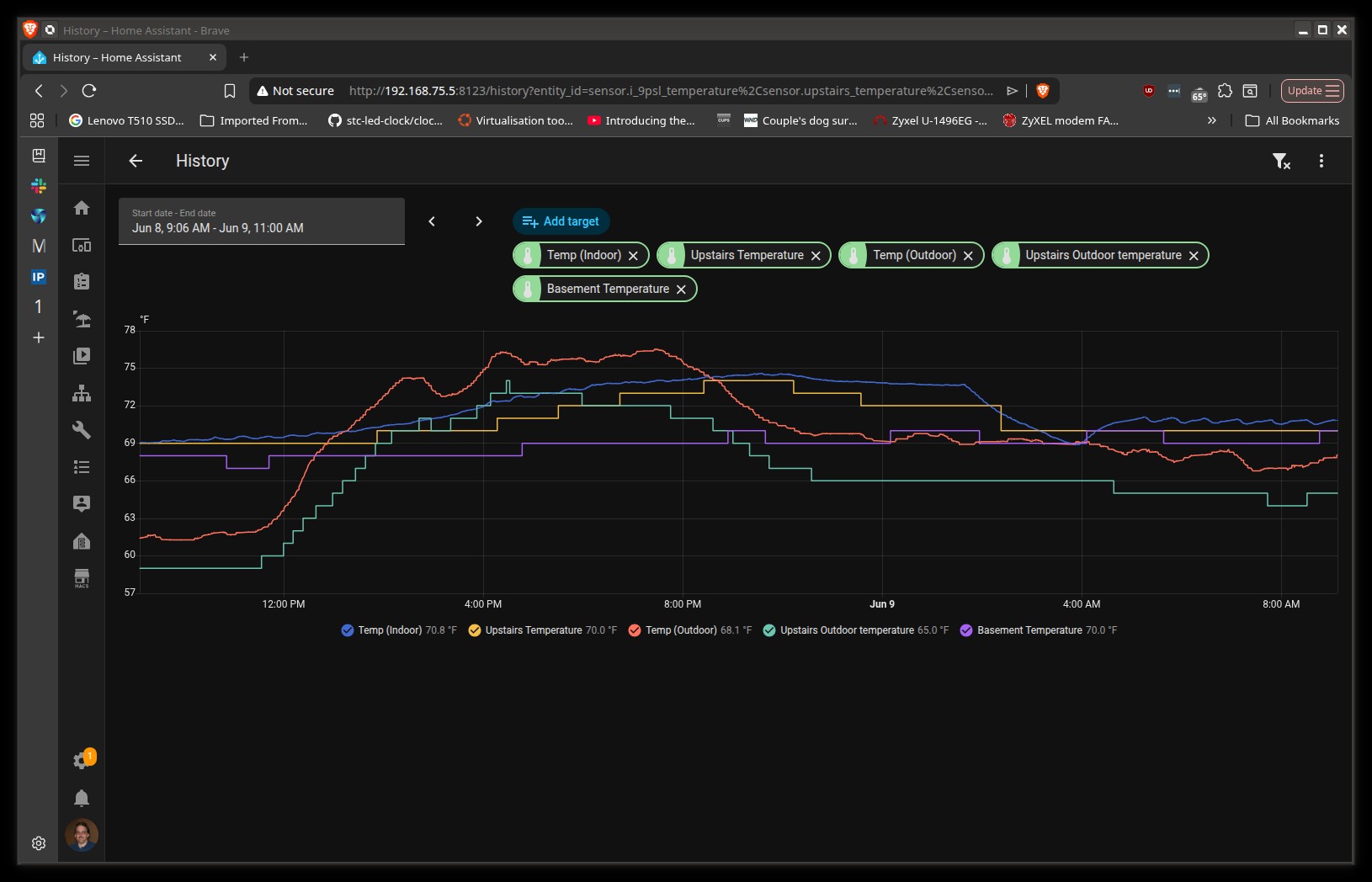
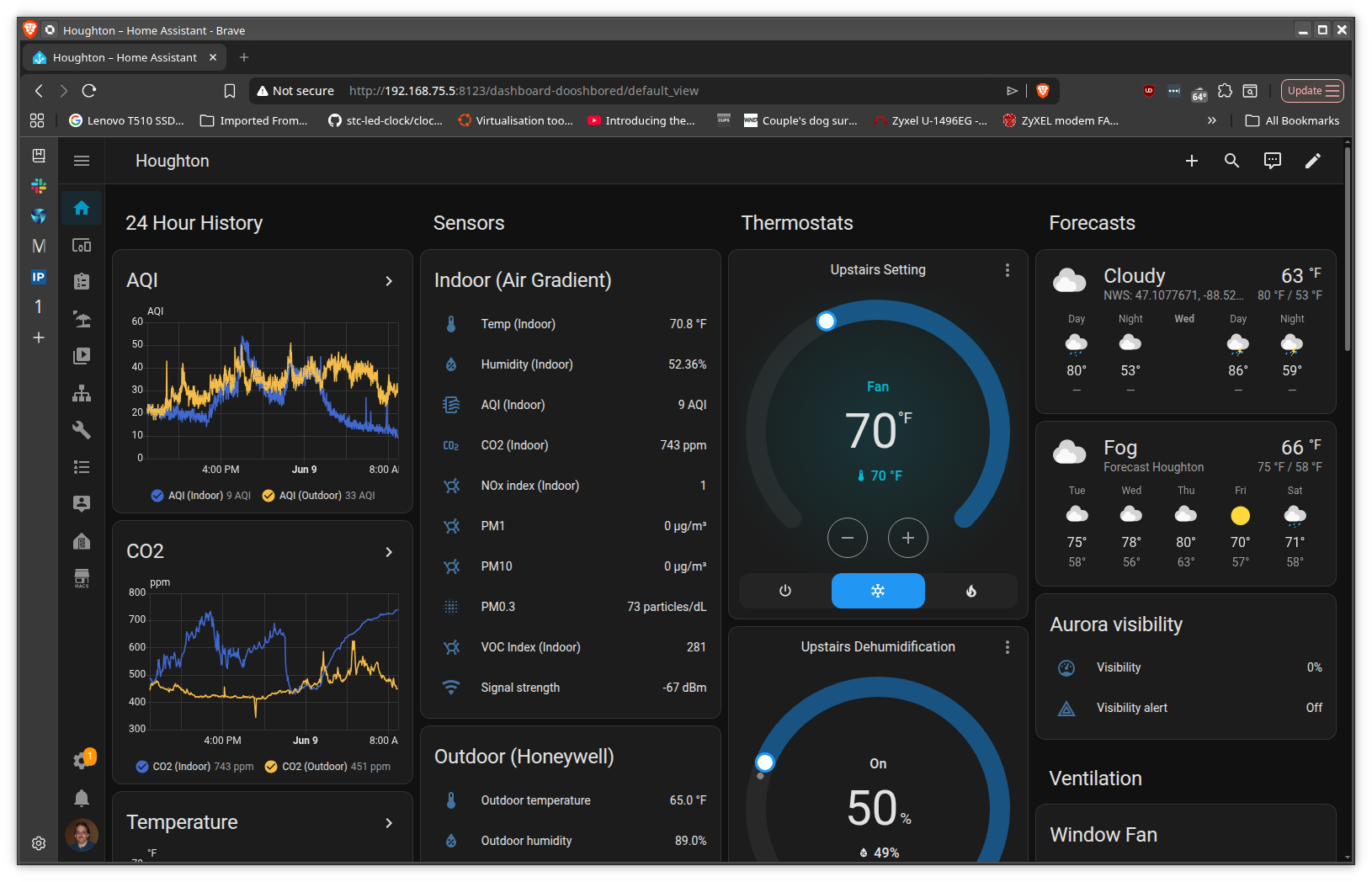
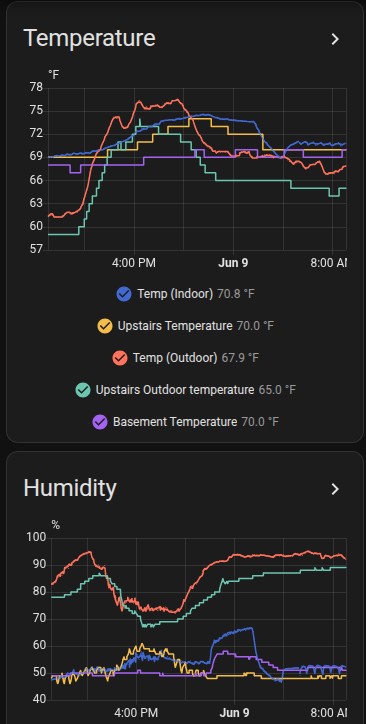
(I have thermostat/humidifier/indoor and outdoor AG, irrigation controls, flood sensors already in HA, and, frankly, the ability to plot data there pretty much makes the AG dashboard look pretty weak by comparison (although I do use both.)

Seriously, why reinvent something that is already mostly there?

2 Likes

@tadawson Thanks for your feedback!

I’m also a Home Assistant fan here!

Since you mentioned the data plotting ability, would you mind giving us more details on what makes the AirGradient Dashboard fall behind Home Assistant’s data plotting in your opinion? Thank you again for always being active and giving us feedback!

1 Like

The inability of the dashboard to support multiple items per plot, the severe limitation of values that can be displayed, etc. This is my overall HA dash - granted the AG dash is not intended to show non HA data, but even ignoring the rest of the stuff I display, the ability to display multiple particulate values on the same axis, temps from multiple locations, etc. is notably absent in the HA dash. Heck, unless I missed something, the inability to display more than 4 items at a time in the HA dash can be very frustrating. (Note there are 8 plots on the left - only the first two show without scrolling down.)

2 Likes

1 Like

1 Like

@tadawson, thanks a lot for your explanation and all the screenshots!

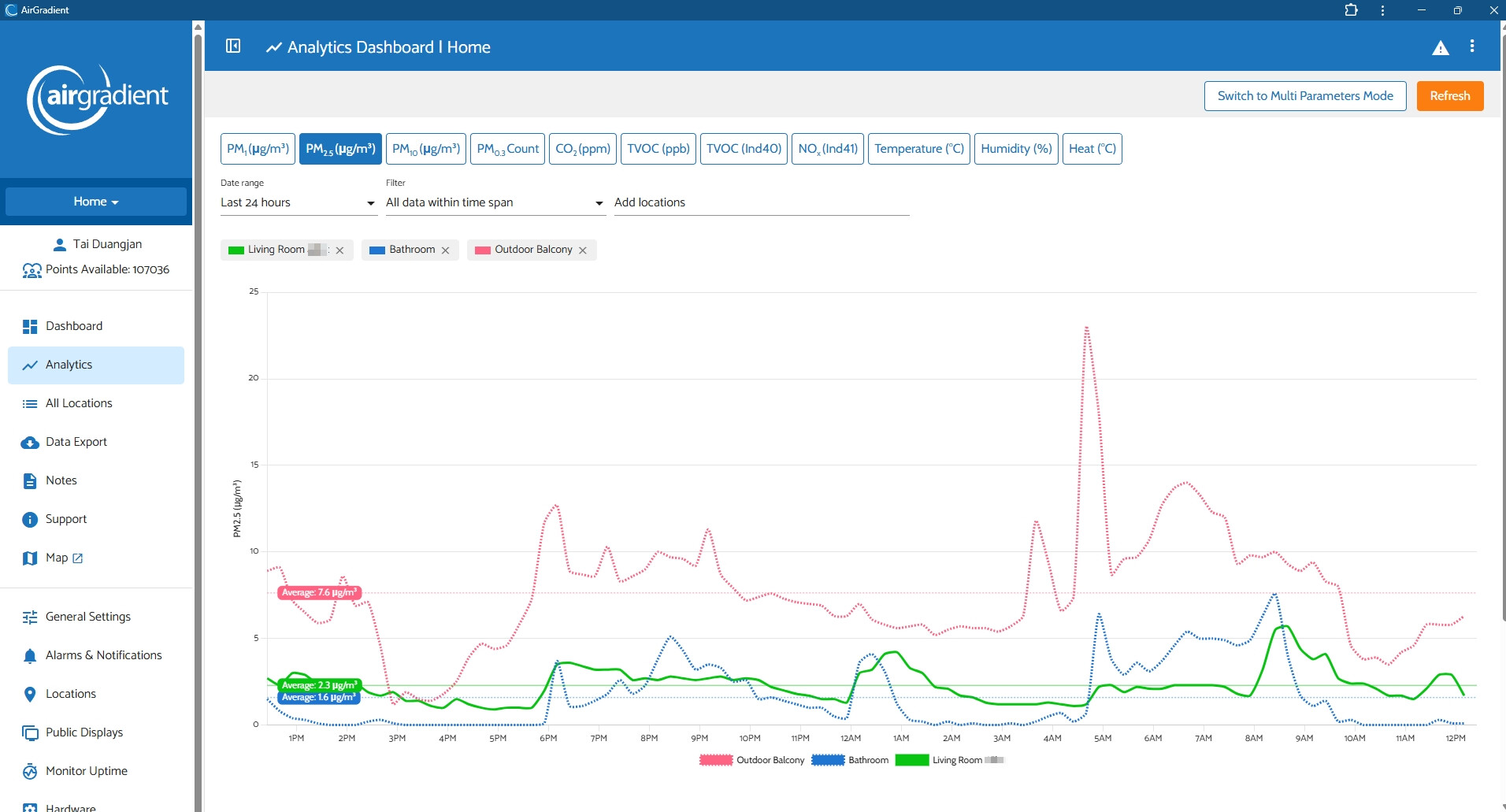
The AirGradient Dashboard also supports displaying multiple items on one chart. You can try by going to the AirGradient Dashboard > Analytics

In the Analytics Dashboard you’ll have to select the date range, filter (if needed), and locations (each monitor).

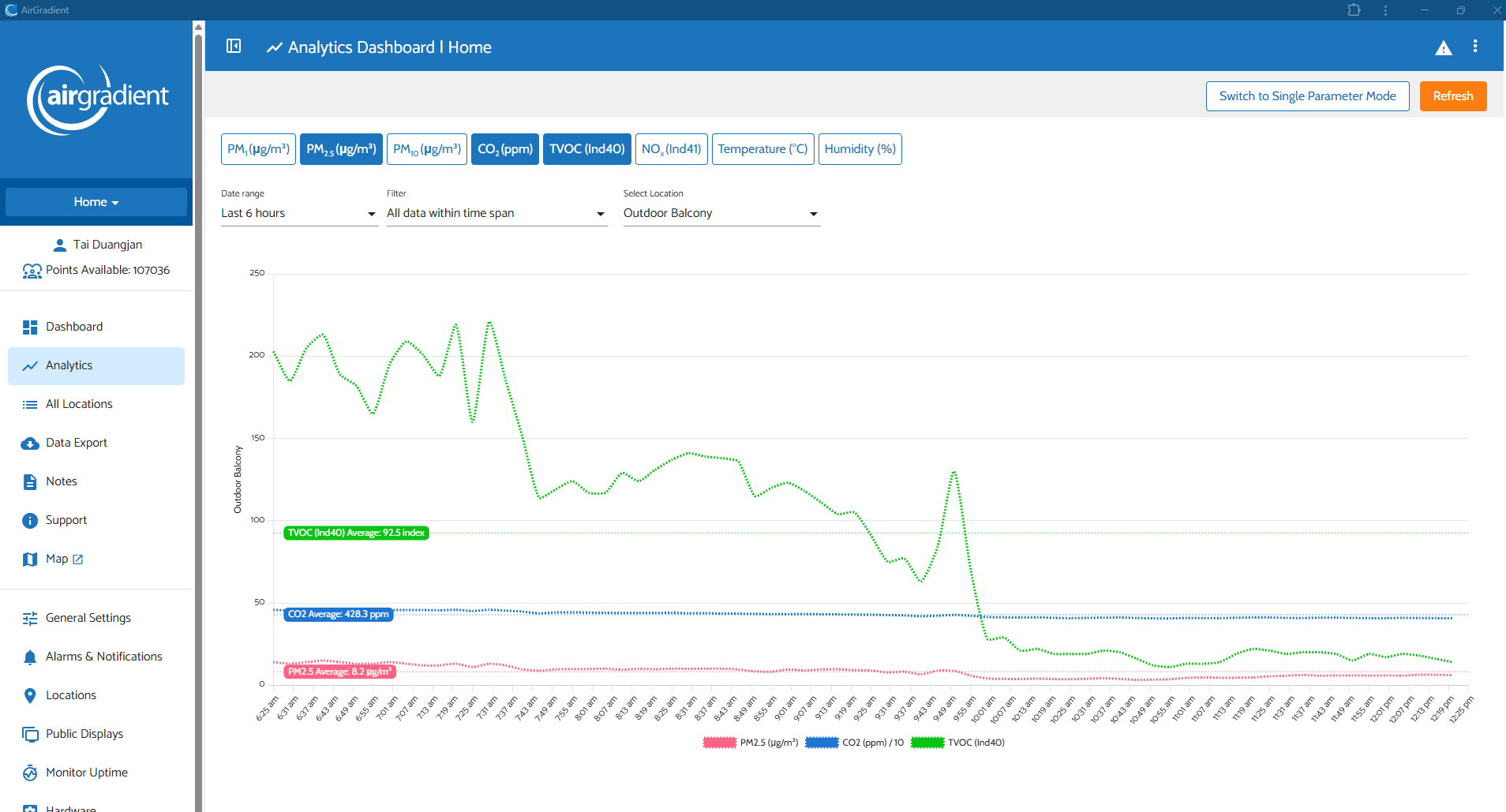
There’s also a ‘Multi Parameter Mode’ (a toggle button in the top right of the screen), which can display multiple pollution types of a single monitor.

Please feel free to let me know if you like it or not. We’d love to hear your opinion. Thanks!

1 Like

Closer (and I never really grasped analytics . . . are they dynamic, or just against historical data?)

Seems also like you can have either multi param on one location, or multi location with a single parameter, not both?

I with I could have fit my entire HA screen in a shot . . . no need to change pages or set anything up. It’s always there one one page, and updates realtime. I can zoom, and select a date range, but otherwise all there with no need to click around.

1 Like

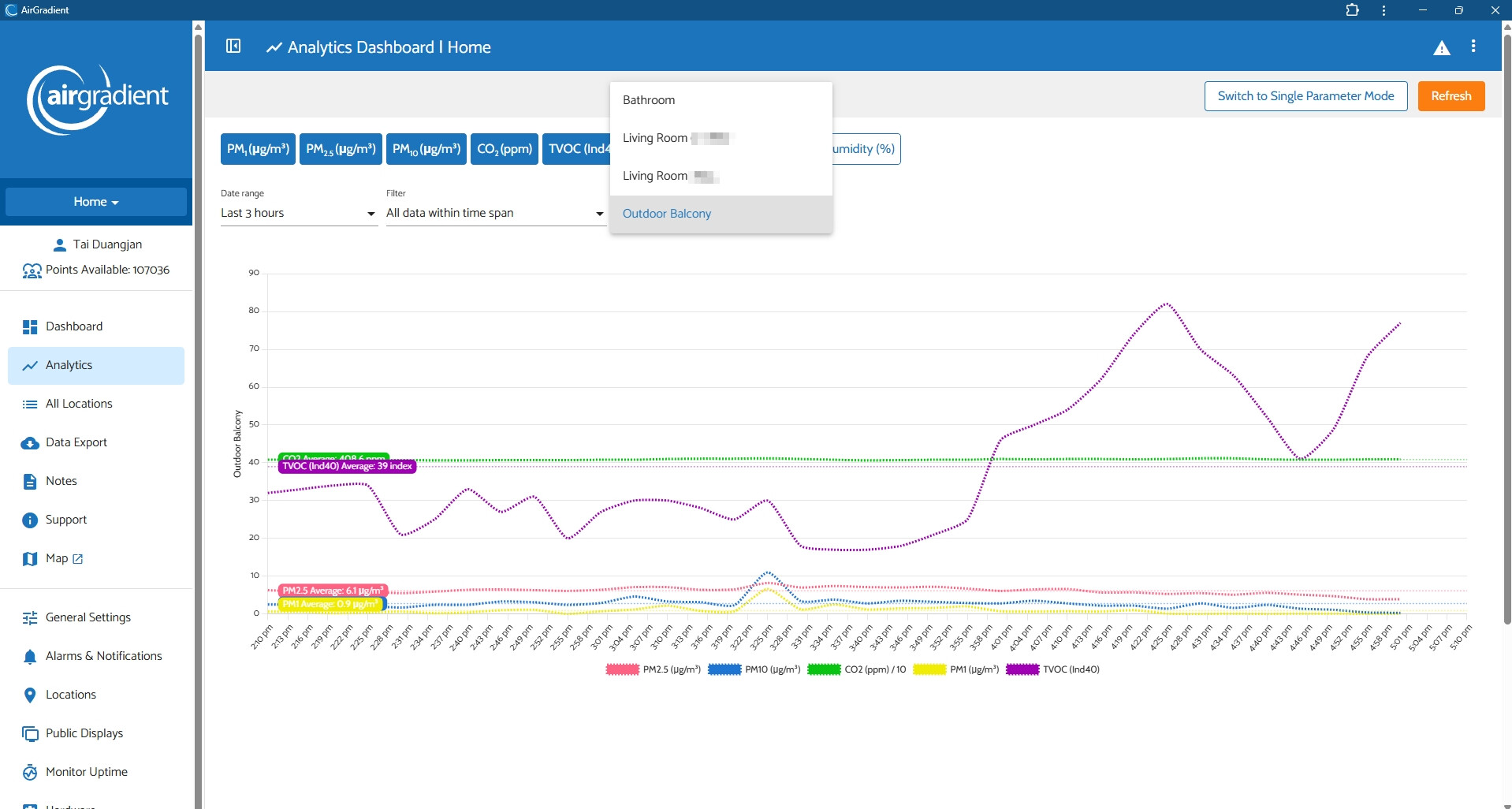
Hi @tadawson , they are historical data. And you are right, in Multi Parameter mode, you can only select one location (a monitor) as shown in the dropdown selector in the attached image below.

I agree that Home Assistant’s chart is quite more flexible as you can interact with it more freely. We will keep this in mind in terms of improving our AirGradient Dashboard!

I’m expecting to receive my AirGradient monitor soon, and I only discovered the Indoor Air Quality Map yesterday. It immediately caught my interest.

Beyond its potential value for research and for raising awareness about indoor air quality, I’m wondering about its immediate usefulness for the general public.

To understand and act on the air we breathe, what seems most actionable is measuring our own indoor air and knowing the outdoor air quality where we live.

I wonder whether seeing indoor measurements from other homes could sometimes be misinterpreted. I’ve already encountered someone who was concerned because a home in their neighbourhood showed poor indoor air quality, as though this implied greater risk in their own home.

AirGradient frequently emphasizes the limitations of TVOC sensors. I wonder if the limitations of the Indoor Air Quality Map should similarly be made clear, so people don’t misinterpret what these measurements actually tell them.

I noticed that TVOC/VOC data cannot be displayed on the Indoor Air Quality Map. I’m curious about the reason for this.

Indoor gases are an important and, in my view, still underappreciated part of indoor air quality. Yet they seem to receive less visibility here as well: users cannot currently use the monitor’s LED colour to visualize TVOC status at a glance, and TVOC is also absent from the public map.

Is this due to the limitations of current low-cost TVOC sensors, concerns about comparing VOC index values between different indoor environments, or another reason?

I often think of air quality as a neglected part of public health, indoor air as a neglected part of air quality, and indoor gases as a particularly neglected part of indoor air.

I’d be very interested to understand AirGradient’s thinking behind not including TVOC on the map.

Hi @Nathalie-Ventilation, welcome to our community, and thank you for your feedback!

Regarding the TVOC question, please let me discuss this with the team. I will get back to you once we have an update. Thank you!

1 Like

Hi @Nathalie-Ventilation, I discussed this with our team member. The reason that VOC is not displayed on the indoor air quality map is because of the sensor’s limitations, as you might expect.

Here’s what he mentioned in our discussion:

Index values aren’t comparable. If we showed colours or numbers (like red or 500), people would be worried when they see such a value/number. But, in reality, 500 isn’t necessarily a ‘bad’ reading if the air in which that sensor is located is normally extremely clean. Put it this way: If I had perfectly clean air without a single VOC, simply brewing coffee or opening a bottle of wine next to the sensor could cause it to read 500 despite being totally harmless.

As touched on above, many VOCs are totally harmless. We actually exhale VOCs.

Please feel free to let us know if you have any questions. Thank you!

1 Like