AirGradient Forum

Front LEDs meaning and (re-)programming

I got my AirGradient One I-9PSL yesterday. Everything is working nicely, as far as I can see, but I can’t find documentation about the front LEDs. In the AirGradient web page it even says that it can be reprogrammed to display different parameters. So I’d like to know

  • what is the basic factory meaning of these LEDs (orange in the left, green on the right)
  • how could it be altered to display another parameter
    I’m mainly accessing the sensors via HomeAssistant but it would be nice to know what you’re looking at on the device itself.
Hi @JueLa! Welcome to the community!

This support article explains everything about the LED indicators: Understanding the LED Indicators on Your AirGradient ONE

You can pick the pollutant you want the LEDs to track and more settings in General Settings > LED & Display (AirGradient)

1 Like

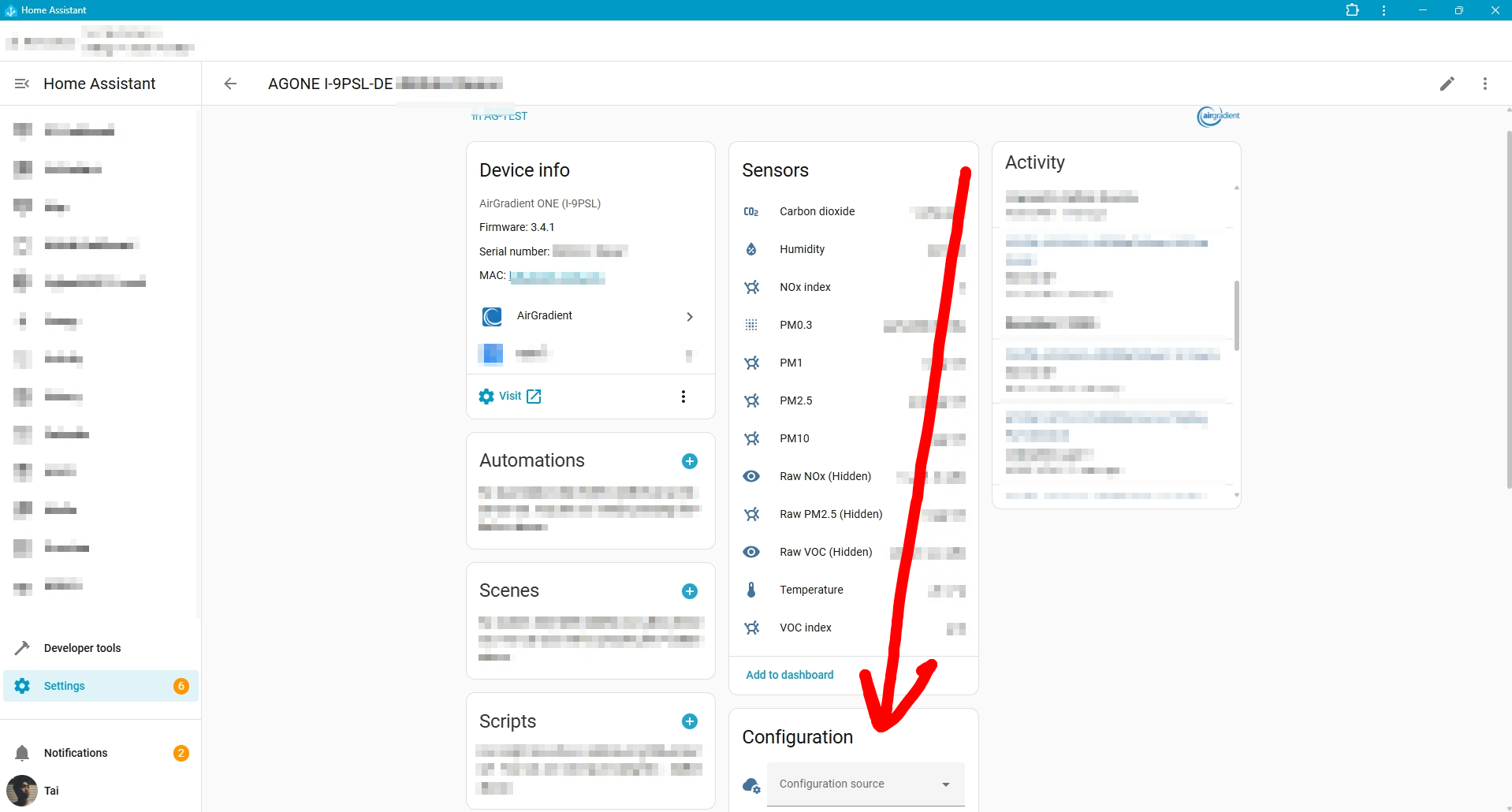
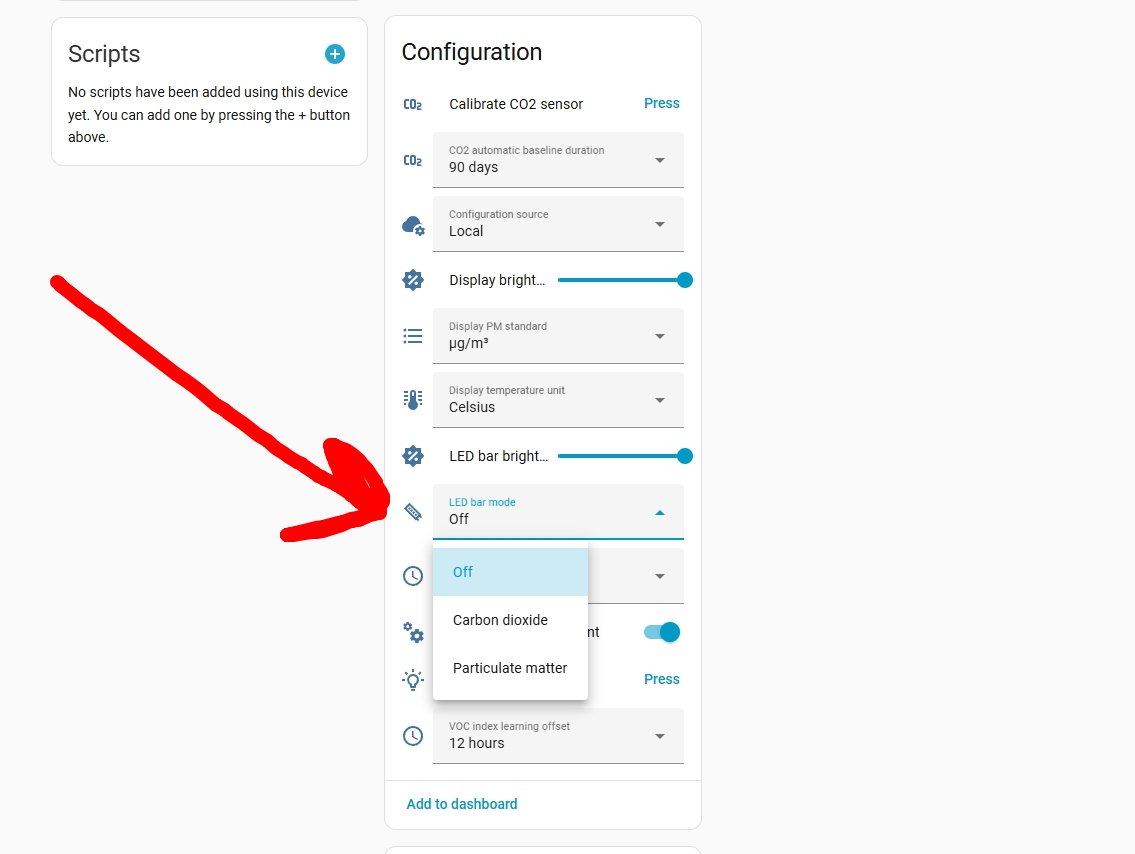
In case you want to alter the LED bar to display another parameter via your Home Assistant, you can go to your AirGradient ONE’s page in your Home Assistant, scroll down a bit, you’ll see the ‘Configuration source’, set it to ‘Local’.

After that, you will be able to configure a lot of settings there (they won’t show up if the ‘Configuration source’ is set to ‘Cloud’). You can change the ‘LED bar mode’ to CO2 or PM or Off.

1 Like