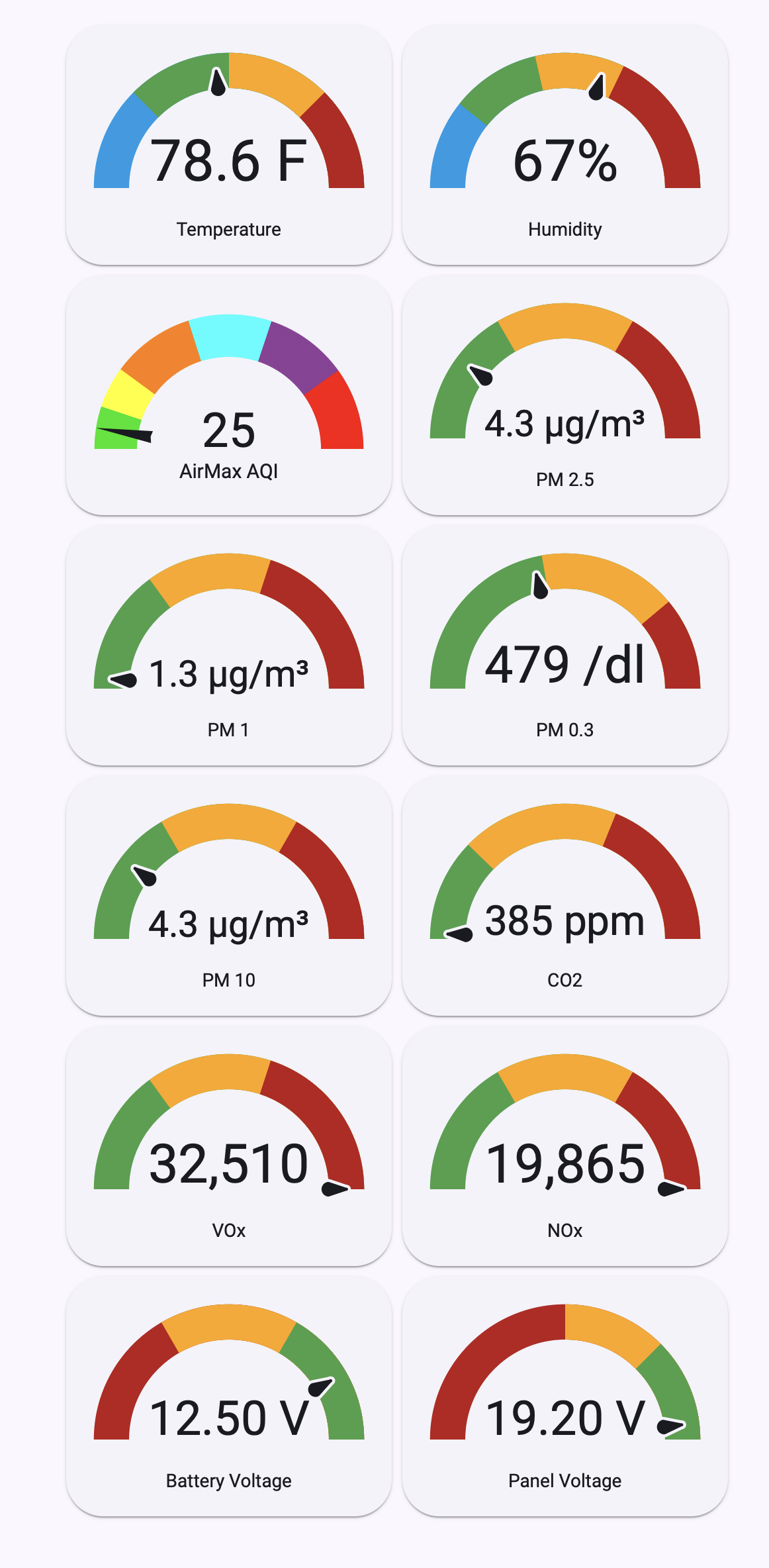
Exposing AirGradient Outdoor AirMAX data in Home Assistant
Disclaimer: I used Claude to come up with this solution. I have implemented as shown below and it works.
-
Create a long term token in Home Assistant
-
Add the token to your secrets.yaml file (or create a new secrets.yaml file)
# secrets.yaml
airgradient_token: "**your_longterm_token_string**"
- The following command from your computer terminal app will show all the data that’s available, provided that your AirMAX is installed, operating and the data are shared.
curl -s "https://api.airgradient.com/public/api/v1/locations/measures/current?token=**your_longterm_token**" | json_pm
This is what I get:
  "atmp" : 23.3,
  "atmp_corrected" : 23.3,
  "batteryVoltage" : "11.71",
  "firmwareVersion" : null,
  "latitude" : 42.33715135,
  "locationId" : 202643,
  "locationName" : "Outdoor AirMax",
  "locationType" : "outdoor",
  "longitude" : -71.1222528768189,
  "model" : "O-M-1PPST-CE",
  "noxIndex" : 19629,
  "panelVoltage" : "0.00",
  "pm003Count" : 359,
  "pm01" : 0.2,
  "pm01_corrected" : 0.2,
  "pm02" : 1.1,
  "pm02_corrected" : 1.1,
  "pm10" : 1.8,
  "pm10_corrected" : 1.8,
  "rco2" : 386,
  "rco2_corrected" : 386,
  "rhum" : 63,
  "rhum_corrected" : 63,
  "serialno" : "serial_number",
  "timestamp" : "2026-08-17T00:50:17.000Z",
  "tvoc" : null,
  "tvocIndex" : 32615,
  "wifi" : -51
- Add the following to your configuration.yaml (this is the correct indentation).
Under json_attributes add all the data you want to expose to HA.
You will need the location ID of your AirMAX which you can get from the AirGradient Dashboard
rest:
  - resource: "https://api.airgradient.com/public/api/v1/locations/measures/current"
    params:
      token: !secret airgradient_token
    scan_interval: 300
    timeout: 30
    sensor:
      - name: "Outdoor Air Max Data"
        unique_id: outdoor_airmax_data
        value_template: >
          {% set loc = value_json | selectattr('locationId', 'eq', **your_location_ID**) | first | default(none) %}
          {{ loc.pm02 if loc else 'unavailable' }}
        unit_of_measurement: "µg/m³"
        device_class: pm25
        state_class: measurement
        json_attributes_path: "$[?(@.locationId==**your_location_ID**)]"
        json_attributes:
          - pm01
          - pm01_corrected
          - pm02
          - pm02_corrected
          - pm10
          - pm10_corrected
          - pm003Count
          - atmp
          - atmp_corrected
          - rhum
          - rhum_corrected
          - rco2
          - rco2_corrected
          - tvocIndex
          - noxIndex
          - timestamp
          - wifi
          - panelVoltage
          - batteryVoltage
- Append the following to your templates in configuration.yaml. This creates template sensors for all the data and also a conversion of pm2.5 data into US AQI.
If you don’t have any templates defined in your configuration.yaml, then add ‘template’ unindented and without quotes as the first line
# APPEND under your existing top-level `template:` key
  - sensor:
      - name: "Outdoor Temperature"
        unique_id: outdoor_airmax_temperature
        state: "{{ state_attr('sensor.outdoor_air_max_data', 'atmp_corrected') | float(0) | round(1) }}"
        unit_of_measurement: "°C"
        device_class: temperature
        state_class: measurement
        availability: "{{ state_attr('sensor.outdoor_air_max_data', 'atmp_corrected') is not none }}"

      - name: "Outdoor Humidity"
        unique_id: outdoor_airmax_humidity
        state: "{{ state_attr('sensor.outdoor_air_max_data', 'rhum_corrected') | float(0) | round(0) }}"
        unit_of_measurement: "%"
        device_class: humidity
        state_class: measurement
        availability: "{{ state_attr('sensor.outdoor_air_max_data', 'rhum_corrected') is not none }}"

      - name: "Outdoor PM1"
        unique_id: outdoor_airmax_pm01
        state: "{{ state_attr('sensor.outdoor_air_max_data', 'pm01_corrected') | float(0) }}"
        unit_of_measurement: "µg/m³"
        device_class: pm1
        state_class: measurement
        availability: "{{ state_attr('sensor.outdoor_air_max_data', 'pm01_corrected') is not none }}"

      - name: "Outdoor PM2"
        unique_id: outdoor_airmax_pm02
        state: "{{ state_attr('sensor.outdoor_air_max_data', 'pm02_corrected') | float(0) }}"
        unit_of_measurement: "µg/m³"
        device_class: pm25
        state_class: measurement
        availability: "{{ state_attr('sensor.outdoor_air_max_data', 'pm02_corrected') is not none }}"

      - name: "Outoor PM03 Count"
        unique_id: outdoor_airmax_pm03_count
        state: "{{ state_attr('sensor.outdoor_air_max_data', 'pm003Count') | float(0) | round(0) }}"
        unit_of_measurement: "particles"
        device_class: pm4
        state_class: measurement
        availability: "{{ state_attr('sensor.outdoor_air_max_data', 'pm003Count') is not none }}"

      - name: "Outdoor PM10"
        unique_id: outdoor_airmax_pm10
        state: "{{ state_attr('sensor.outdoor_air_max_data', 'pm10_corrected') | float(0) }}"
        unit_of_measurement: "µg/m³"
        device_class: pm10
        state_class: measurement
        availability: "{{ state_attr('sensor.outdoor_air_max_data', 'pm10_corrected') is not none }}"

      - name: "Outdoor CO2"
        unique_id: outdoor_airmax_co2
        state: "{{ state_attr('sensor.outdoor_air_max_data', 'rco2_corrected') | float(0) | round(0) }}"
        unit_of_measurement: "ppm"
        device_class: carbon_dioxide
        state_class: measurement
        availability: "{{ state_attr('sensor.outdoor_air_max_data', 'rco2_corrected') is not none }}"

      - name: "Outdoor TVOC Index"
        unique_id: outdoor_airmax_tvoc_index
        state: "{{ state_attr('sensor.outdoor_air_max_data', 'tvocIndex') | float(0) | round(0) }}"
        unit_of_measurement: " "
        device_class: volatile_organic_compounds
        state_class: measurement
        availability: "{{ state_attr('sensor.outdoor_air_max_data', 'tvocIndex') is not none }}"

      - name: "Outdoor NOx Index"
        unique_id: outdoor_airmax_nox_index
        state: "{{ state_attr('sensor.outdoor_air_max_data', 'noxIndex') | float(0) | round(0) }}"
        unit_of_measurement: " "
        device_class: volatile_organic_compounds
        state_class: measurement
        availability: "{{ state_attr('sensor.outdoor_air_max_data', 'noxIndex') is not none }}"

      - name: "Outdoor AirMax Panel Voltage"
        unique_id: outdoor_airmax_panel_voltage
        state: >
          {{ state_attr('sensor.outdoor_air_max_data', 'panelVoltage') | float }}
        unit_of_measurement: "V"
        device_class: voltage
        state_class: measurement
        icon: mdi:solar-panel
        availability: >
          {{ state_attr('sensor.outdoor_air_max_data', 'panelVoltage') is not none }}

      - name: "Outdoor AirMax Battery Voltage"
        unique_id: outdoor_airmax_battery_voltage
        state: >
          {{ state_attr('sensor.outdoor_air_max_data', 'batteryVoltage') | float }}
        unit_of_measurement: "V"
        device_class: voltage
        state_class: measurement
        icon: mdi:battery-charging
        availability: >
          {{ state_attr('sensor.outdoor_air_max_data', 'batteryVoltage') is not none }}

      - name: "Outdoor AirMax Signal Strength"
        unique_id: outdoor_airmax_wifi
        state: "{{ state_attr('sensor.outdoor_air_max_data', 'wifi') | int }}"
        unit_of_measurement: "dBm"
        device_class: signal_strength
        state_class: measurement
        availability: "{{ state_attr('sensor.outdoor_air_max_data', 'wifi') is not none }}"

      - name: "Outdoor AirMax AQI"
        unique_id: outdoor_airmax_aqi
        state: >
          {%- set c = (state_attr('sensor.outdoor_air_max_data', 'pm02_corrected') | float(-1) * 10) | int / 10 -%}
          {%- set bp = [(0.0, 9.0, 0, 50), (9.1, 35.4, 51, 100), (35.5, 55.4, 101, 150),
                        (55.5, 125.4, 151, 200), (125.5, 225.4, 201, 300), (225.5, 325.4, 301, 500)] -%}
          {%- if c < 0 -%}
          {{ none }}
          {%- elif c > 325.4 -%}
          500
          {%- else -%}
          {%- set b = bp | selectattr(1, 'ge', c) | first -%}
          {{ (((b[3] - b[2]) / (b[1] - b[0])) * (c - b[0]) + b[2]) | round(0) | int }}
          {%- endif -%}
        state_class: measurement
        device_class: aqi
        availability: >
          {{ state_attr('sensor.outdoor_air_max_data', 'pm02_corrected') is not none }}
- After a HA restart you should be able to see all the entities
You can, of course use different entity id names if you like