AirGradient Forum

Differences between PM2.5 on AirGradient Go display and Dashboard/app

Hi all, I recently recieved my pre-ordered AirGradient Go, and it has been fantastic so far!

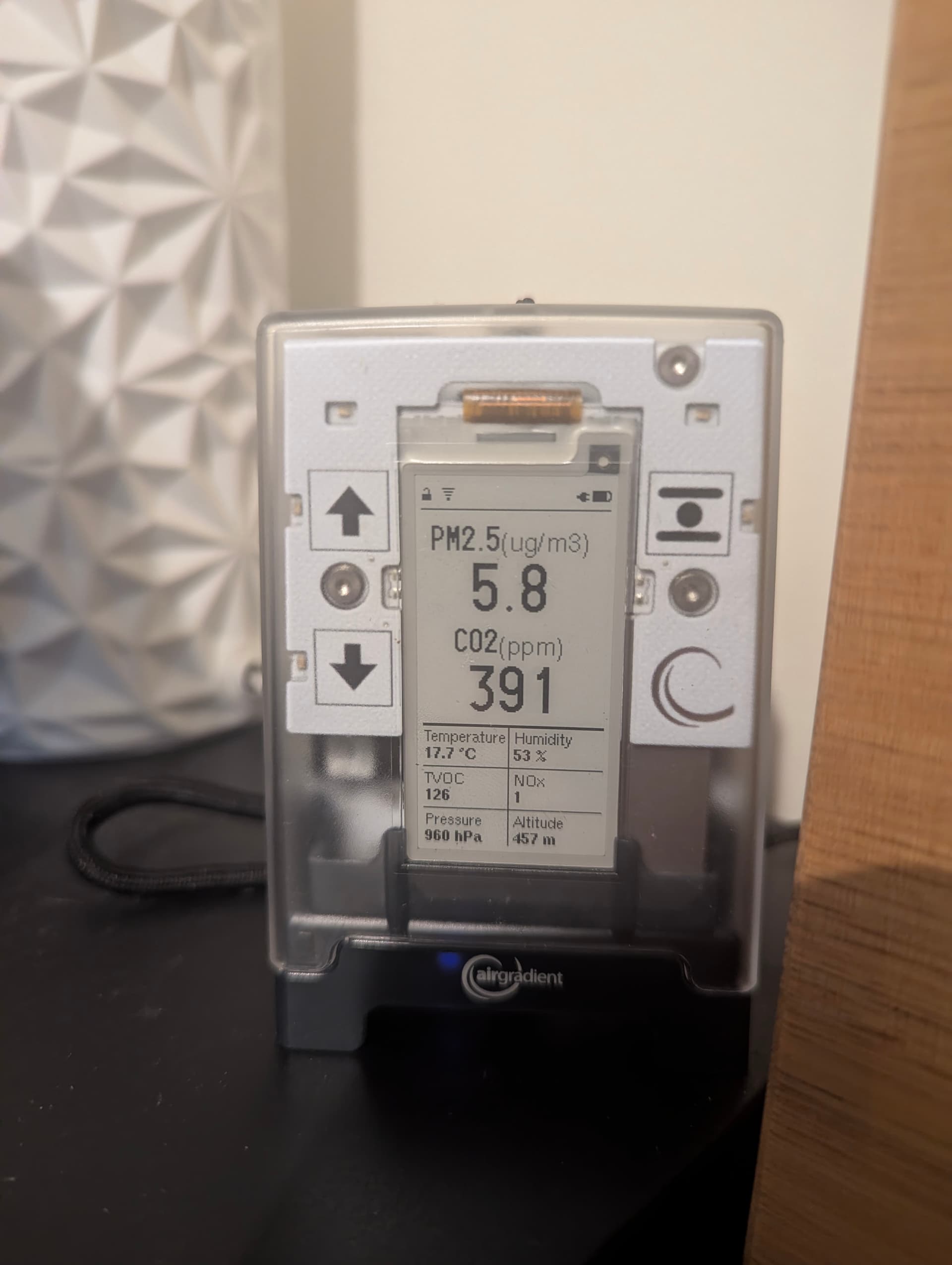
I have encountered some slightly confusing differences between PM2.5 readings on the e-ink device display and in the dashboard and app that I’d love some help deciphering. For example, on the device, I see a reading of 5.8:
However, on the Android app and in the Dashboard, I see 13.8:
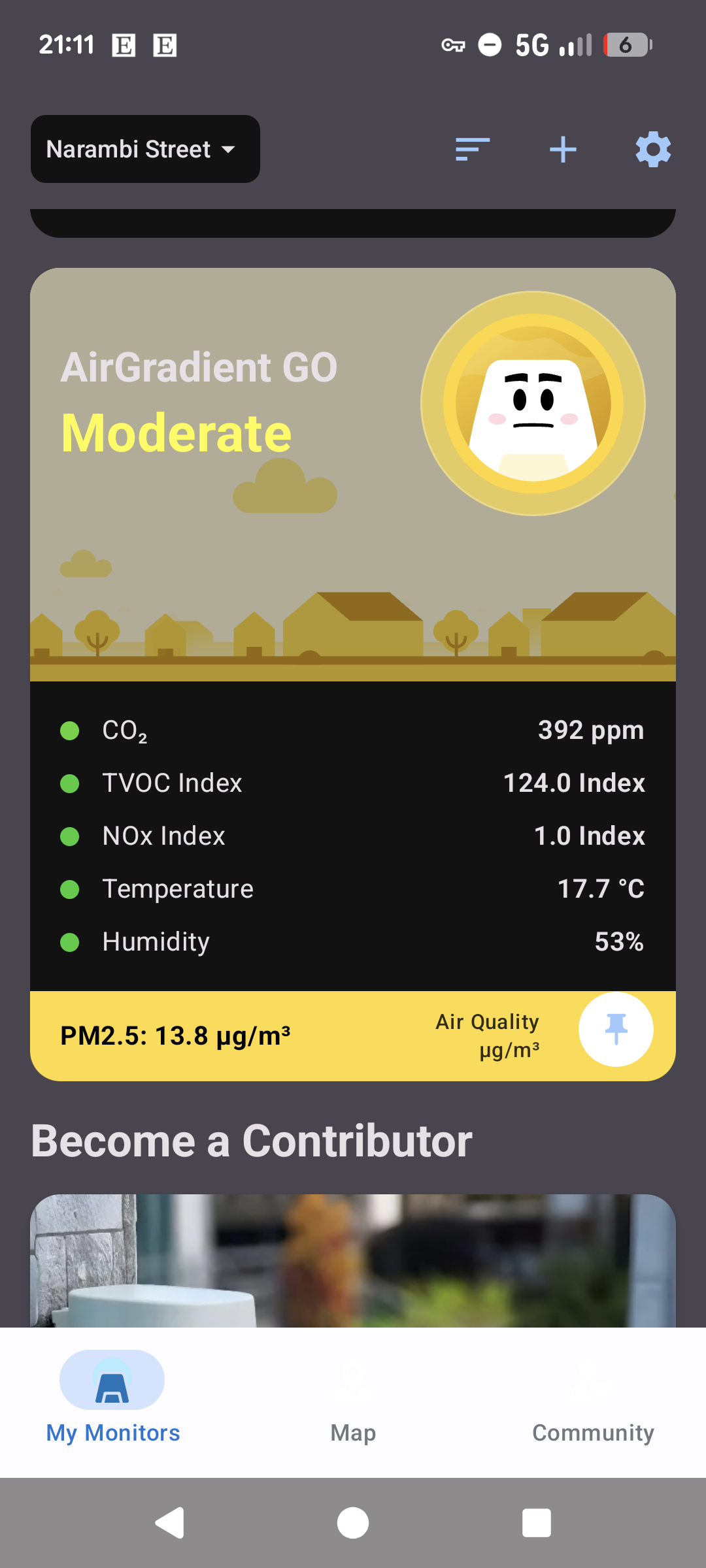
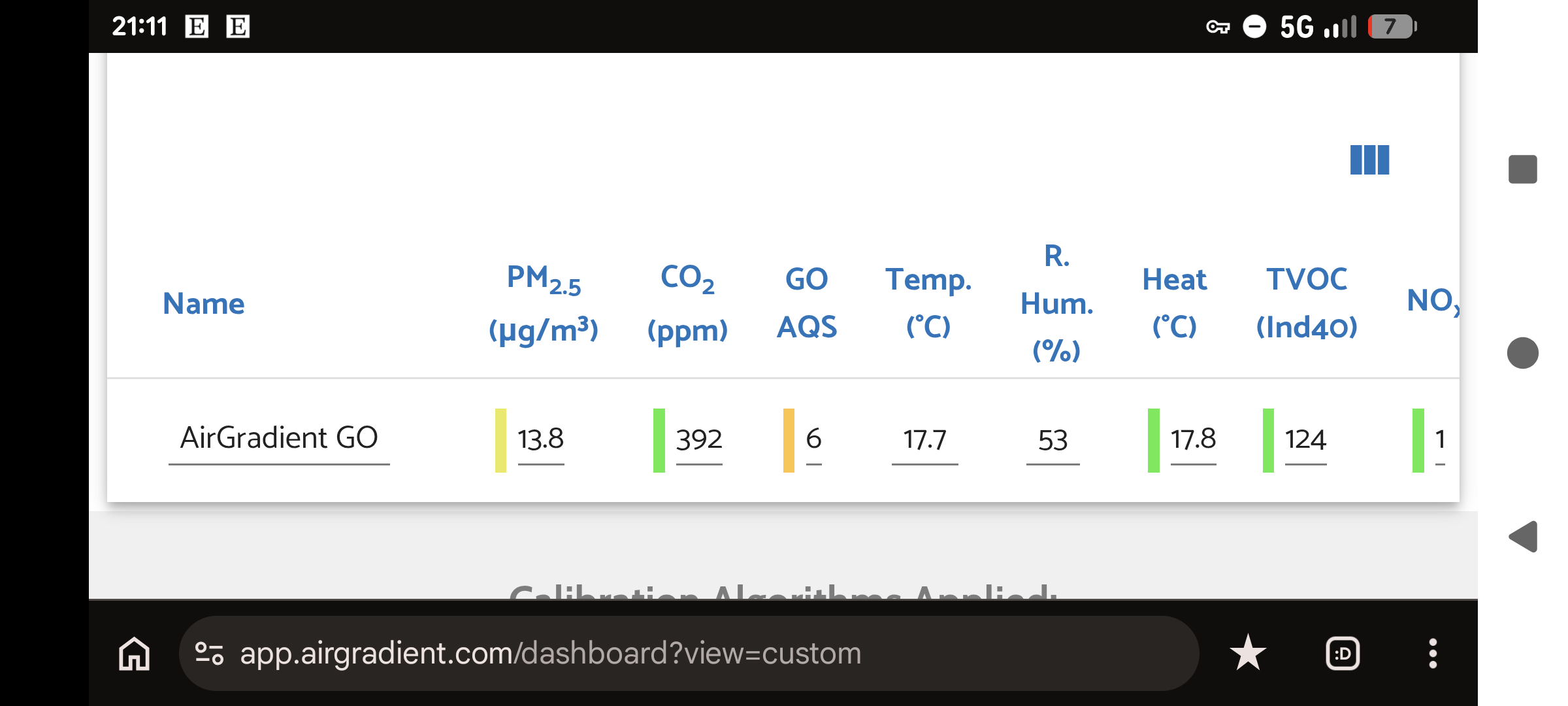
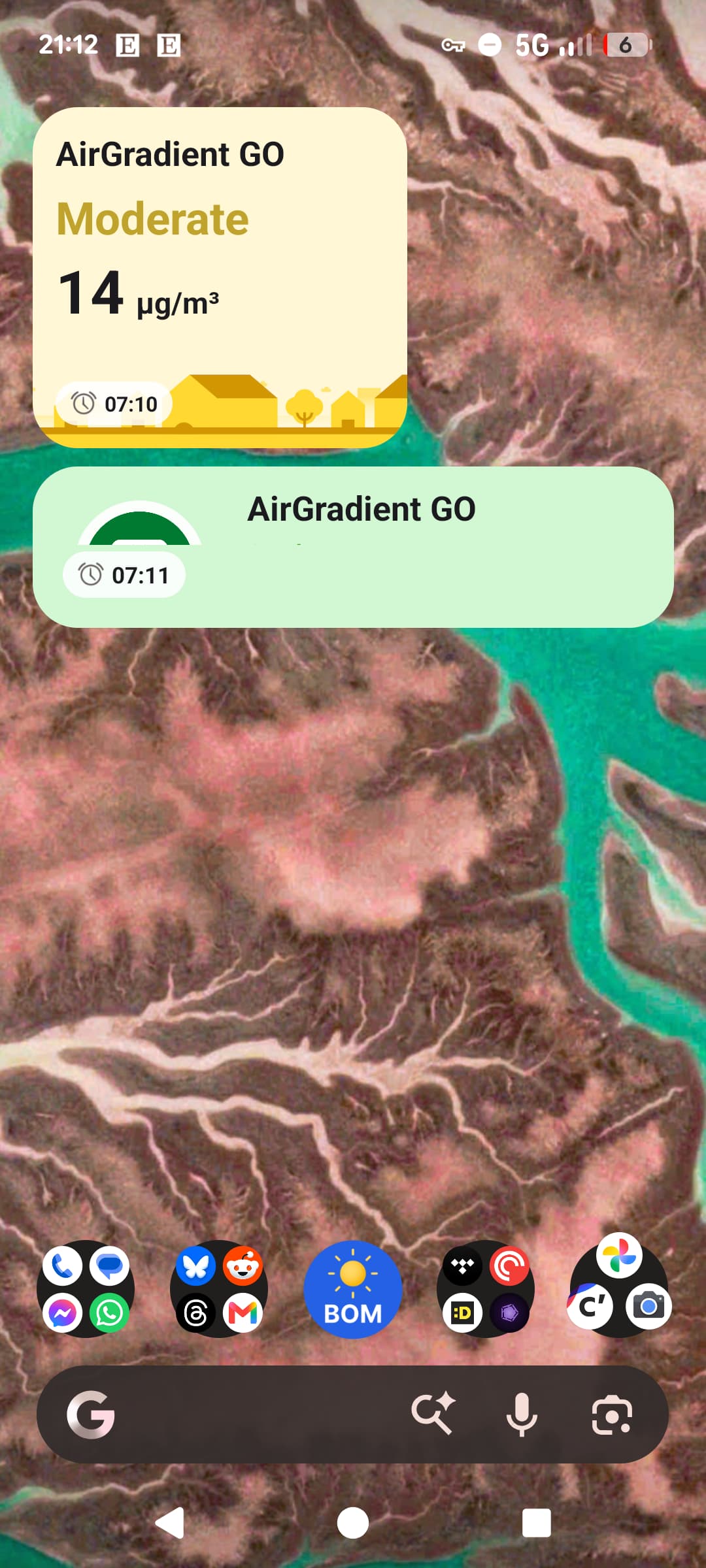
Confusingly, the widgets also appear to show different values (at least going by colour) depending on whether I choose the 51 or 32 option (I’m also not sure what the “7:06” alarm symbol means - it doesn’t correspond to any alarm on my phone).
Thanks for your help in advance!

1 Like

(Excuse the small differences in values between the screenshots and the photograph; I couldn’t get both quickly enough for them to be identical. But PM2.5 was stable in both the device and dashboard/app, and did not change meaningfully over this time period).

Hi @robbibt, thank you for your feedback!

For the PM2.5 difference on the E-ink display VS Dashboard/app, we have had a similar report here: AirGradient Go update - #40 by chris_bernhardt . Please let me review the issue and inform our team.

Could you please let us know your AirGradient Go’s serial number? Please create a support ticket via Contact Us and refer to this post.

Thanks!

Hi again @robbibt, after I investigated this with my own Go and discussing with our engineer. The reason why the PM2.5 reading you see on the E-paper display and the AirGradient Dashboard/mobile app is different likely due to the difference in reporting frequency.

The AirGradient Dashboard/AirGradient Map mobile app updates the reading every 60 seconds (the reading you see on the Dashboard/mobile app is the latest reading that the AirGradient Go posts to our server, not an average value.

The E-paper display on the AirGradient Go has an update interval as fast as 3 seconds (the measurement interval can be set in the AirGradient Go’s settings).

Regarding the app UI issue, please let me report this to our developer. Thank you!