AirGradient Forum

Dashboard Home button

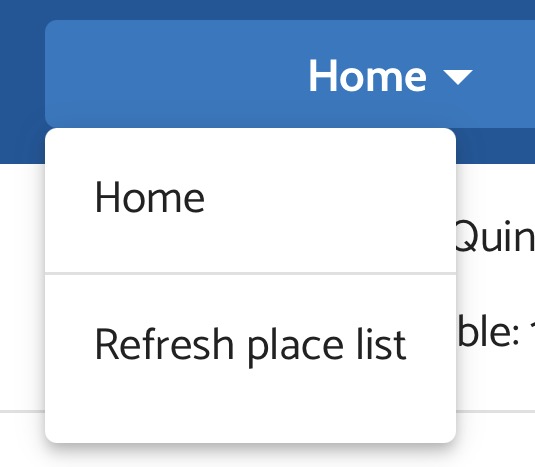
The Home button on the dashboard is kind of bonkers. It shows a dropdown that only has Home and Refresh. This means to go home is click > move mouse > click. And just for a two-item menu. Could I request that Home and Refresh are just separate always-visible buttons? Side by side if vertical space is important. Thanks!

IMG_0429

1 Like

Hi @RQQQQQ, thank you for your feedback!

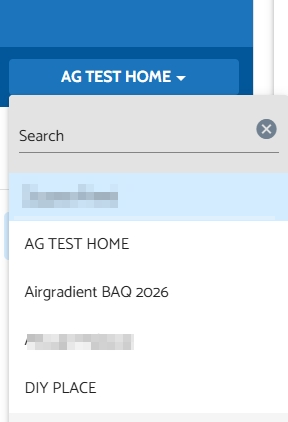
The home button is shown as a dropdown because it is intended to act as a place selector. Some users have more than one place (more than one dashboard), so they can switch between dashboards with this dropdown menu). And the ‘Refresh place list’ is to refresh this selector when a new place is created or removed (this ‘Refresh place list’ button doesn’t reload the whole webpage like pressing F5 on a PC browser/scrolling to the top of the page, then pulling down the browser on the phone to refresh).

For example, I have multiple places. It will show all the places I have in the dropdown list:

image

By the way, in your case, I assume that you would like to use the refresh button to refresh your current dashboard. Is that correct, or is there a specific case you would like to use it for?

Thanks!

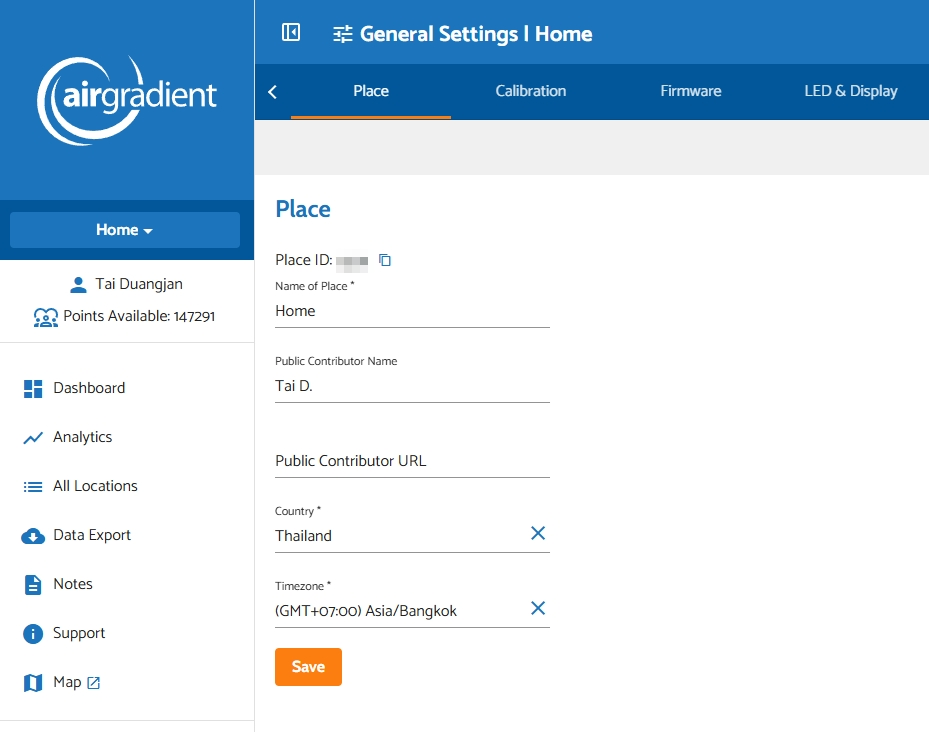
Hi, thanks for the reply and explanation! Ah, so the “Home” dropdown is listing all the homes, and is not a button to navigate to the home page of the dashboard. The latter is how I was using it, which works as a side effect, because clicking HOME > HOME goes to the dashboard.

So, the confusion is probably: I have a button saying HOME on a website, but it doesn’t mean what HOME usually means on the web. And, secondly, because I only have one location, there’s no context to help me figure it out (if it had opened a list of places, I would have realized, etc.)

Maybe it just needs an additional: “Current home:” label or something else to show what it is? Or maybe it doesn’t need to show at all if there’s only one home?

Thanks again
1 Like

@RQQQQQ, thank you a lot for your feedback! Adding more UI context for users could be interesting.

In your use case, if you would like to go to the home page (the first page) quickly, I would suggest clicking the AirGradient logo at the top left. It will lead you to the first page of your dashboard.

Feel free to let me know if you have any other feedback. We are happy to hear from all our users!

No problem! And, honestly, I usually do click the logo to go home on websites, but there was a big button saying HOME under this one, so I clicked that :upside_down_face:

1 Like

That makes sense. Most users are likely to name the Place as ‘Home’ (including me, I also name it ‘Home’ in my personal dashboard), which is coincidentally identical to the term that most websites refer to as a website’s homepage.

Your feedback to add something like an additional ‘current home/dashboard’ message would help with this confusion I think. We will think about it!

1 Like

Hi all! The button and the features around it are being reworked right now. We plan to allow users to create additional places soon. Expect some UI updates in the next few weeks.

2 Likes