AirGradient Forum

Changing temperature plot scale on dashboard?

Hello,

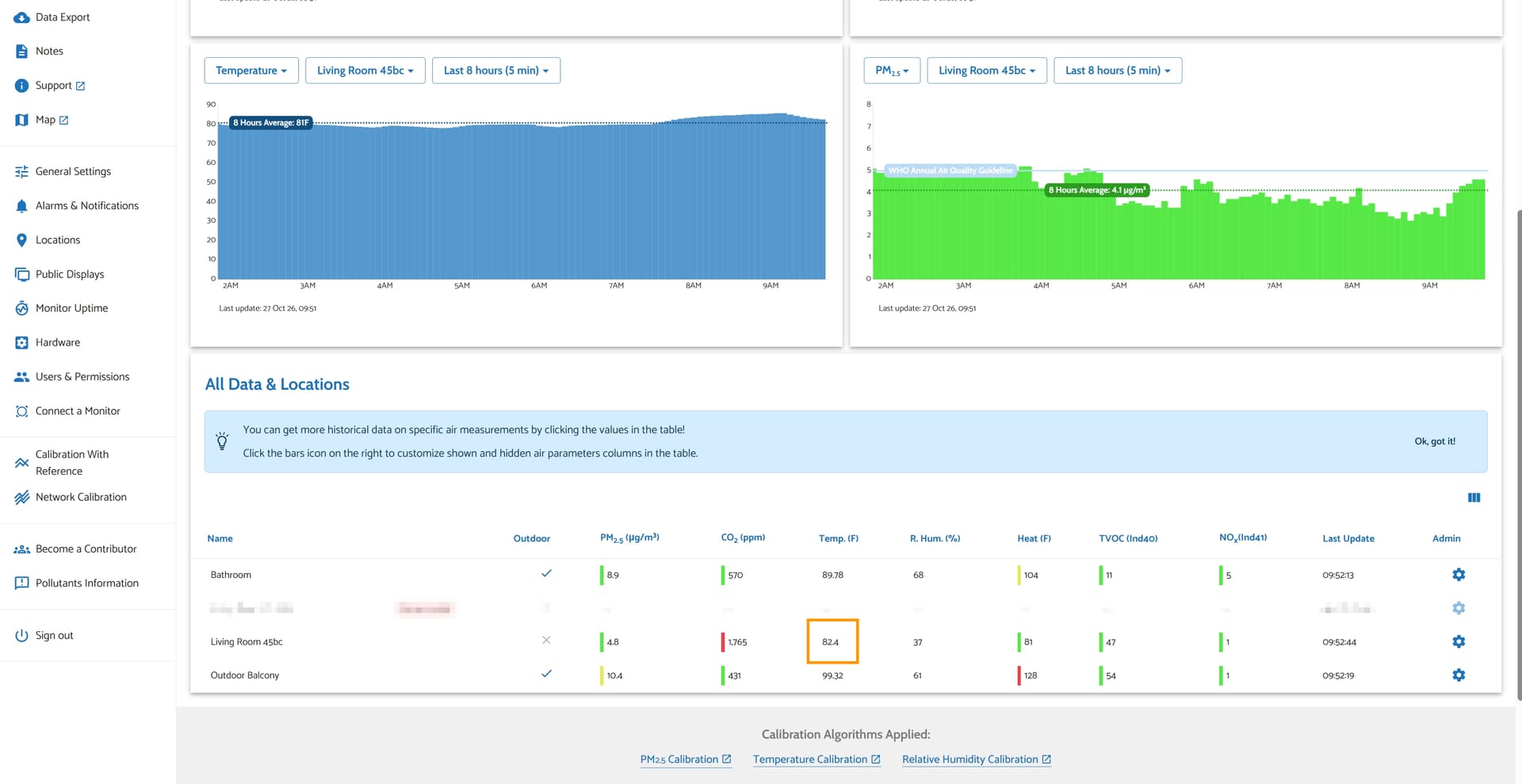
Is it possible to make the y-axis on the dashboard temperature plot configurable? It seems the minimum on the axis is always zero which is usually not a relevant reference point for temperatures. It makes the graph not very useful because normal fluctuations are very small compared to the magnitude of the temperature (in F for me, maybe in C it isn’t as bad).

Thanks!
Being able to set the Y-axis start/end scale points would be HUGE. I suppose I’ll just have to whip up something with Claude Code…

Hi @withak30, welcome to our community!

The current version of the AirGradient Dashboard does not offer a user-configurable chart scale.

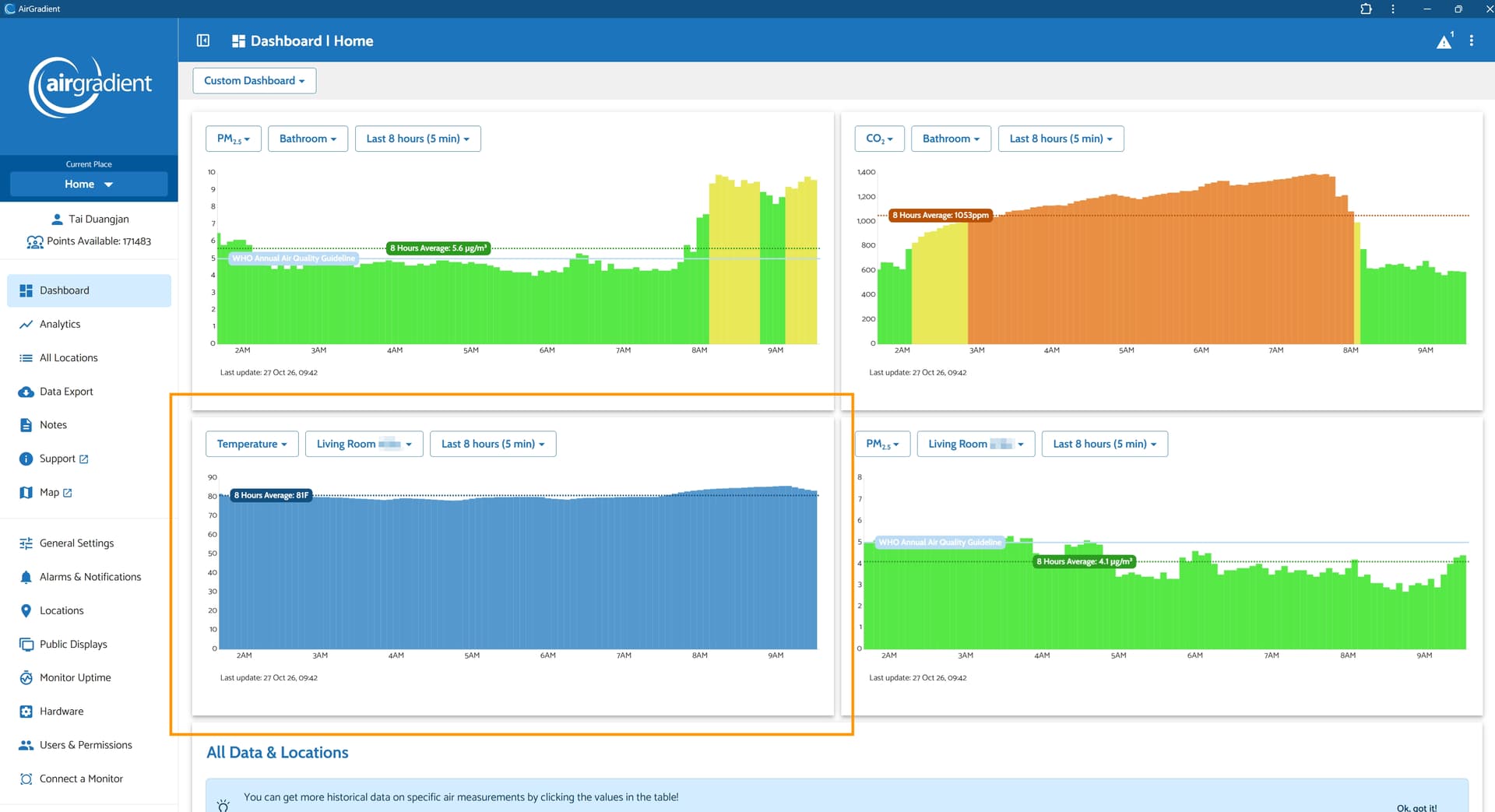
Could you confirm that the chart you refer to, which always shows zero as a minimum, is the chart in your first page of the Custom Dashboard (please see the image below)?

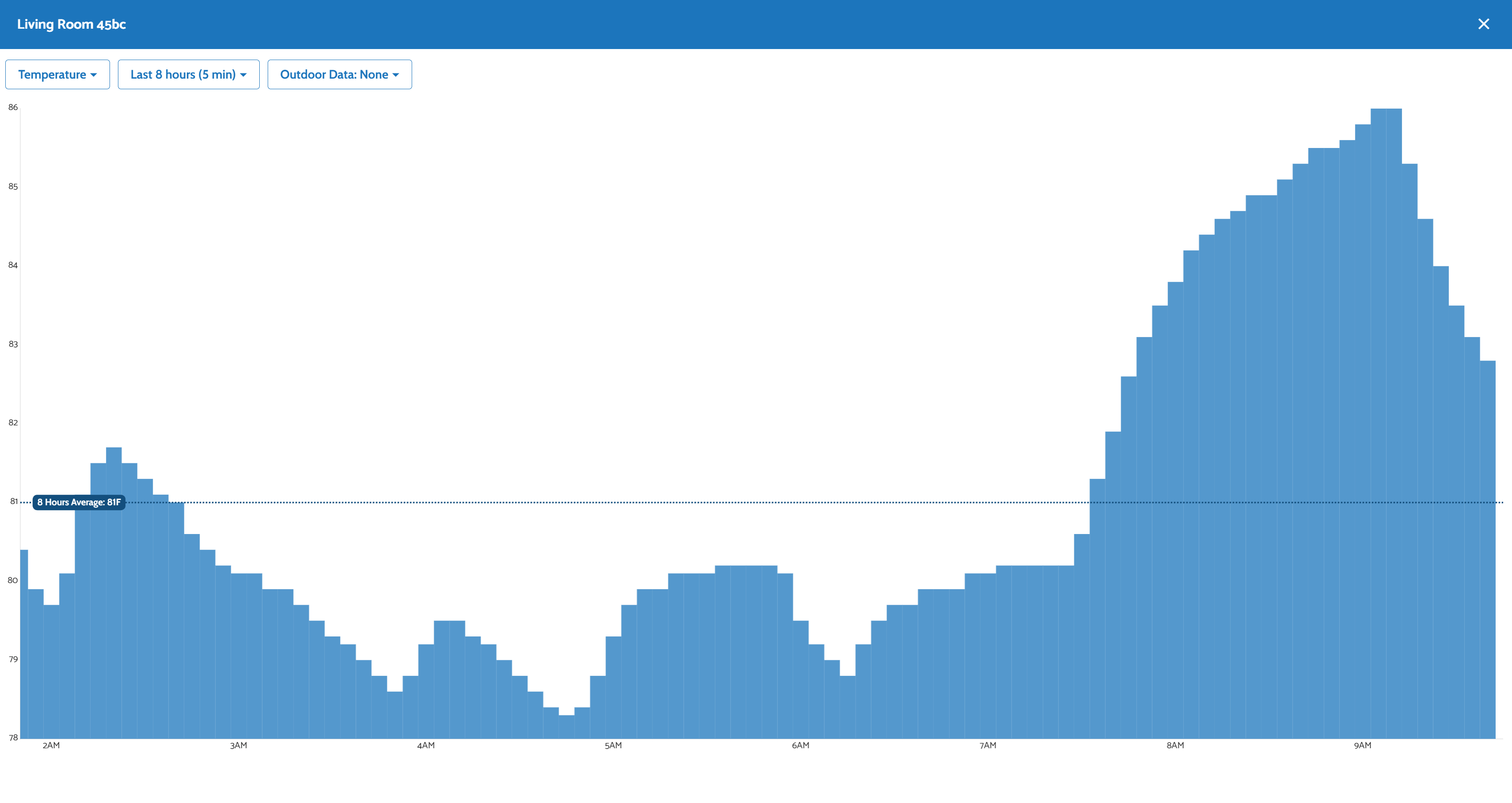
However, for expanded charts (when you click a parameter to be displayed in the ‘All Data & Locations’ section, the scale adjusts dynamically to the data.

Yes, on my custom dashboard page the temp and Rh graphs always have zero for the minimum, which isn’t very helpful. If I click through that All Data table then I get a graph with a more useful automatic scale.

Hi @withak30, thank you for your reply and thank you for your feedback. Please let me discuss this with our team. We will let you know when there is an update. Thank you!

Thanks for raising this, @withak30 — I’ve run into the same thing: the custom dashboard keeps zero as the baseline for both temperature and humidity while the expanded chart in All Data & Locations rescales to the data instead. That difference makes the custom view much harder to read for small swings. It would help to know whether the team could make the same automatic scaling available on the custom dashboard, or at least offer an adjustable minimum. I’ll keep an eye out for the update.

@elfredajackson Thank you for your feedback on this! Sure, we will let you know when we have an update.