AirGradient Forum

AirGradient One - PM2.5 - LCD screen about 2-3 pts higher than dashboard and phone app

Hi,

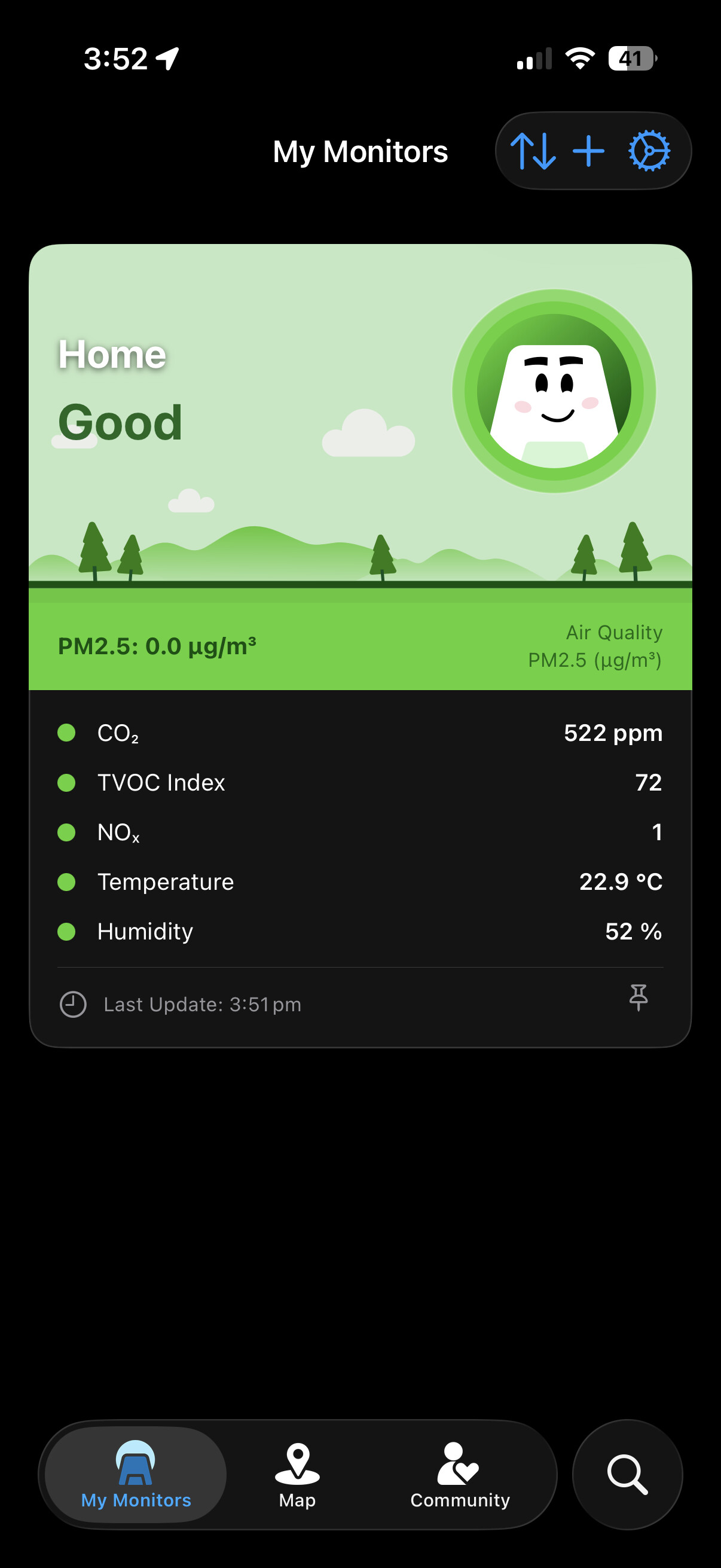
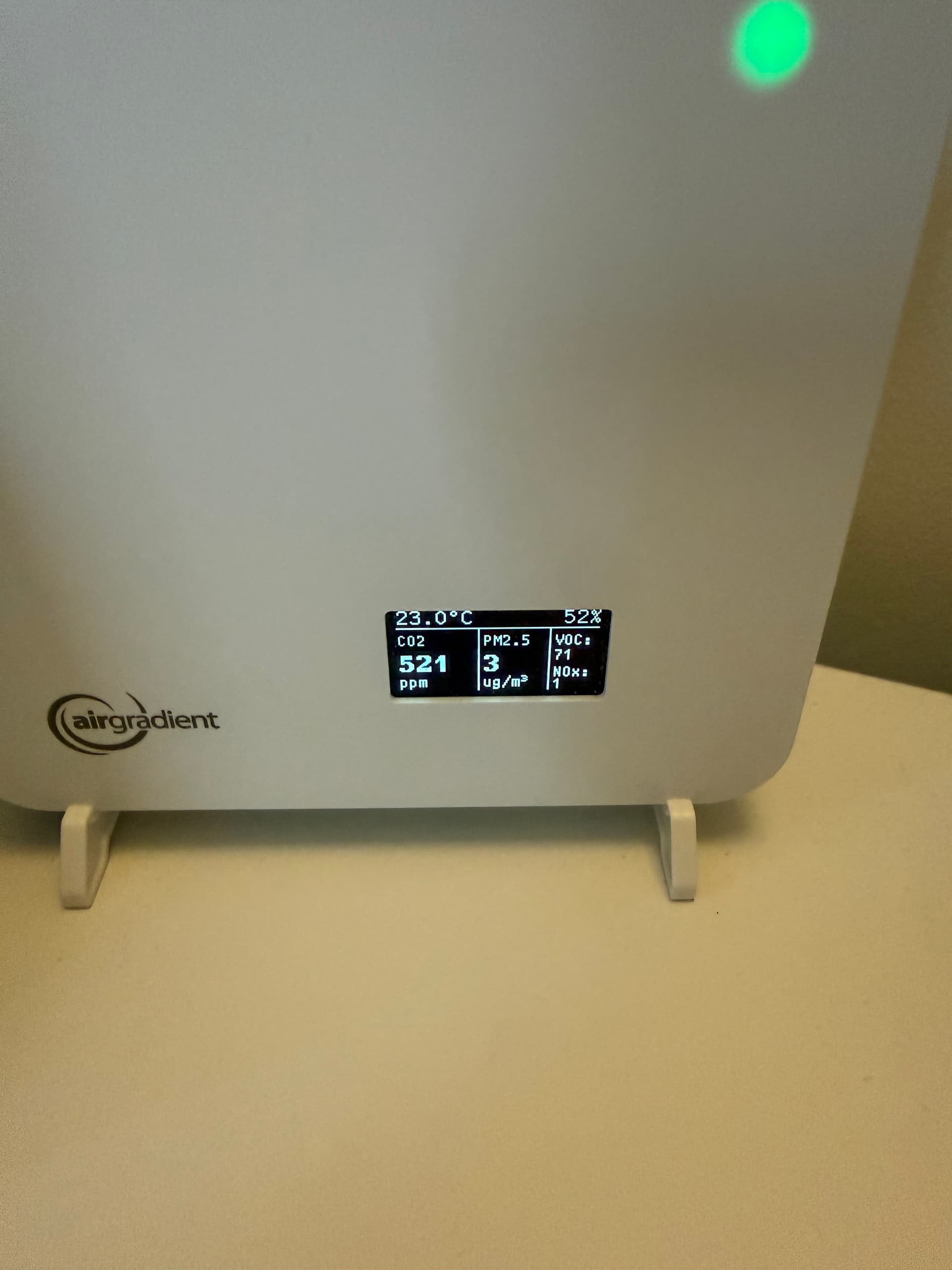
Recently observed something strange, initially thought my in home air was bad past few days. But no mater how long I left the air filter running in my room the lowest reading that showed up on the physical AirGradient screen was 2 ug/m. I rarely look at the app or dashboard, but decided to look at when my air started to go bad and noticed that the dashboard and phone app reporting clean air 0ug/m. Past few days Ive been watching all three places (phone/dashboard/physical screen) and observed that the screen on the AirGradient One is consistently reporting 2-3 pts higher than on the phone app or website dashboard. Initially thought maybe its a syncing issue or maybe takes time for it to update, but no mater how long the LCD value sits at this value higher value. Also I have tried power cycling the device with no success.

I have been running the AirGradient One since Dec23 2025 - Model I-9PSL-DE



1 Like

Hi @breathez, welcome to our community, and thank you for reporting the issue.

Could you please let me know the PM2.5 calibration algorithm that you are using on your I-9PSL-DE?

Our team has identified that certain PM2.5 calibration algorithms are not assigned on the Dashboard, although the Dashboard’s UI shows that those algorithms are selected. We are working on this and will let you know as soon as there is an update. Thanks!

In the web dashboard I have PM2.5 Calibration Formula “PMS5003_20250530” selected and also have “Apply EPA Formula” ticked.

1 Like

@breathez, thank you for your quick response!

The PMS5003_20250530 is one of the problematic batch-specific calibration algorithms (we have found these three so far: PMS5003T_20241222, PMS5003T_20250208, and PMS5003_20250530) that are not assigned to the Dashboard.

Our developer has already identified the issue, and we will try to fix it as soon as possible.

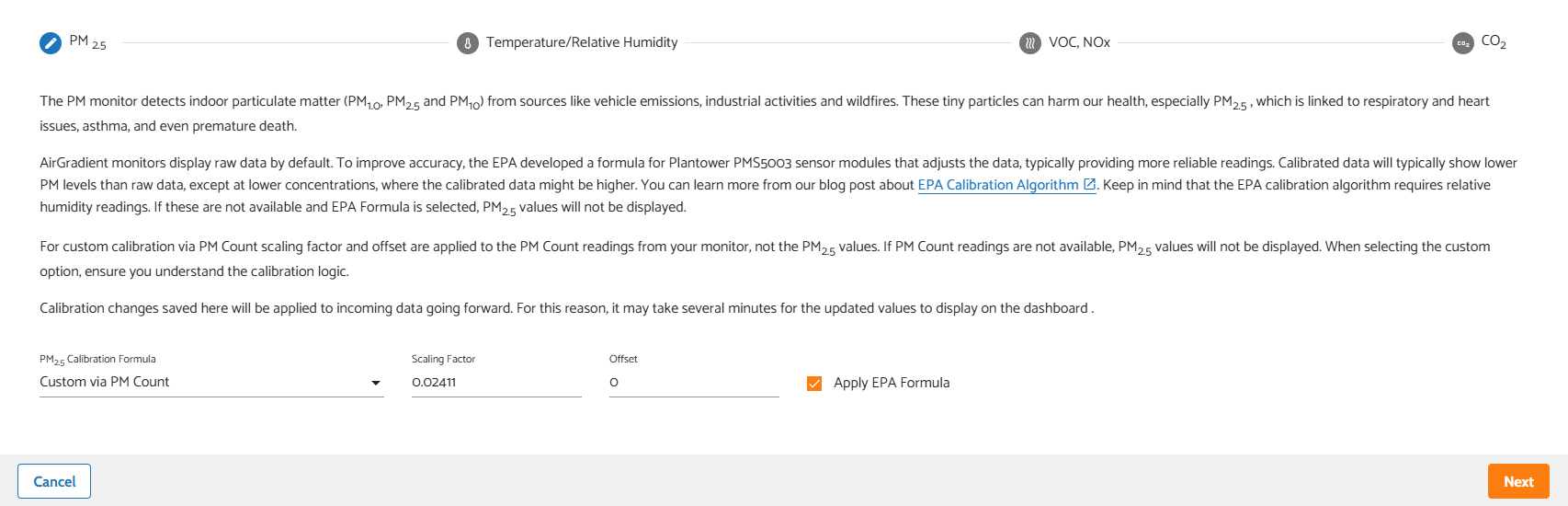
In your case, I recommend that you switch your PM2.5 Calibration Formula to ‘Custom via PM Count’. and input the Scaling Factor = 0.02411, Offset = 0, then check ‘Apply EPA Formula’. This result is the same as when you select ‘PMS5003_20250530’ with ‘Apply EPA Formula’ checked.

Simply put, the ‘PMS5003_20250530’ is a preset that currently has an issue. While using the Custom via PM Count and inputting those specific Scaling Factor and Offset values is a manual way to achieve the same result as the preset PMS5003_20250530 does.


For further reading, these articles are great for this topic:

That helped, thanks Tai! All three, web dashboard, phone app and physical screen are showing the same info.

1 Like

@breathez Glad to hear that it worked! Again, I’m sorry for the inconvenience. We will fix this as soon as possible. Please let us know if you have any other questions, or if you have anything to share with us and our community, please feel free to post on our forum. Thanks!

1 Like