AirGradient one shows correct temperature however, it shows red on dashboard however, when you click on the temp tab it shows all green. Not sure why.
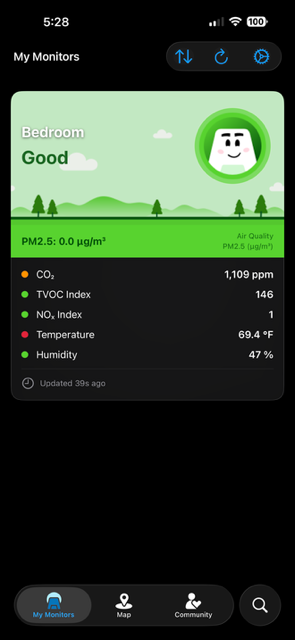
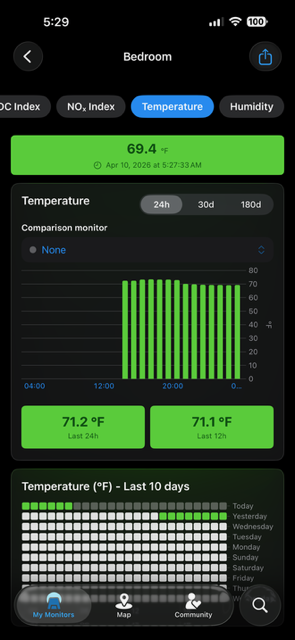
Hi @JFB - this may be a bug in the iOS app. @Tai_AirGradient will look into this and report to Achim, if needed
Hi @JFB , thank you so much for reporting this. Would you mind sharing more information about:
- What version of the AirGradient Map app is this
- What iPhone are you running the app on
- What iOS version is your iPhone running
Thank you!
@JFB Just fixed it:
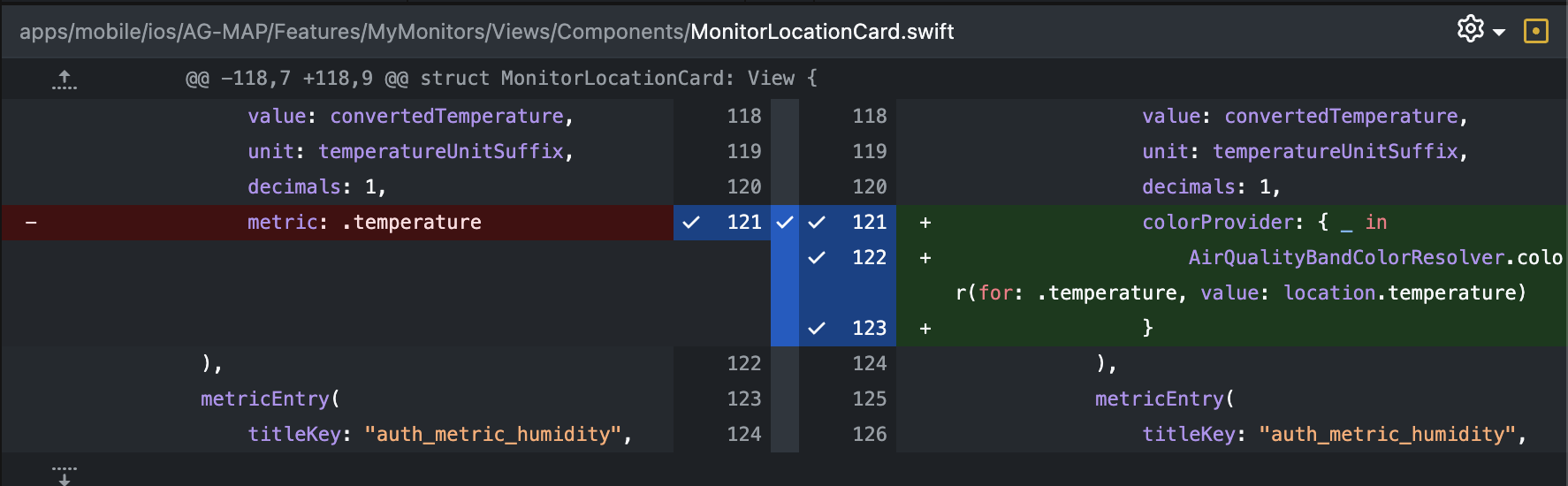
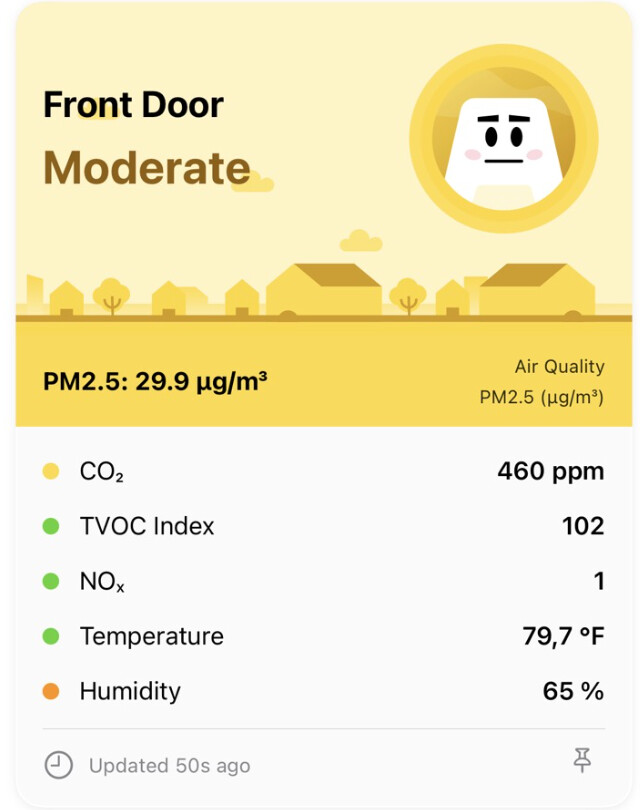
We accidentally used the Celcius colors for F. It will be available in the next update. Thanks for reporting!
1 Like
How will I know when the next update is ready? Also to install do I delete the app and reinstall the new one from the apple store? Thank you
Hi @JFB, when there’s an app update, the fastest way to check is opening up the App Store and searching for AirGradient Map app, and see if there’s an ‘Update’ button available. You don’t have to remove and reinstall it.
1 Like
I’ve seen similar UI glitches before - usually, it happens when the ‘threshold’ for the warning on the main screen isn’t perfectly aligned with the graph colors. Definitely worth tagging the devs to look at the dashboard logic, but as long as your actual readings look okay in the tabs, you’re likely safe to ignore the red light for now!
1 Like
Hi @Stella, thank you so much for reporting this. To confirm that I understand the issue you described correctly, does that mean the color of a notification (that threshold alert is enabled) doesn’t align with the color of the bar chart that displays the air quality of that time? Please correct me if I’m wrong. Thank you!