- Device: AirGradient ONE
- Firmware: 3.6.2 (latest)
- Integration: Home Assistant
Description of the problem:
When I first powered on my AirGradient ONE in my living room, the CO2 value immediately climbed to over 10,000 ppm, which is clearly not a realistic reading. Based on my research, this appears to be an error code from the SenseAir S8 sensor rather than an actual measurement.
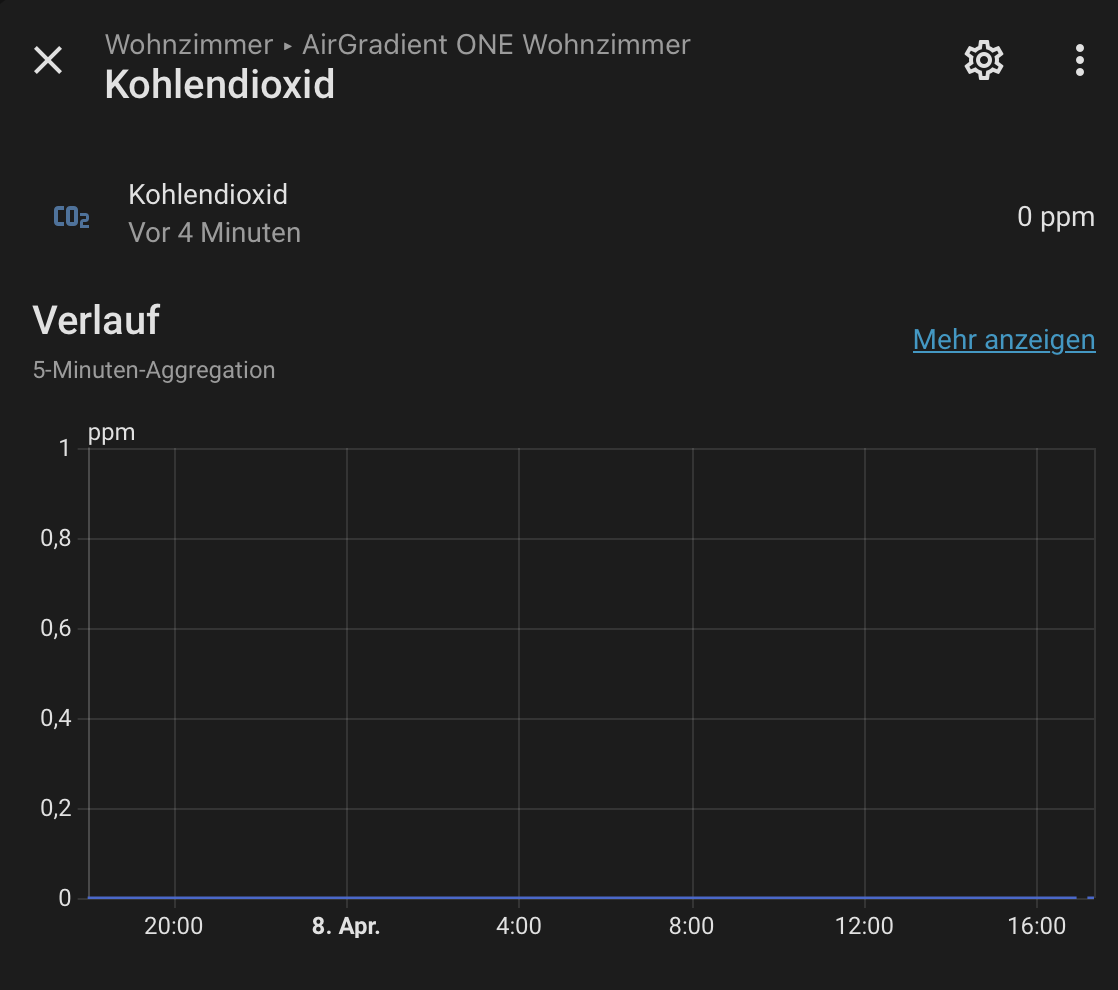
In an attempt to fix this, I triggered a forced CO2 calibration through Home Assistant. Since then, the CO2 value has been stuck at exactly 0 ppm and does not respond to any stimulus whatsoever – not even when breathing directly into the sensor, which should cause a noticeable spike.
Steps I have already taken:
- Placed the device outside in fresh air for several hours and triggered the calibration multiple times
- Powered off the device completely for over 10 hours
- Verified that the firmware is up to date (v3.6.2)
None of these steps have resolved the issue. The value remains at exactly 0 ppm with no variation at all.
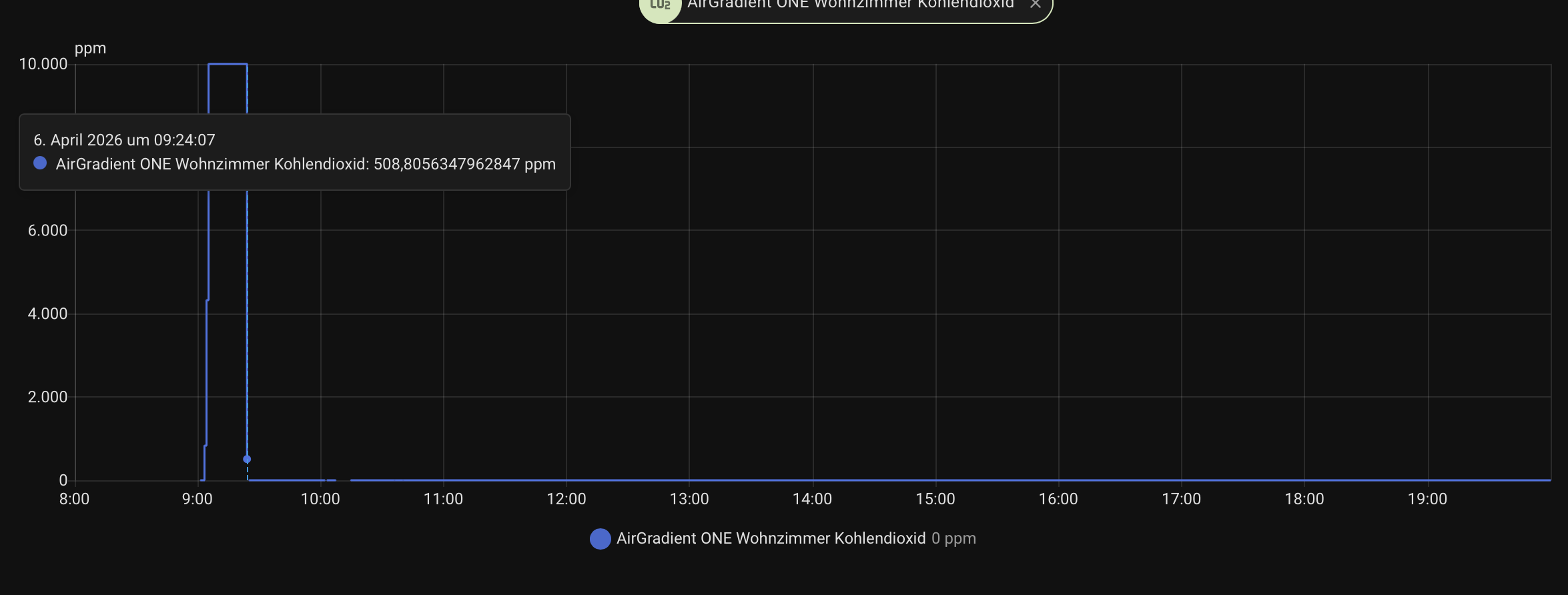
The Home Assistant history graph shows the following sequence of events on April 6, 2026:
- At 09:24:07, the sensor briefly showed a realistic value of approximately 508 ppm
- Shortly after, the value spiked to 10,000 ppm
- Following the forced calibration, the value dropped to 0 ppm and has remained there ever since
This suggests the sensor was capable of producing a correct reading at least momentarily, but the forced calibration appears to have put it into a non-recoverable state.
Questions:
- Is there a known way to perform a hard reset of the SenseAir S8 sensor through the AirGradient firmware or via ESPHome?
- Is the initial 10,000 ppm reading a known error code for the SenseAir S8, and if so, what typically causes it?
Any help would be greatly appreciated. Thank you!