Since this has become quite a common topic - both here and through our customer support tickets - I wanted to make a quick post about the most likely reason data is not being shown on OpenAQ even though you’ve chosen to share it with the platform.
With all outdoor monitors, you have the option to opt-in to sharing data with third-party platforms. You can access this screen under ‘Admin’ → ‘Edit Location’ → ‘Data Sharing’ as seen in the screenshots below:
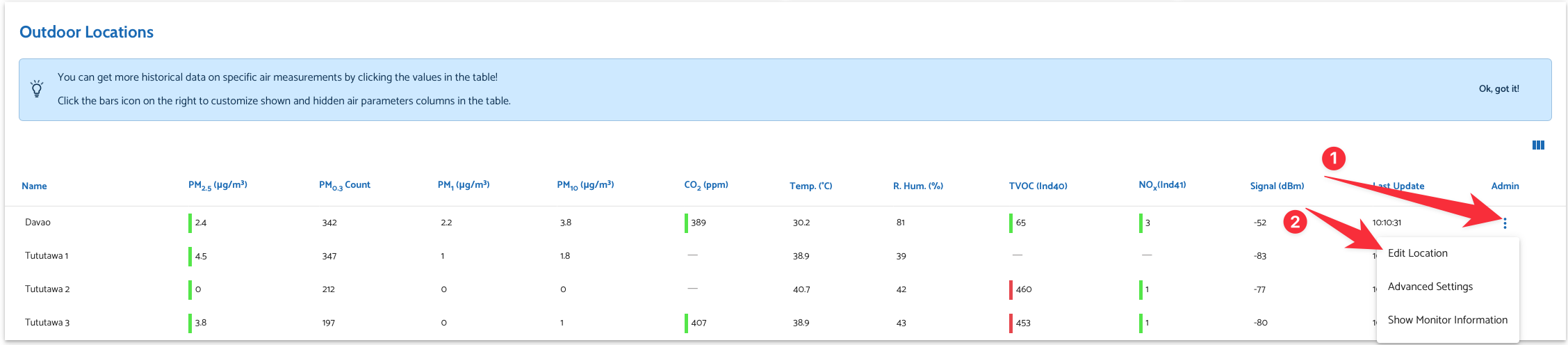
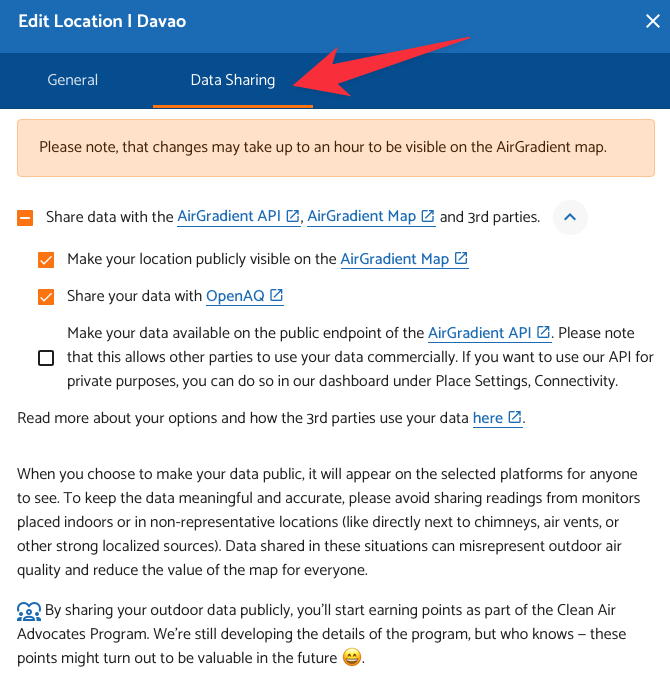
However, many users have reported that even after ticking ‘Share your data with OpenAQ’, the monitors fail to show on the OpenAQ map. In the majority of cases, this is a very simple fix.
To ensure high precision, OpenAQ only accepts monitors that have coordinates with at least three decimal places. In other words, you must ensure that both the latitude and longitude you enter on the AirGradient dashboard have at least three numbers after the .
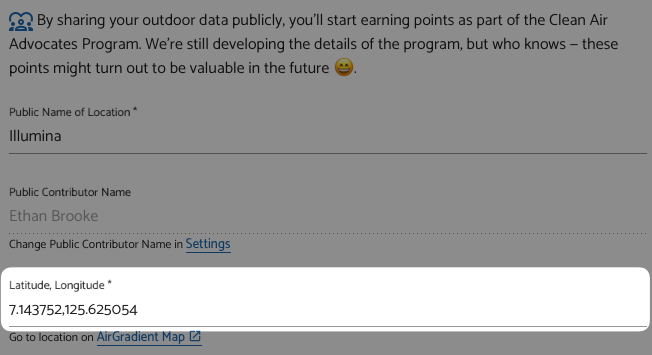
For example, in the above example, if I simply entered 7.14,125.62, my monitor would still show on the AirGradient Map, but it wouldn’t show on OpenAQ as two decimal points allow the actual device to be within 1km in any direction which they deem to not be accurate enough. To ensure your device shows up on OpenAQ, instead change the coordinates to be 7.143,125.625 (in the case of my example).
I hope this helps! If you have any questions, please let me know.