When I first set up the widget I added my initials for the organization. It now shows up on the widget prominently on top. I am unable to find anyway of removing it or at least change it. Nothing in the edit menu.
Hi @Chris_Holmes, welcome to the forum!
Just to clarify, when you say “widget,” do you mean your main Dashboard account at https://app.airgradient.com/, or the Public Display widget within the dashboard?
If you mean the dashboard, go to General Settings > Place and update the Place Name:
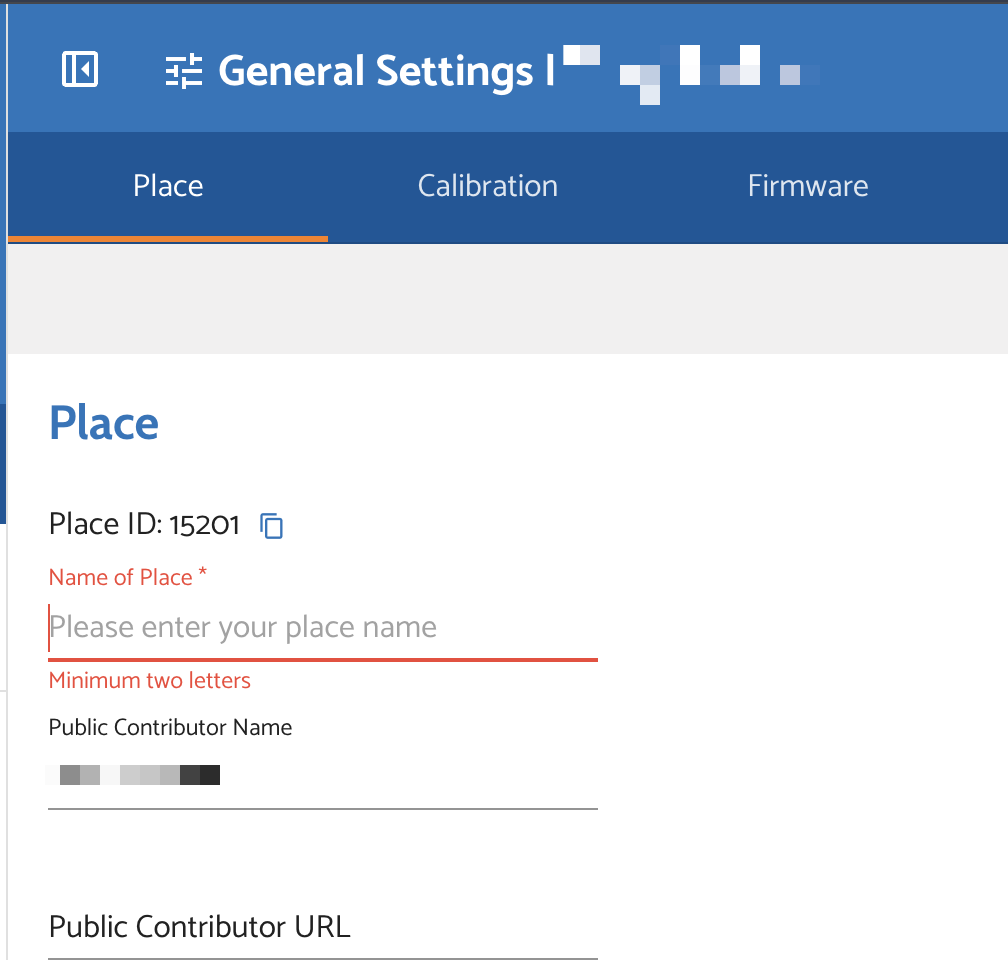
Then click Save.
If I didn’t understand correctly, perhaps you could provide a screenshot.