AirGradient Forum

Update DIY Mini Display?

A few users have mentioned a DIY Display, which I didn’t even realize was a thing, but I did find the related page:

Since AirGradient has moved on from the D1 Mini and the linked display is much more expensive now (~$22) would there be any interest in updating the project to use newer hardware?

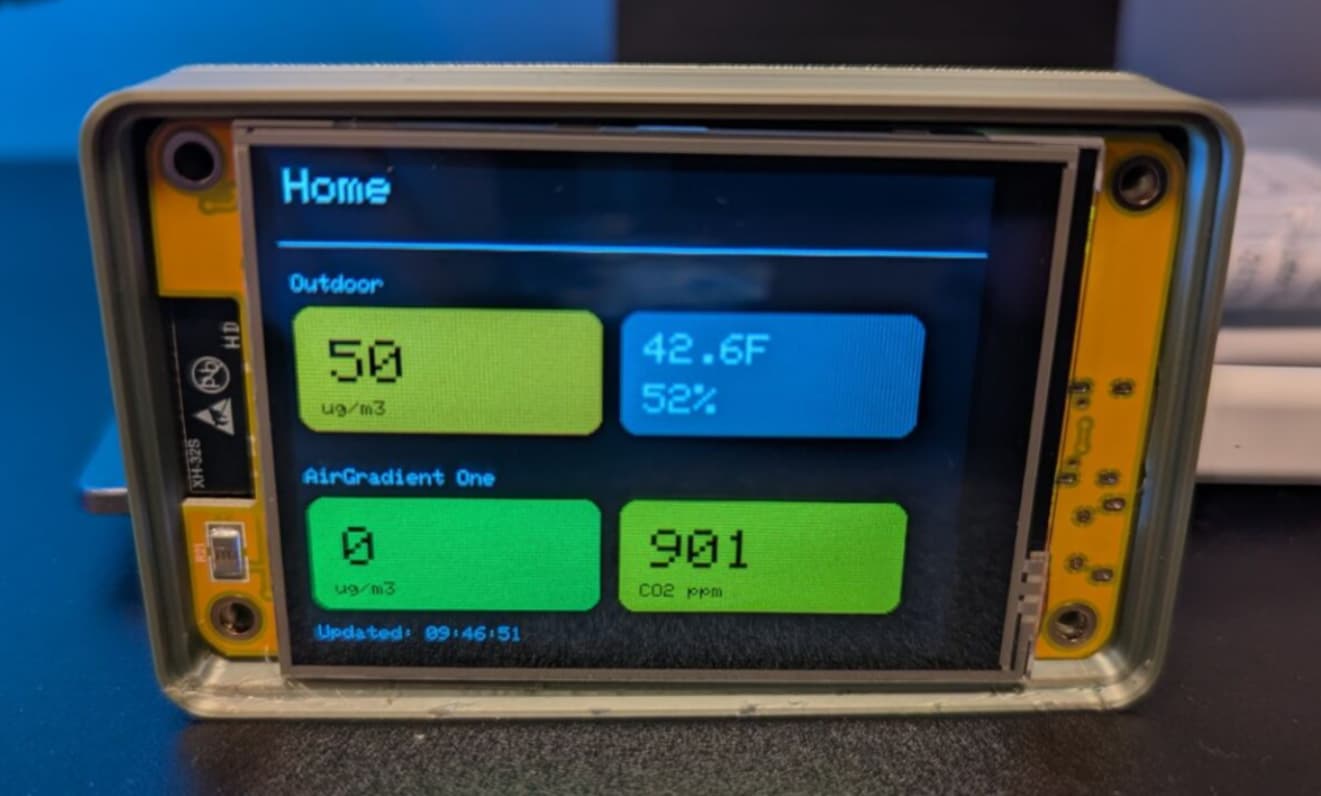
I have a CYD coming soon which is based on ESP-WROOM-32 and integrated 2.8 inch touchscreen for under $15 total.

I’m thinking about seeing what it would take to modify the DIY Display code to work on this device and wondered if anyone else would be interested?

I’m also personally working on growing my Python knowledge, so may see about rewriting it in MicroPython for the experience
3 Likes

My initial attempt at this has been published. My CYD is working as a standalone display

Any chance of ever seeing this in just the Arduino tools? The platfoemio stuff makes creating the build environment quite a PITA when not using Whinduhs . . .

Unlikely but maybe.
I used Copilot to update the code for the CYD and used the platformio file from an example. It was nice not having to manually install all of the library versions and setup CPU speeds and all of the other options.
.what I really want is to get a compiled file you could web flash and not need any IDE unless making changes but not sure how to do that with PlatformIO

I still want to look at Micro python for all of it for personal growth reasons but that might be even less user friendly for mass use.

IDE would, if nothing else, be consistent with the AG code base . . .

(Not sure what libs you are using, but getting the basics for a CYD took me sub 5 mins . . . )

AirGradient itself is kind of all over as internally they use PlatformIO when developing the main devices, and the AirGradient Max uses ESP-IDF so there isn’t a fixed standard.

I used PlatformIO because they mentioned that is what they use but I’m not that familiar with it.
Other than manually installing the libraries mentioned in the platform file, is there anything in the code itself that would prevent you from using Arduino IDE?

I’m open to PRs in my repo. This is just something I’m doing and not an official AirGradient project.

Arduino IDE is what I use, since it’s platform independent (And the AG stuff I use, and my other projects (well, other than ESPHome) work there natively.)

I just updated the README file to also include instructions for using Arduino IDE to compile. Note, there is a file you have to manually copy/edit in your library for the TFT display or it will not work.

NP! It seems like most of the graphics drivers seem to require something like that . . . not uncommon at all.

FYI, pulled it down and got it built with no issues. Now I need to see what (if) it will take to get it to display AQI and not just particle count.

Much appreciated!

@MallocArray : That is a good project of another display version that I also interested, would you provide the sensors wiring information for reference?

With this type of display, it doesn’t use any sensors, it is just doing a web request to the AirGradient dashboard and pulling metrics from other existing devices and then showing it on a dedicated display with colors

@MallocArray : Thanks for your quick response for my questions. I misunderstand that, it is also a good idea to have a portable display for the purpose. Good!