AirGradient Forum

Unable to turn off LEDs and Screen during night hours

I’m also running into an issue using this feature, I have it configured in the UI:
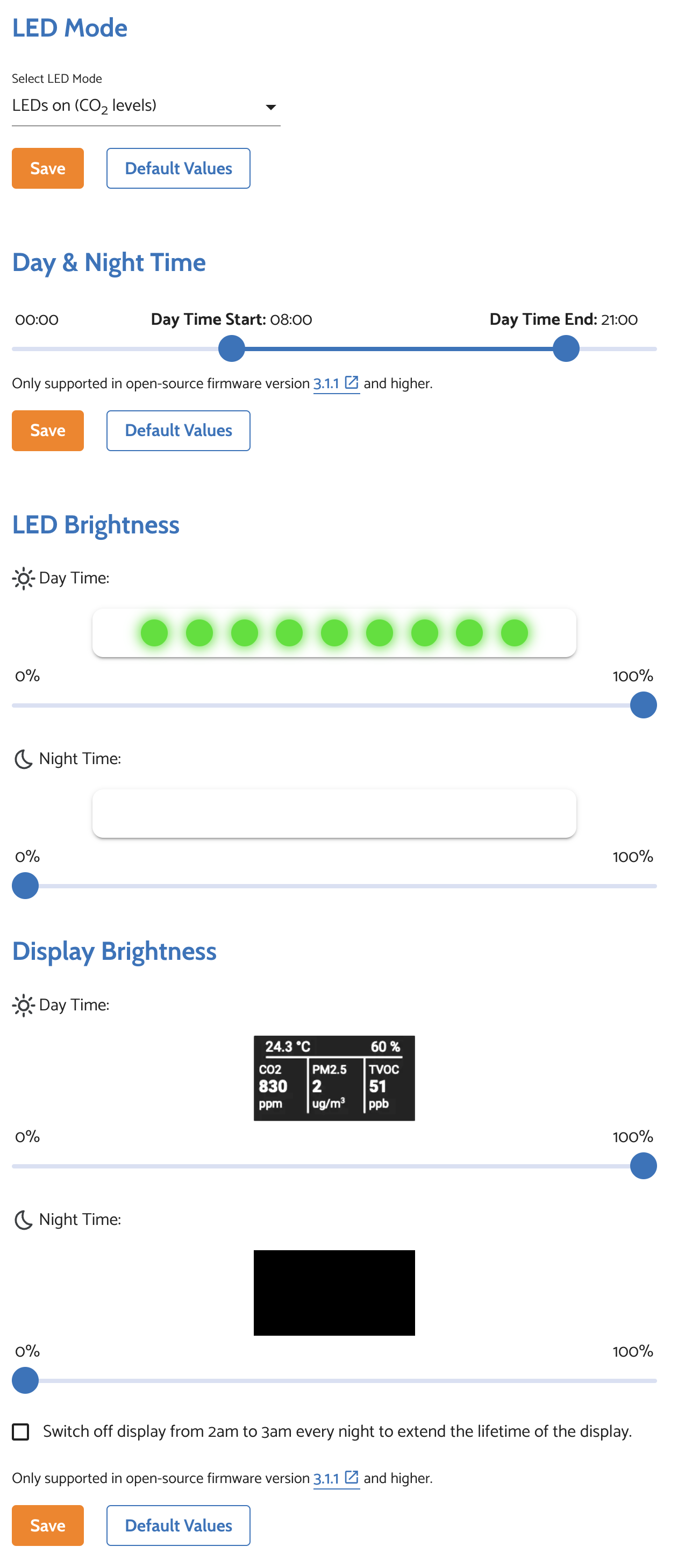
The LEDs and display are just always off though, here is my config:

{
  "country": "US",
  "pmStandard": "ugm3",
  "ledBarMode": "co2",
  "abcDays": 8,
  "tvocLearningOffset": 12,
  "noxLearningOffset": 12,
  "mqttBrokerUrl": "",
  "temperatureUnit": "f",
  "configurationControl": "local",
  "postDataToAirGradient": true,
  "ledBarBrightness": 0,
  "displayBrightness": 0,
  "offlineMode": false,
  "monitorDisplayCompensatedValues": false,
  "model": "I-9PSL-DE"
}
Hi @com6056 ,

Your configurationControl is set to local, you need to set it to cloud to make configuration from cloud applied.

Usually configurationControl set to local by default when your monitor integrated to Home Assistant.

Oh yep that was it, added it to Home Assistant but only to save the data there, flipping it back to cloud seems to have fixed it, thanks!

Hi,

seems I am not a poweruser. read through all the posts.
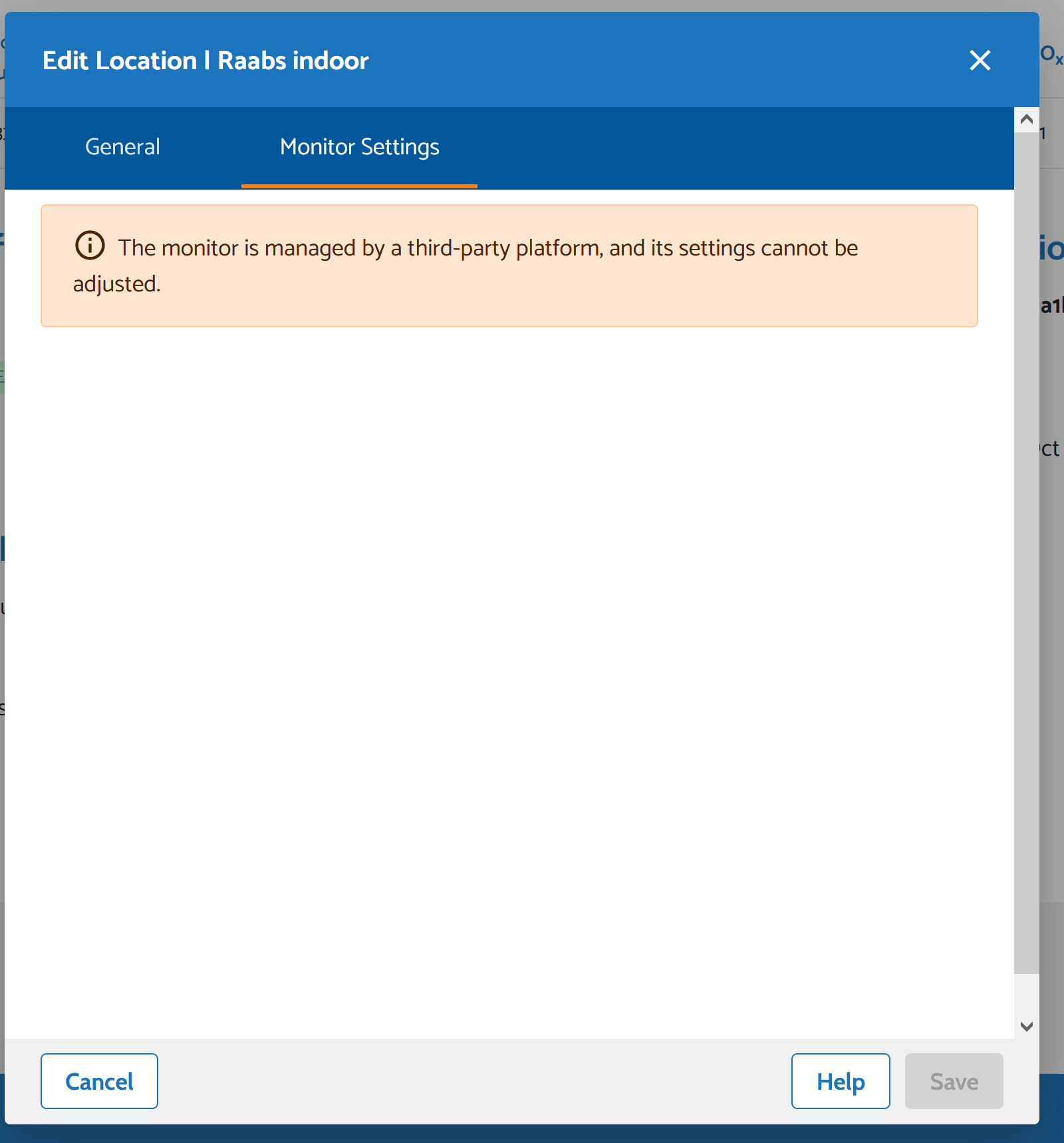
I Ran into the same problem, not being able to use the day and night feature. Tried to change the setting to cloud, but could not change it. (Screenshot)
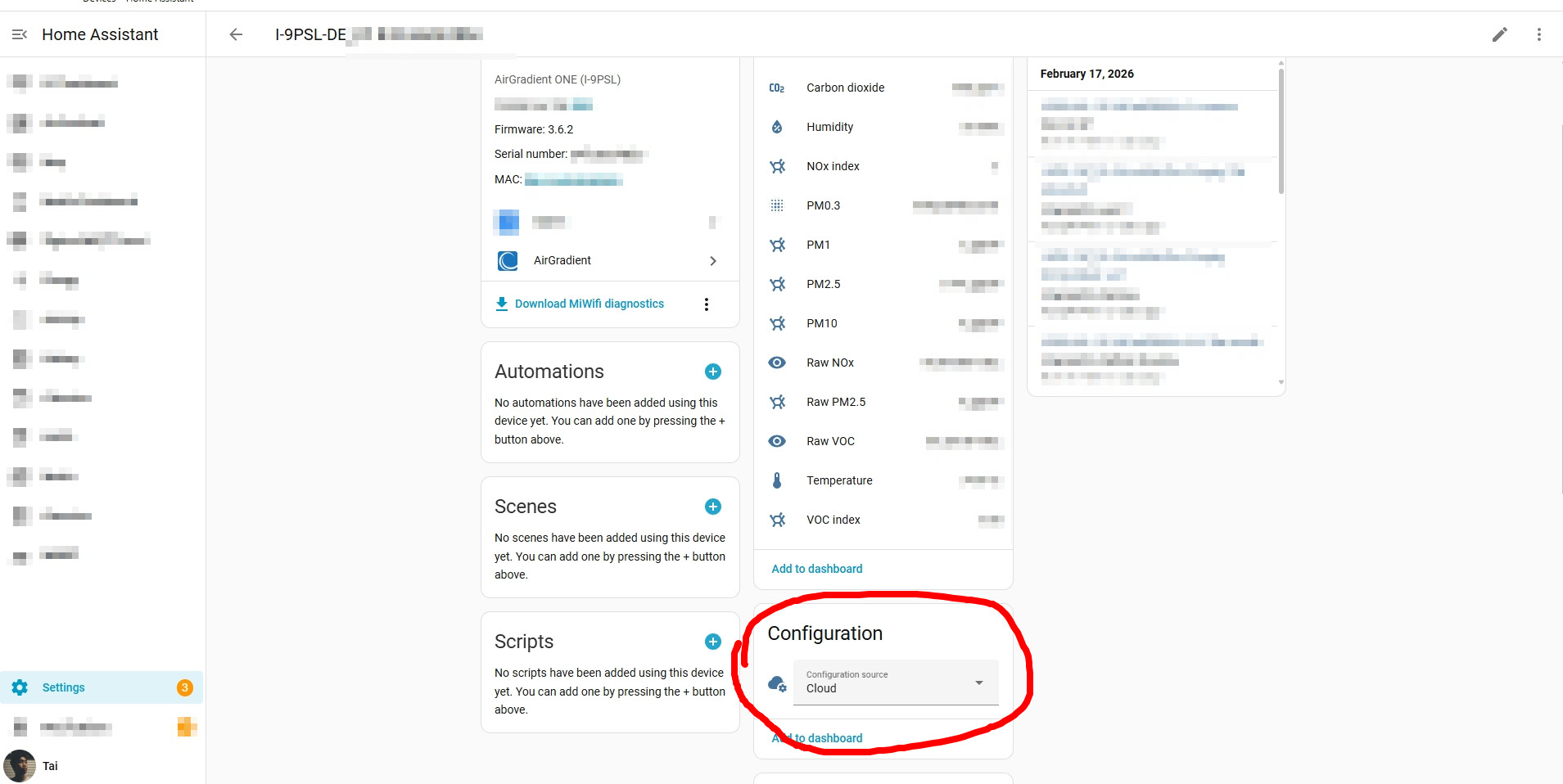
I am using Home Assistant could not find the mentioned setting “Configuration Source to cloud” there. So I am stuck in this loop. I am using this unit in my bedroom, turning it off during the night would be very helpful.
Also I was not able to retrive the config settings as shown in the last post.
thank you for advice
MaX

.

Hi @MaX , welcome to the community.

To find the configuration source setting in Home Assistant, please go to your Home Assistant Settings > Devices & services > AirGradient > Select the device that I’d like to configure > Select Cloud or Local in the dropdown selector.

3 Likes