AirGradient Forum

UI for external CO2 Sensor calibration?

Hi,
my experiments with several Aranet 4 have shown, that on my urban terrace to CO2 value is easily 50 to 100ppm higher than on top of a nearby hill.
Others have confirmed my experiments.

Apart from other concequences, automatic calibration of a weekly low to 400ppm may create a systematic error in urban areas. (even in a non urban area this should be 430ppm).

For those with devices with better calibration, can we have a UI to calibrate an AirGradient device with an external value?

Thanks
1 Like

Hi @Gerd_c, welcome to our community, and thank you for your question.

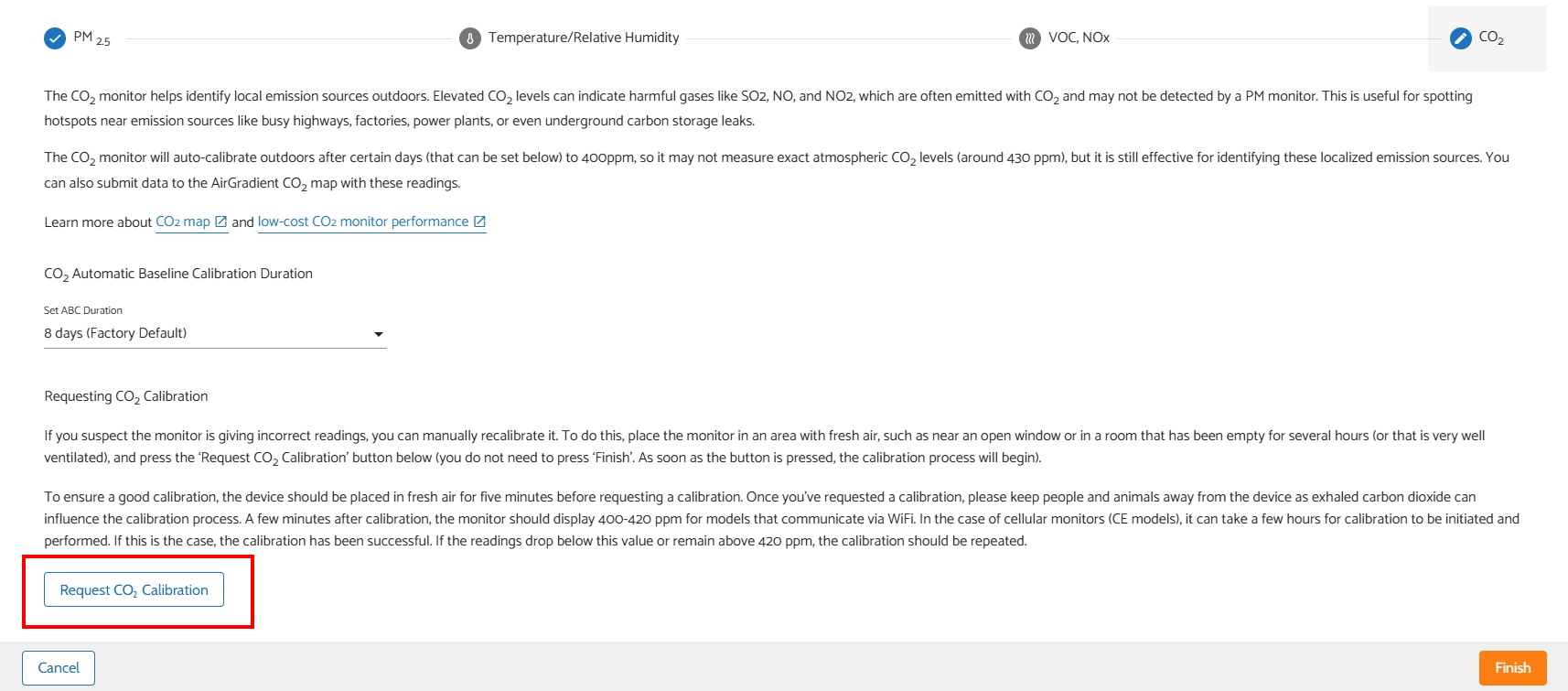
Currently, the AirGradient Dashboard only supports settings for ABC (Automatic Baseline Correction) duration and requesting a manual CO2 calibration.

Hardware-wise, the SenseAir S8 seems to have only these options available as default as well. However, I have discussed this a bit with our CTO, and now we are reaching out to SenseAir to confirm what we can do in this case to improve the calibration.

I will give you an update once we get the information. Thanks!

2 Likes

We do not own an AirGradient device (yet). We have different devices that has CO2 auto-reset feature, but they also supports manual background calibration/reset.
What I usually do is take the device outside on a sunny afternoon and then perform the reset. That seems rational and logical.
Can this (manual reset) also be done with AirGradient devices?

1 Like

Yes, you can trigger a manual calibration and you can also adjust how often it does the calibration itself. It defaults to every week, but you can disable it entirely so it is up to you to trigger it.

1 Like

@Akila yes, we have it available on the AirGradient Dashboard. You can simply tap the ‘Request CO2 Calibration’ button in the air monitor’s calibration settings.

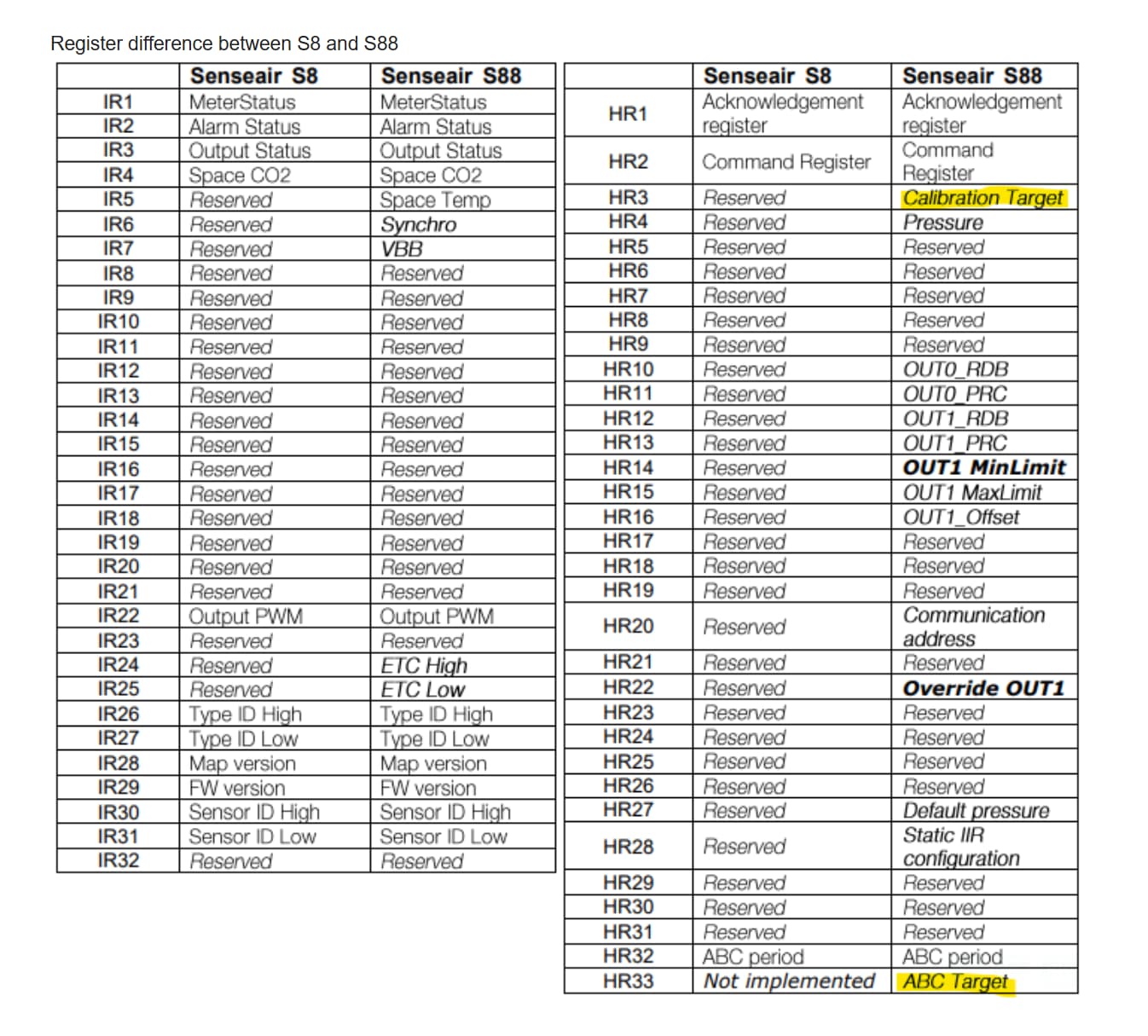
@Gerd_c We have an update from SenseAir that the SenseAir S8 doesn’t support calibration target configuration, as it has only zero and background calibration built in with set values of 0 and 400ppm.

But for the SenseAir S88 (which is used in the newer batch of the AirGradient monitors), it’s possible. However, to implement that on our AirGradient monitor, we will have to make some adjustments to the firmware and the Dashboard to support this function. I have had a further discussion internally with our team, and we agreed that we should consider adding it. We will surely let you guys know once we have this feature implemented.


More details about the S8 and S88: https://rmtplusstoragesenseair.blob.core.windows.net/docs/Dev/publicerat/TDE14367.pdf

1 Like