The temp is in C and I need it in freedoms
Are you asking about changing it on the display of the AirGraident ONE indoor device, or on the Dashboard site?
1 Like
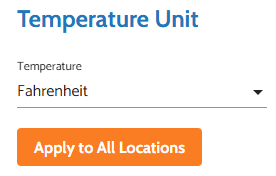
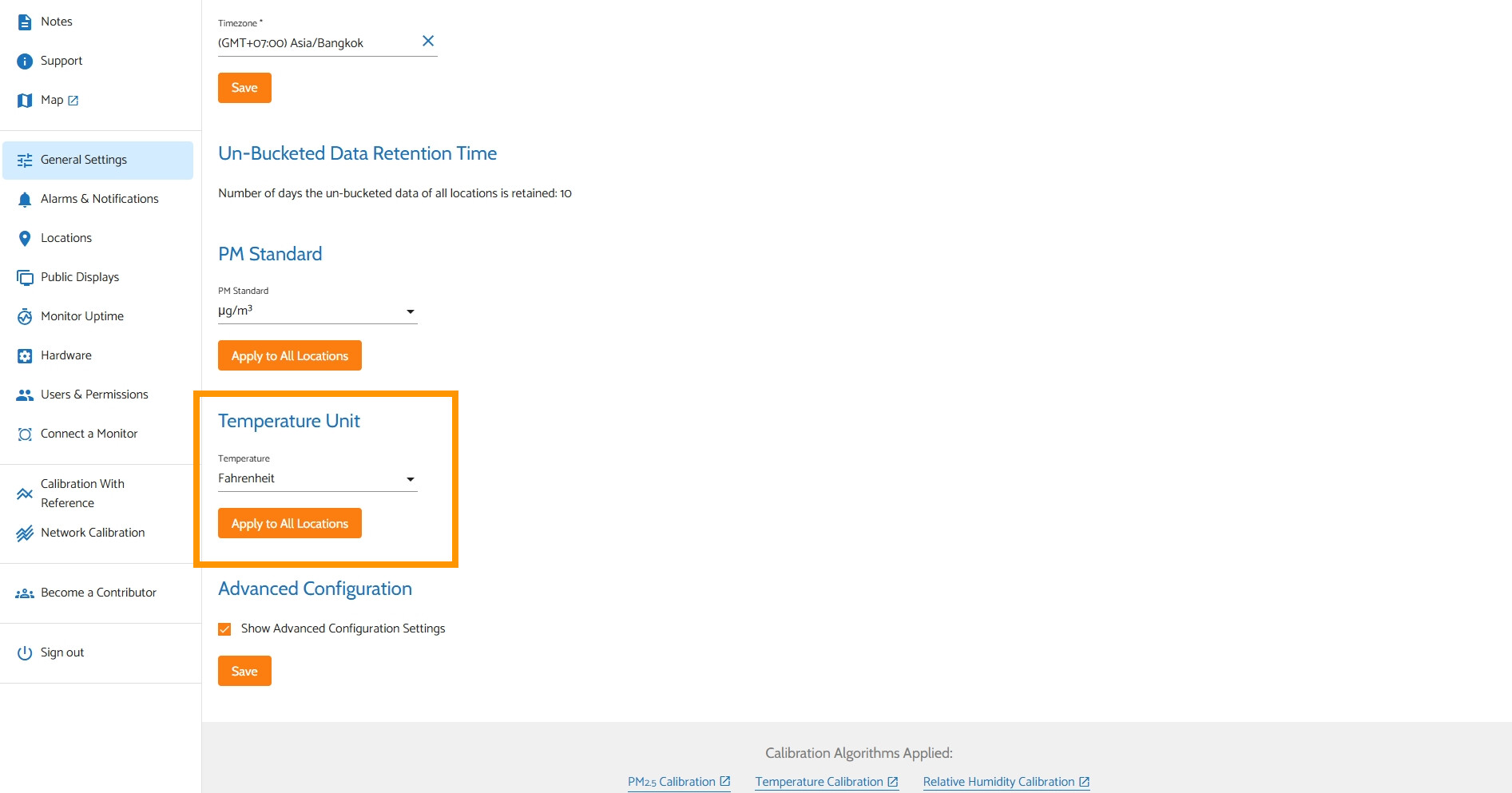
For the Dashboard site, under General Settings in the Place tab, you can set the Temperature Unit
1 Like
Hi @Steve_B, you can follow the instructions that @MallocArray mentioned to switch the temperature unit (this will be applied to both the Dashboard and your AirGradient ONE’s OLED display (if you have it connected to the AirGradient Dashboard)).
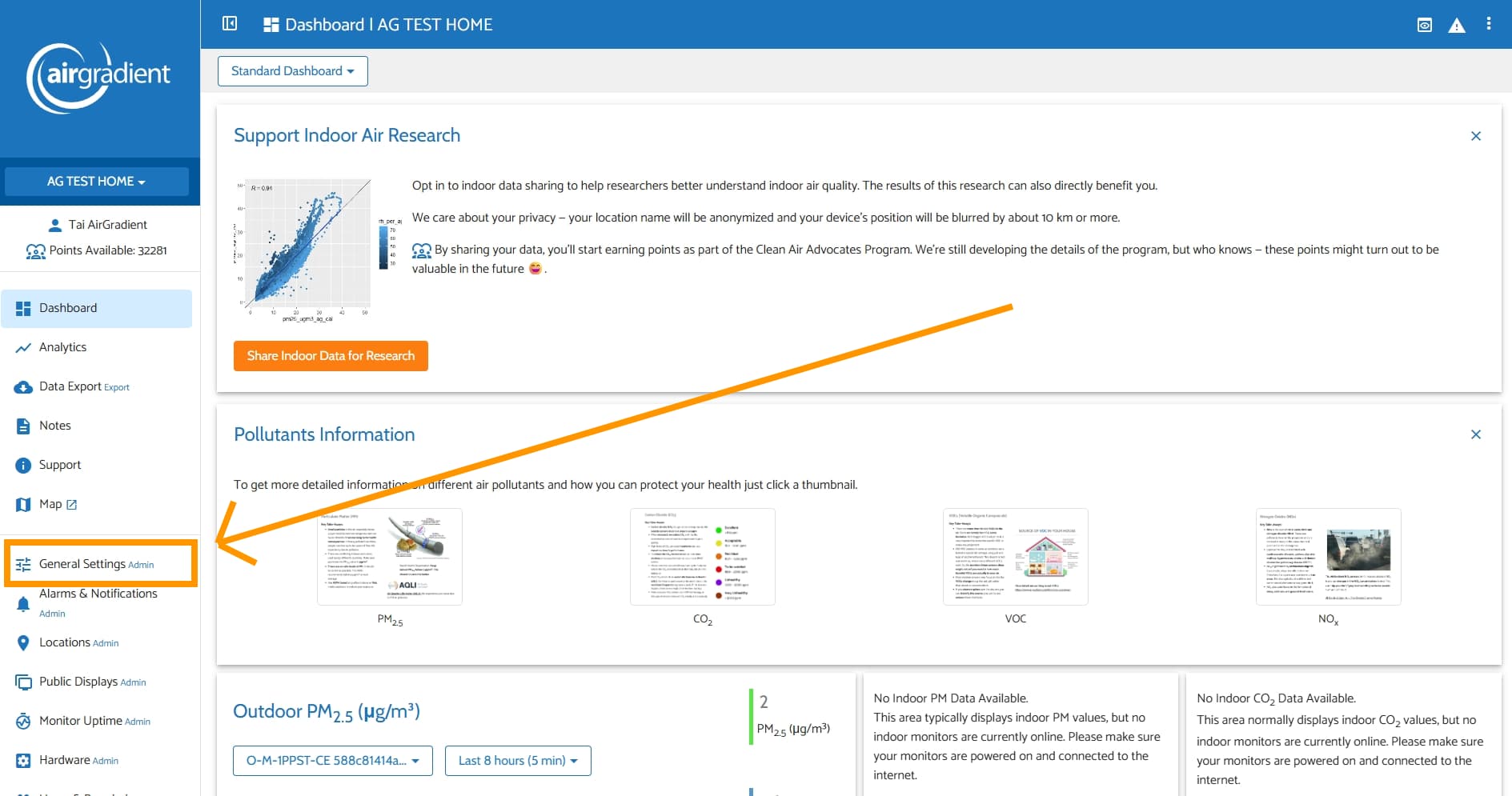
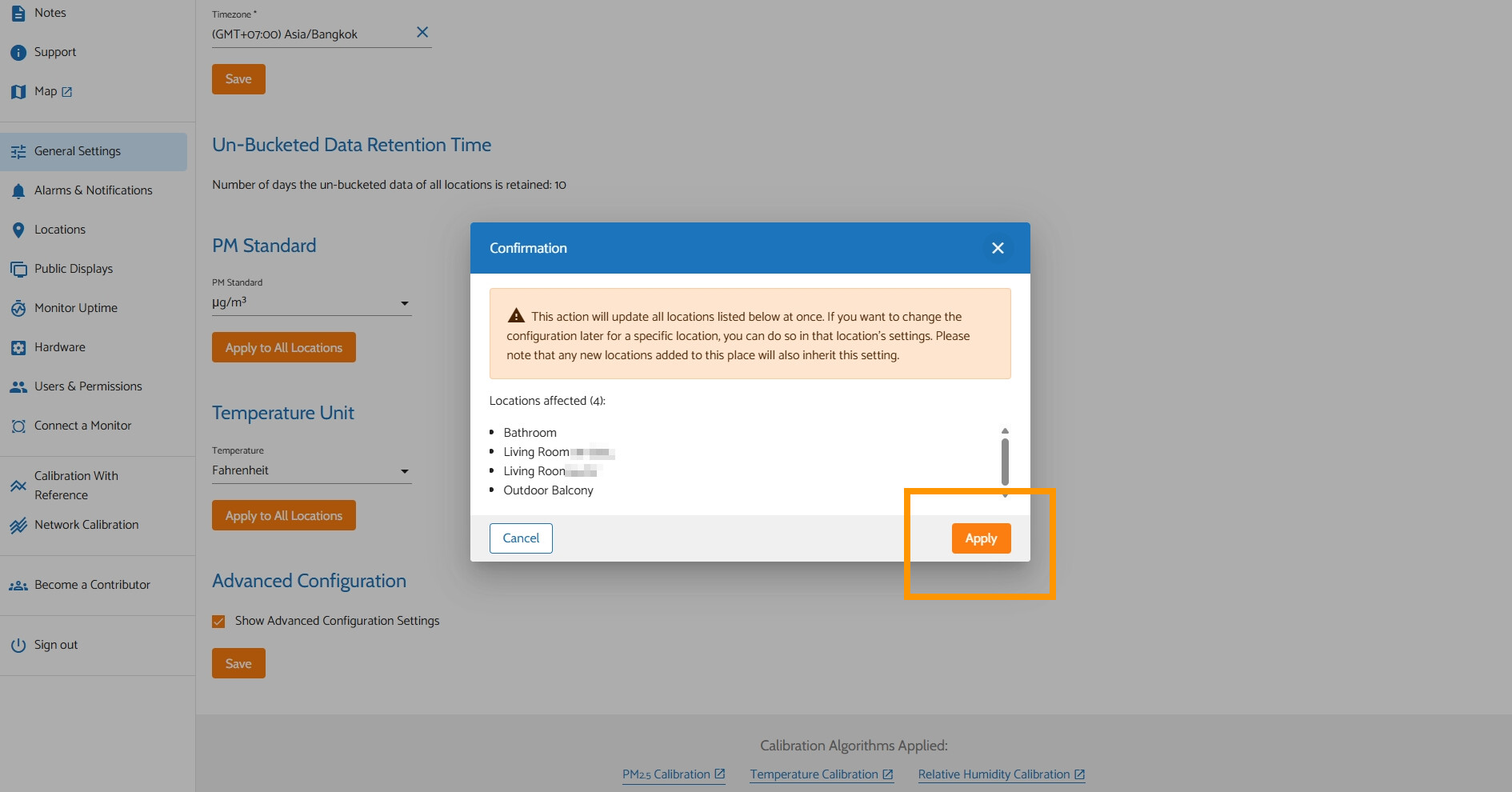
Please kindly go to your AirGradient Dashboard > General Settings > in ‘Place’ tab, scroll down until you see ‘Temperature Unit’, and select your preferred unit (Celsius or Fahrenheit) > Tap ‘Apply to All Locations’ > Tap ‘Apply’ to confirm the change.
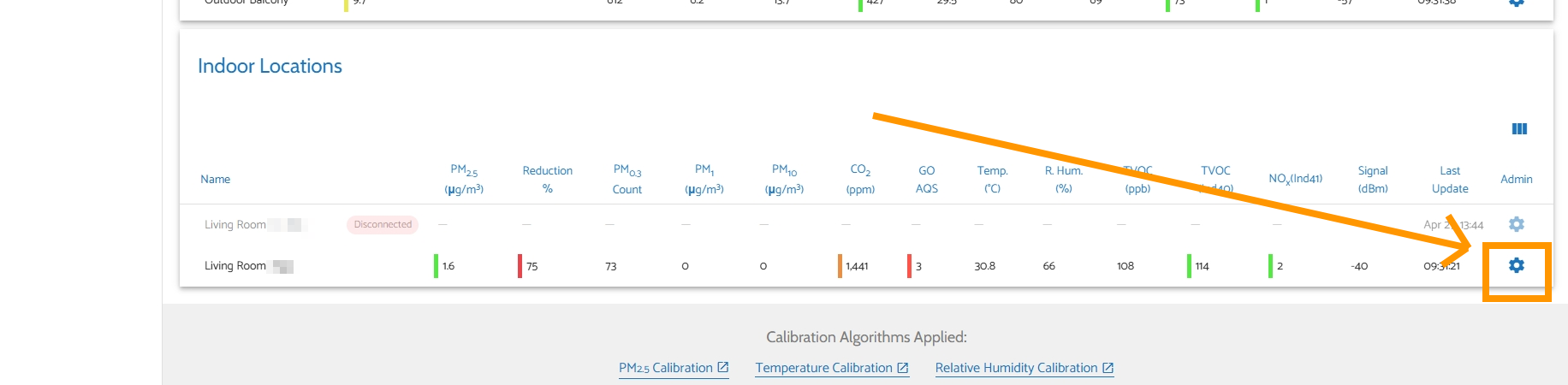
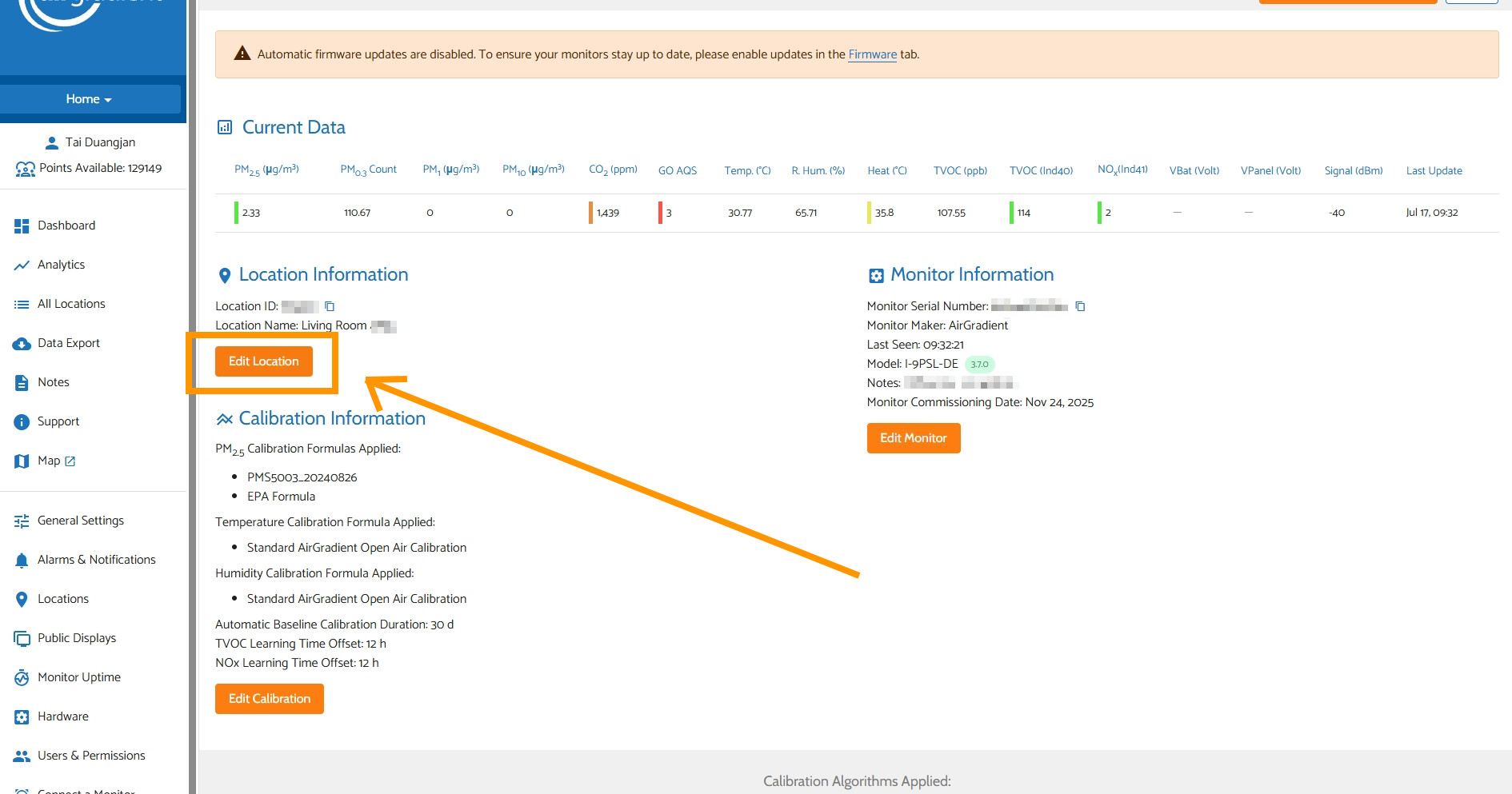
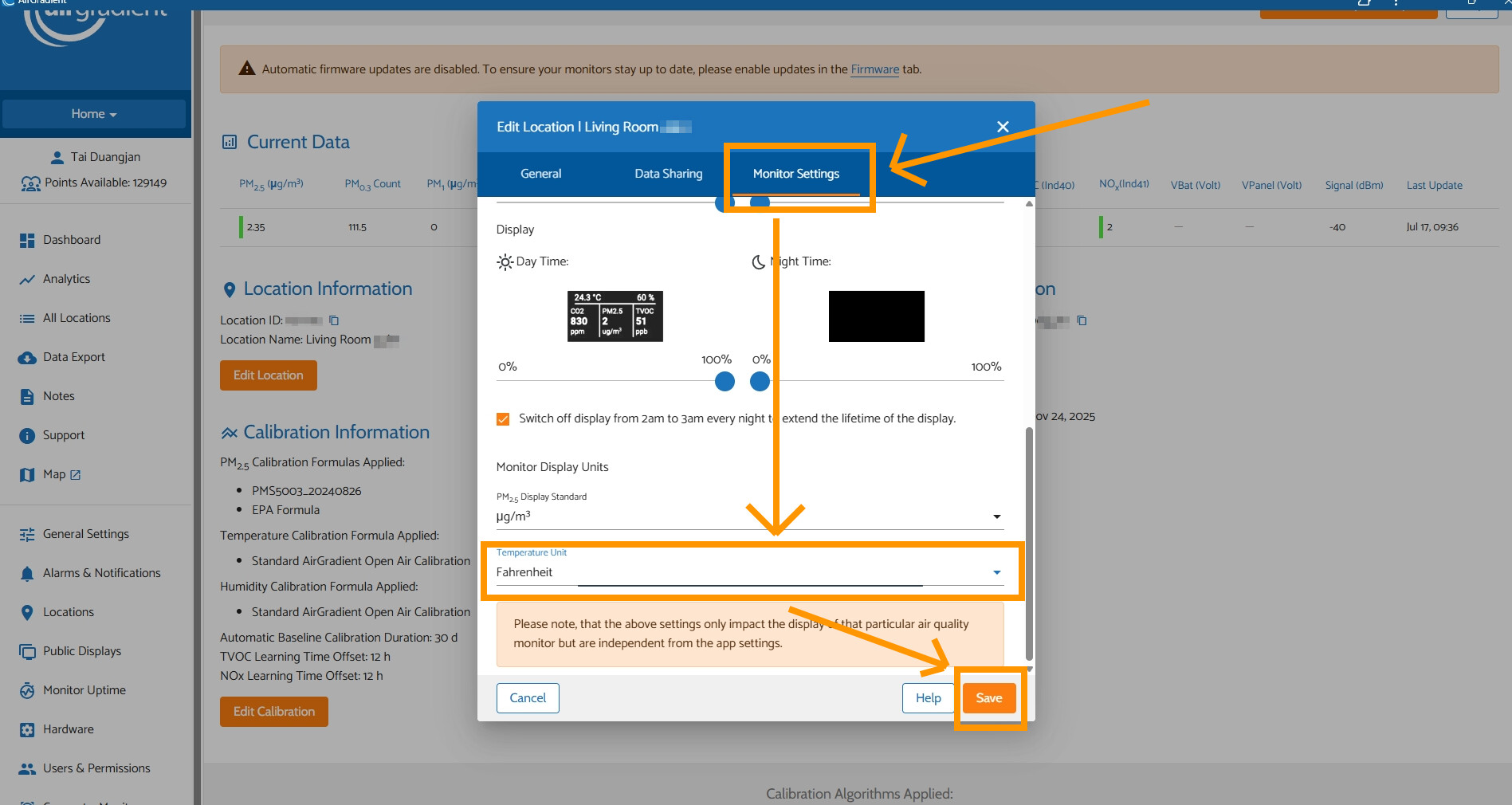
In case you would like to change the display temperature unit on your AirGradient ONE’s OLED display individually without altering the Dashboard’s global settings. You can do so by tapping the gear icon of your AirGradient ONE on the Dashboard > Tap ‘Edit Location’ > Go to ‘Monitor Settings’ tab, scroll down to the bottom until you see ‘Temperature Unit’ > Select your preferred unit (Celsius or Fahrenheit) > Tap ‘Save’.