AirGradient Forum

Scrambled alien looking LCD display yesterday? (AirGradient One)

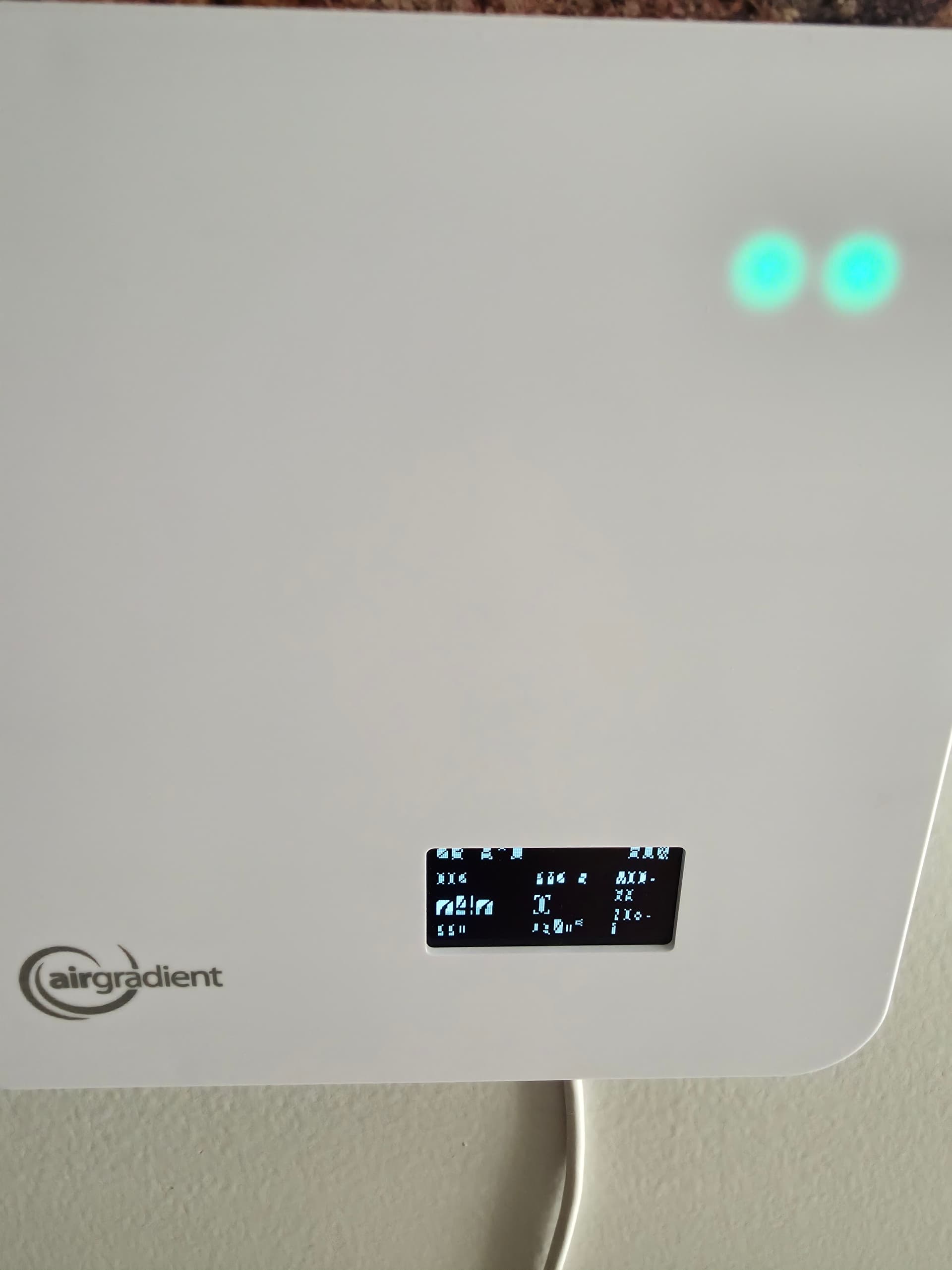
Hey guys, thank you all for providing us with your feedback about the display. We’ve found that it could happen very randomly (some units don’t have the issue, some come back normal after several hours without doing anything, some rarely occur, some are more frequent). We suspect that it might be caused by electromagnetic interference. Our engineer is working to find a reliable way to reproduce this issue.

Every case seems to be resolved by a power cycling (unplugging and plugging in the USB-C (or the wall charger)). In case you can catch this issue red-handed, if possible, please take some photos and observe how it behaves (for example, does it fix itself after 12-24 hours?, is power cycling able to resolve it?).

We are also working on the firmware side to see if we can resolve this on the fly (without a hard power cycling). I will let you know if we come up with more details. Thanks!
1 Like

I should also add, power supply resolution tried and still issue present. Brand new in use since Feb 2026 and issue started around mid/end of March. No custom firmware, just updates from AirGradient.

Happy to offer up any details that could help resolve.

Thanks


I have been experiencing the scrambled screen for a few months now. Power cycling does fix the issue but within a week I am back to scrambled again.

Don’t have much besides general WiFi iperating in the house. Not like it’s installed next to my microwave either :joy:. I dont have anything power related near the Air Gradient One either. I placed on a wall by itself to capture the main Living Area.

Would be good to understand this problem and fix it. Power cycling isn’t the solution long-term.

Thanks

1 Like

Hi @Eban59, welcome to our community and thank you for reporting the issue. Please let me follow up with the team about the fix, and I will let you know. Thanks!

1 Like

I am also having this problem. Same as others: a reboot fixes it, but it returns a while later. Changing the power supply does nothing.

I’ve had my AirGradient set to a lower brightness (via Home Assistant) at certain occasions which I found out was causing the scrambled display. I’m now using the Airgradient always on 80% brightness or 0% when I’m away. Only once or twice since my last post I’ve seen the issue reappear but it’s pretty much gone.

I do see it reboot once a day or once every two days though, not a clue why. It doesn’t both me.

Hi everyone, thank you for following up on this. Please let me check with our team again if we have found a solid solution for this issue.

Hi folks,
I’m new to this forum, just registered for reporting similar (same?) issue as the thread starter:

My Airgradient ONE indoor unit is configured to switch off the display at night time to reduce light pollution and display wear. After a couple of days it freezes, showing old measurements and partly broken content. It does not switch off anymore although configured.

I experienced this behavior after starting to use the local api at

<ip>/measures/current and/or
<ip>/metric

Therefore I like to know, if others having this issue too just

after starting to use the local api?

Not sure if it is really related, but if so it might be some timing conflict between processing the api request and the display update cycle.

FTR: I filed an support request on this topic too.

Best regards,
C.

Hi @curlyel, welcome to our community, and thank you for reporting the issue.

I have reviewed your ticket. It looks like that your case is a bit different from the alien (scrambled) display. May I ask how often you experience the frozen screen? Thanks!

Regarding the alien display, our engineer discussed it with the display supplier and concluded that it may have been caused by interference. We recommend relocating your air monitor away from the interference source and observe whether the issue goes away or not.

Hi Tai,
thank a lot for having a look at the ticket.

First, as you wrote:

If so, mind moving the post to a different topic?
Or should we keep it here? I’m fine with both :wink:

You mentioned interference: The unit was ordered to monitor air quality in the office, which of course is having typical office devices nearby (computer, printer, wifi, …) but no microwave oven or alike.

I understood, that the sensors inside share the same i2c bus with the oled display. Since the sensors keep working when the display is not getting updated (or not been shut off), I’d assume that the bus itself and esp32 are still functional, just the display is in a wrong state.

So far, I had this twice.

As I said, I noticed this first when starting to use the local api, therefore my question regarding the timing conflict between display update und http-api-processing and if other users observed the same coincidence when connecting their units to Homeassistant or similar.

If this makes any sense to your developers, maybe they can include some display check in future firmware and introduce additional display initialization in case the display get stuck again?

Anyway, I’m going to observe the behavior further. I can’t move the unit out of that location, as it was intended exactly for the purpose to monitor the air here :wink:

Thanks again,
C.

1 Like

Hi Bart,

This describes almost exactly the behaviour I see here in my installation. Have you ever found a solution to it?

In case you missed my former question:

Did the “display stuck issue” started at your side when requesting the Airgradient the first time from some local api consumer (Homeassistant or alike)?

I had the impression, that the display on/off worked fine until I started to use local api (from openHAB in my case).

C.

1 Like

Hi @curlyel, thank you so much for your quick reply!

Sure, I’ll bring it up to our firmware engineer to investigate this further.

Additional question, if you don’t mind, do you only pull data (GET) from:

<ip>/measures/current and/or
<ip>/metric

Or also write (PUT) config to

<ip>/config

Thanks!


I think we can discuss this issue here, as an ‘alien’ and ‘frozen’ display.

Hi Tai,
I highly appreciate making engineering aware of my observations!

I’m using the official openHAB’s Airgradient-Binding which I have configured to use:

version: 1
things:
  airgradient:airgradient-local:AIR-xxxxxxxxxxxx:
    label: Airgradient-Indoor-1
    config:
      hostname: http://x.x.x.x:80/measures/current
      refreshInterval: 10
    channels:
       ...

So /measures/current is the selected endpoint.

I have to admit, that I have tried setting the display brightness once via the binding but it did not work. Might be, that this has used the /config endpoint even though I was not aware of it.

As I don’t have a real need to control the brightness (besides the automatic shut off at night of course), I decided to not troubleshoot this brightness control from the openHAB-side any further.

It’s sufficient for me to control the brightness via the Airgradient App or the setting in the dashboard and if the displays goes off reliably at night time.

Regards,
C.

1 Like

Hi @curlyel ,

No I haven’t found a solution for it yet, it doesn’t happen often.
To answer your question: I have no Homeassistant or alike (yet)

2 Likes

Hi Tai,
as you pointed out, that the little oled display might be sensitive to electric noise/interferences:

… I tried to learn more about that behavior by reading other forums etc.

It seems to me, that in cases where the i2c bus is still working (like in many cases mentioned in this thread as the i2c sensors can still be read) a read request to the status byte of the oled may give an indication whether the display controller (or the ripple sensitive charge pump) has crashed.

In the “display frozen but i2c still-working state” a re-initialization of the display could help to unlock it without power cycling the whole unit.

Your developers may have probably considered such check already, so I’m sharing it here just in case … :wink:

Regards,
C.

1 Like

Hi @curlyel, thank you for following up!

We introduced an OLED display soft reset in firmware version 3.6.3 to fix the alien display issue: https://github.com/Open-Air-Foundation/firmware-one-openair/pull/366 , unfortunately, we found that it didn’t help with the alien display, so it was removed in firmware version 3.6.4: https://github.com/Open-Air-Foundation/firmware-one-openair/pull/368 .

However, for the frozen display like the one you encounter, this could be interesting to try by setting your target firmware to v3.6.3 and observing if it helps mitigate the issue.

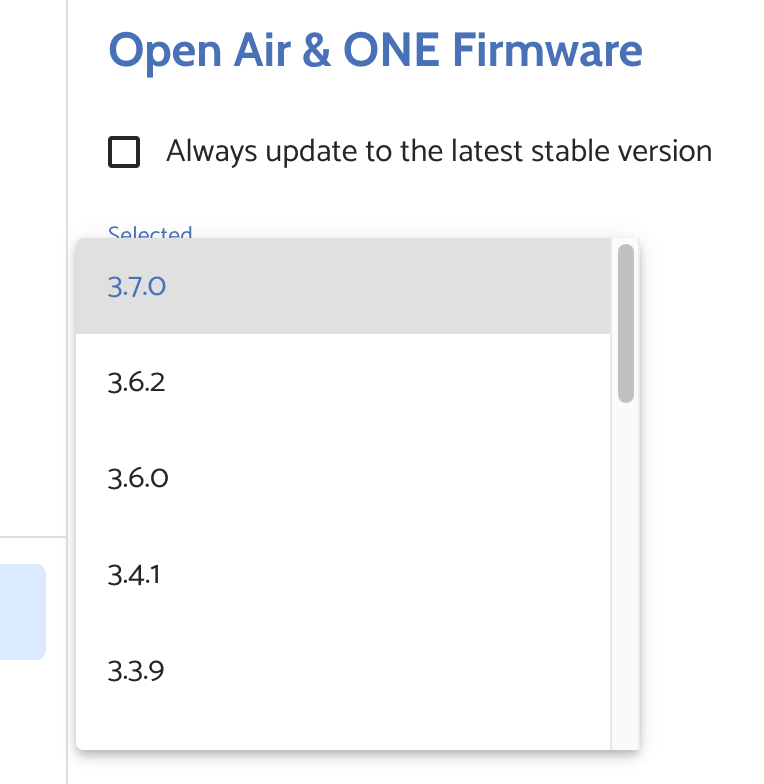
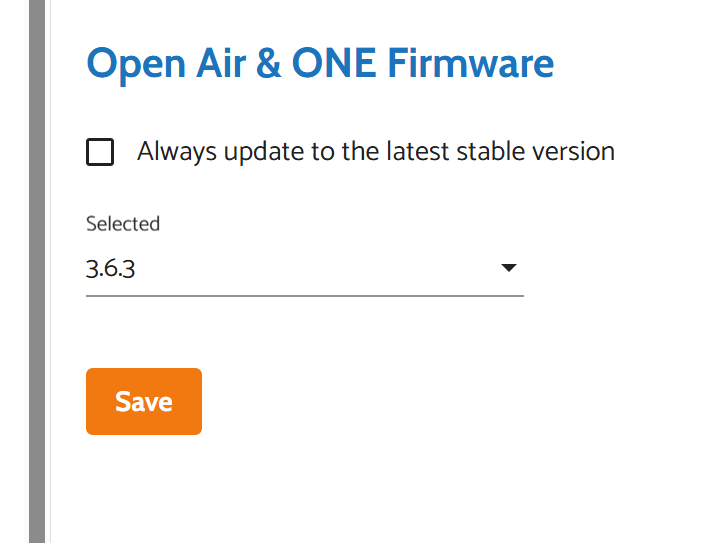
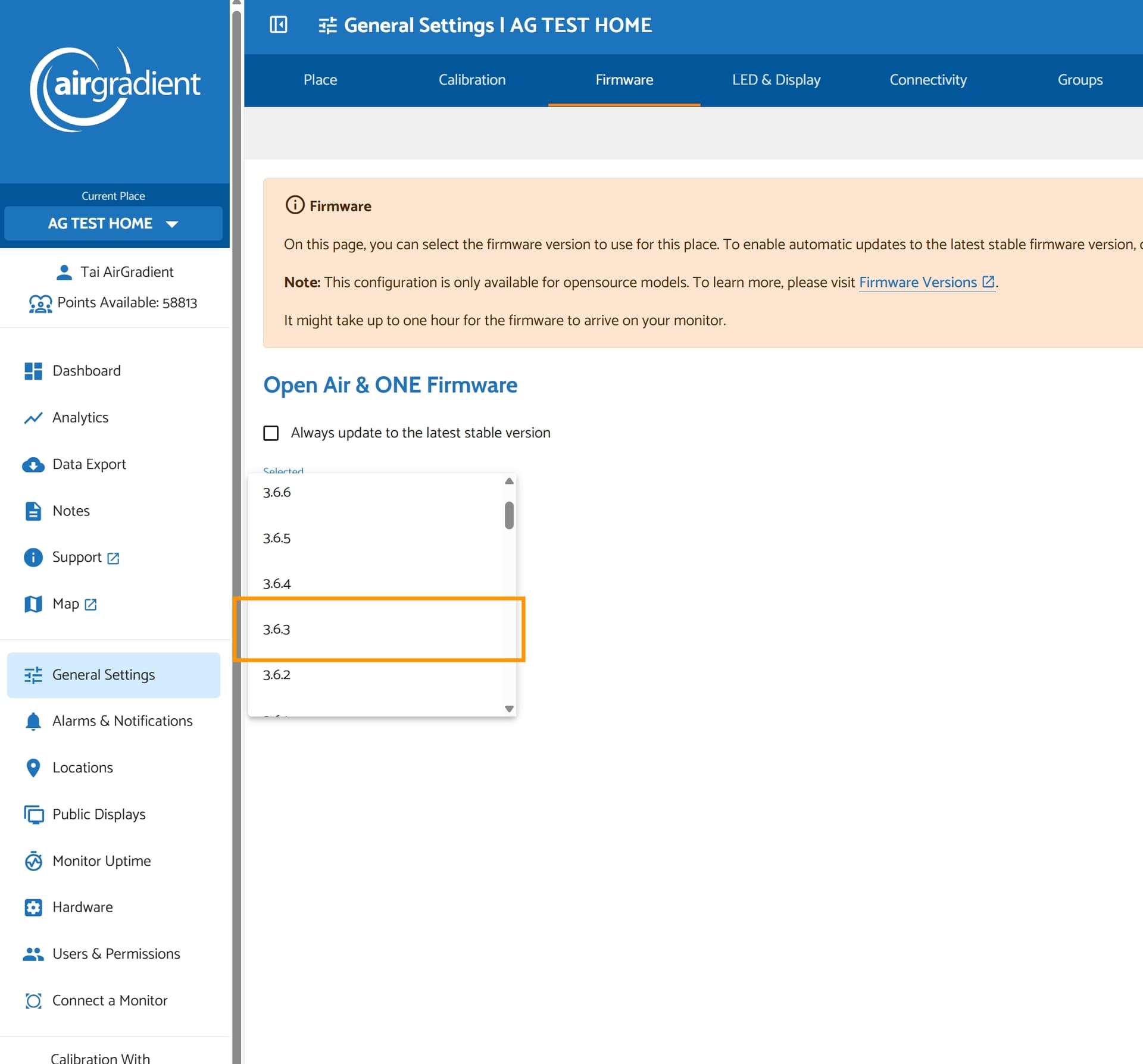
You can set the target firmware by going to the dashboard → General Settings → Firmware → uncheck the ‘Always update to the latest stable version’ → Select ‘3.6.3’ from the dropdown menu → Click ‘Save’ . Your AirGradient ONE should automatically detect the target firmware and update it accordingly.

Please let me know if this helps with the issue. Thanks!

Hi Tai,
that sounds quite interesting indeed and seem to be worth a try…but:

Unfortunately, especially the 3.6.3 is not in the list of the available firmware versions, see:

Any idea?

Thanks,
C.

Hi @curlyel, thanks for your quick reply!

I am sorry once again. That is because the firmware version 3.6.3 is a pre-release version that is not visible to normal users on the dashboard. I can set it for your dashboard anyway. Could you please confirm that your ticket is the one that was filed on October 31, 2026, at 8:30:00 PM UTC, with an image attached that shows the screen with “.5 °C” ? Once you approve, I can set the target firmware to 3.6.3 right away.

Thank you, and sorry again for the inconvenience!

Yes, that’s me, well … the ticket of mine :wink:

1 Like

@curlyel thank you for your confirmation. I have set your dashboard’s target firmware to v3.6.3 already. Your AirGradient ONE should detect the update and successfully run on 3.6.3 in a few hours. You can force the ONE to detect and update more quickly by power cycling (unplug and plug in again), as the ONE checks OTA every time it boots. Please let me know if you encounter any issues. Thanks!