Hi @DidoEng ,
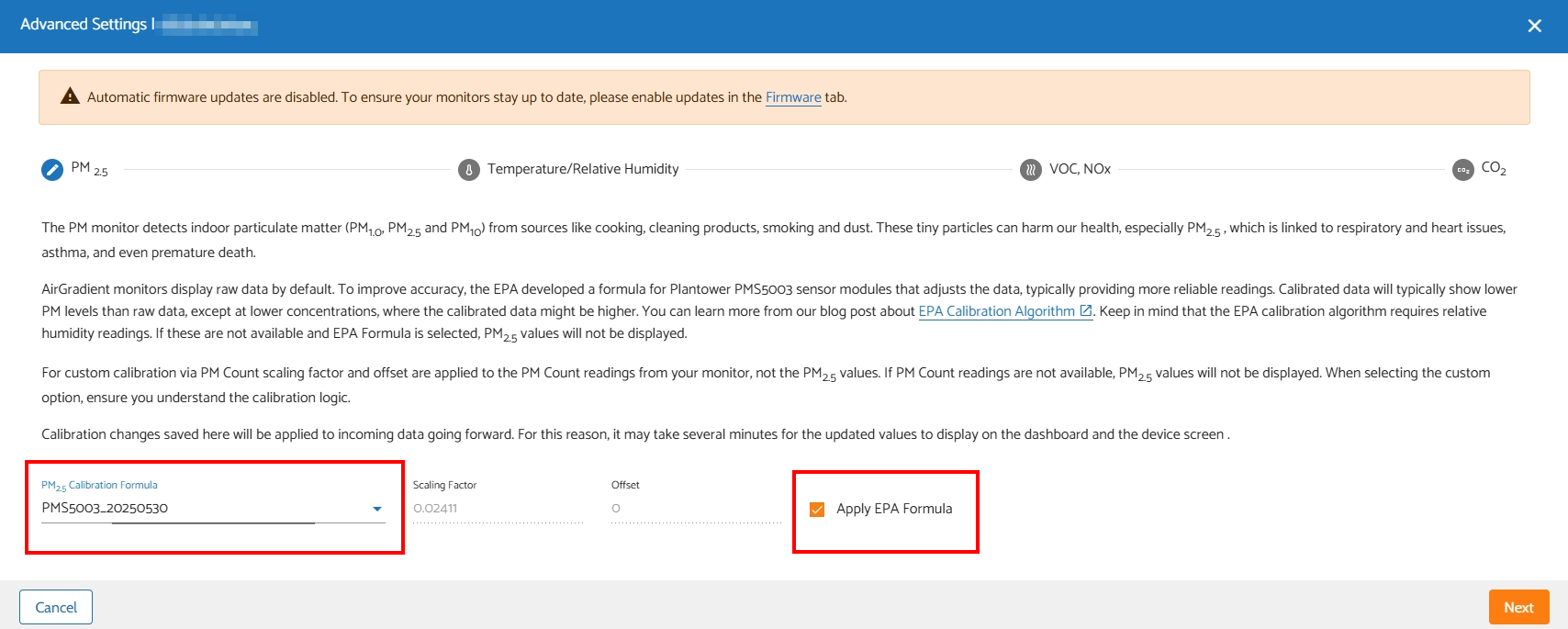
Thank you for the update. As I mentioned, some batch-specific formulas don’t take effect properly (bug) on the device side, which means your AirGradient ONE OLED might not recognize the PMS5003_20250530 formula, so the OLED display doesn’t show the PM2.5 value that is corrected accordingly to PMS5003_20250530 formula. However, the AirGradient Dashboard and the mobile app should display the corrected PM2.5 value properly.
Briefly, the value you see on the AirGradient Dashboard and mobile app is the right one (the corrected value used PMS5003_20250530 formula).
However, please rest assured that we have acknowledged this issue and will provide the fix soon.
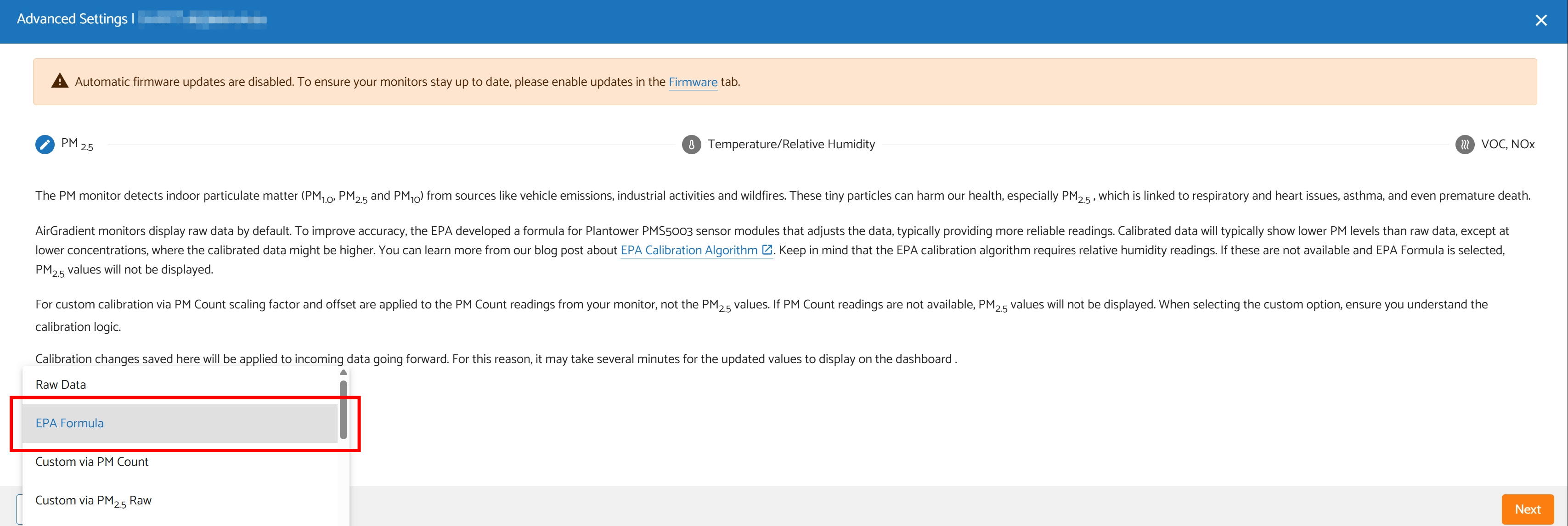
In the meantime, in case you want the conformity of all displays (dashboard, mobile app, device’s OLED display), you can try switching the calibration formula to ‘EPA Formula’. The PM2.5 value will be corrected using EPA formula only (without the batch-specific formula, which is currently problematic).
With this approach, the PM2.5 value shown on the device’s OLED display and the AirGradient Dashboard/mobile app should be closer (please note that the dashboard and mobile app data update interval is 60 seconds, while the OLED display on your AirGradient monitor is approximately 2-3 seconds).