I just received the Indoor Monitor kit. The delivery guy just pitched it on the porch and left. After I got the monitor setup and connected , the Co2 is reading 1068 for over 24 hours. Im not sure what I need to do.
This my first monitorm so no experience.
Thanks for assistance on the direction to go to resolve this issue.
Hi @schue7,
You may try performing a manual CO2 calibration for your new air monitor. You can connect your AirGradient ONE to a power bank, put it outside for a while, then tap the calibrate CO2 button on the AirGradient Dashboard.
You can see the discussion about this here: CO2: how to get accurate readings for a brand new indoor monitor?
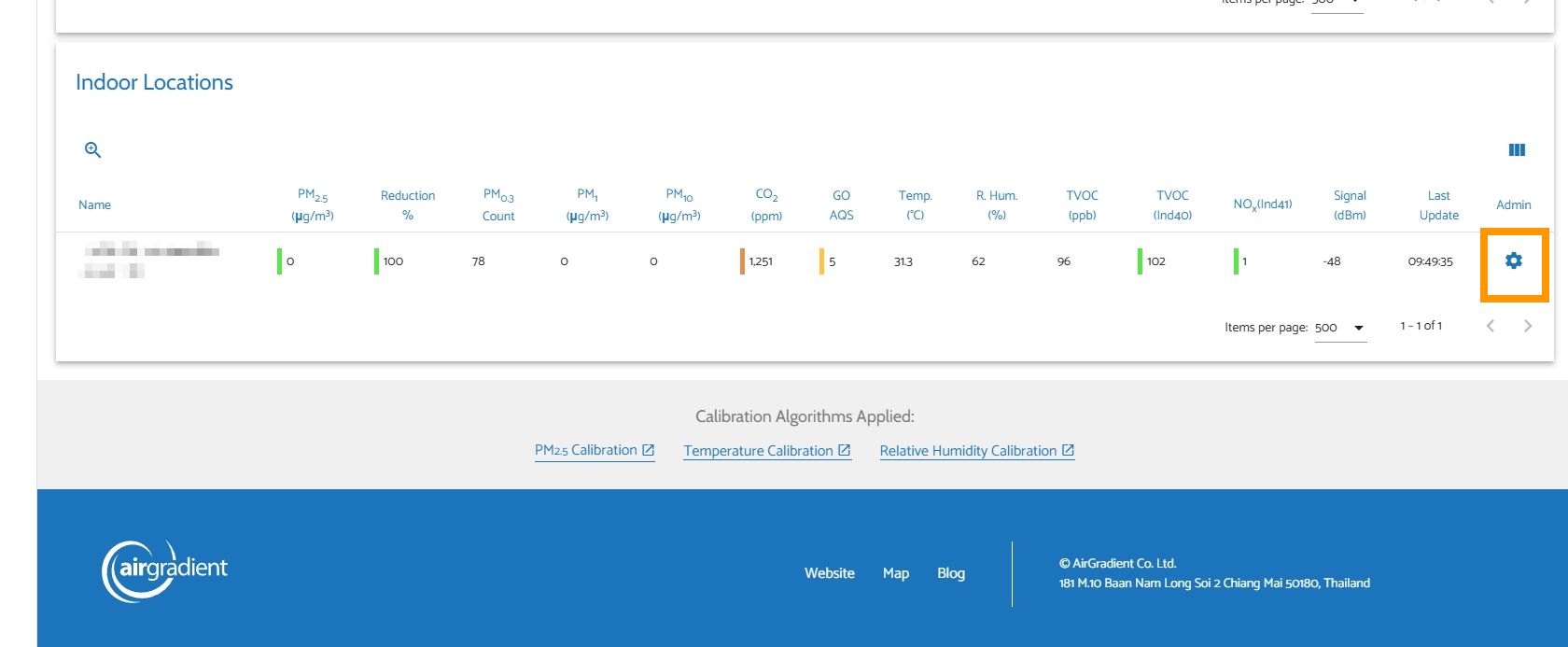
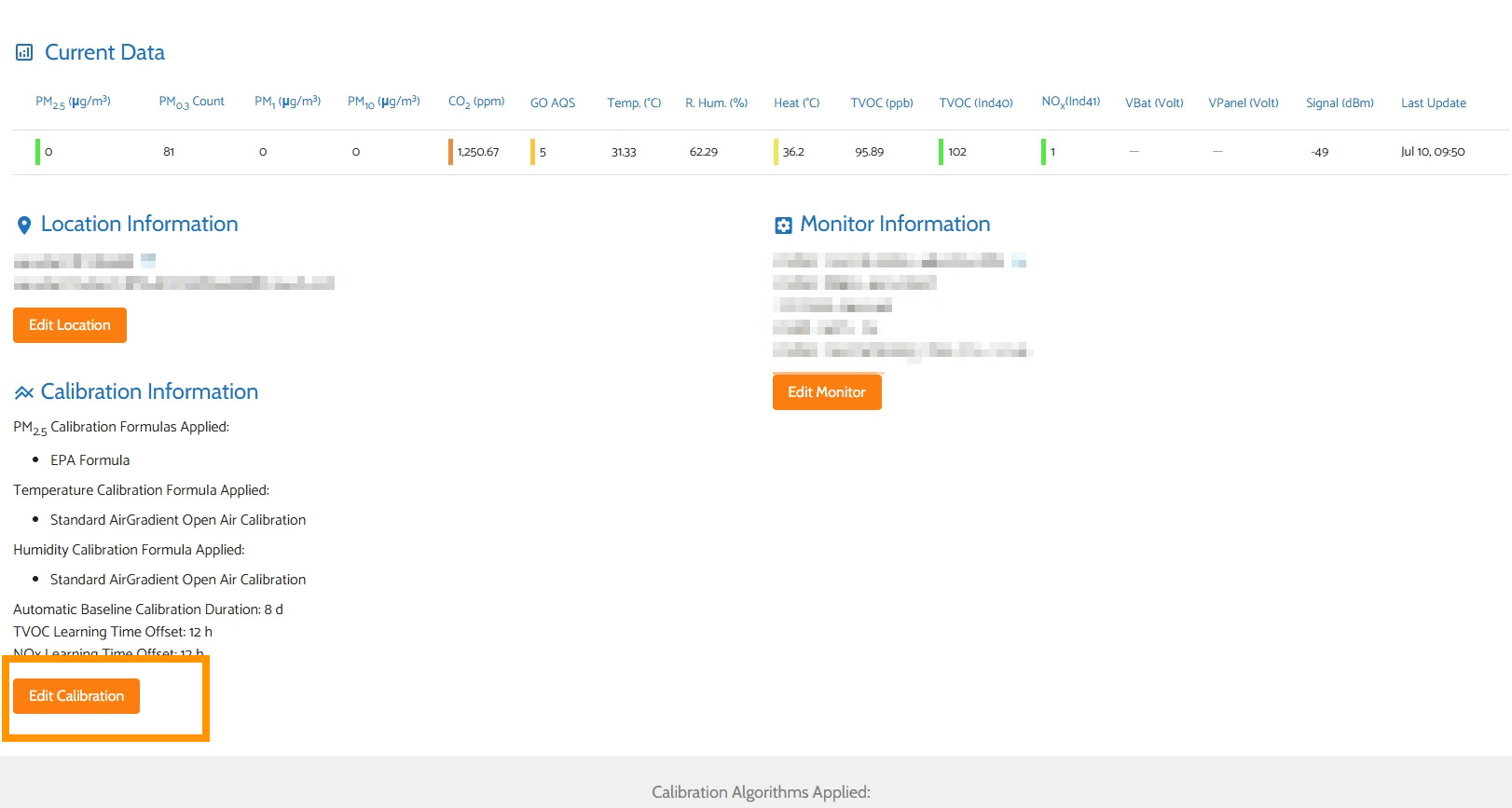
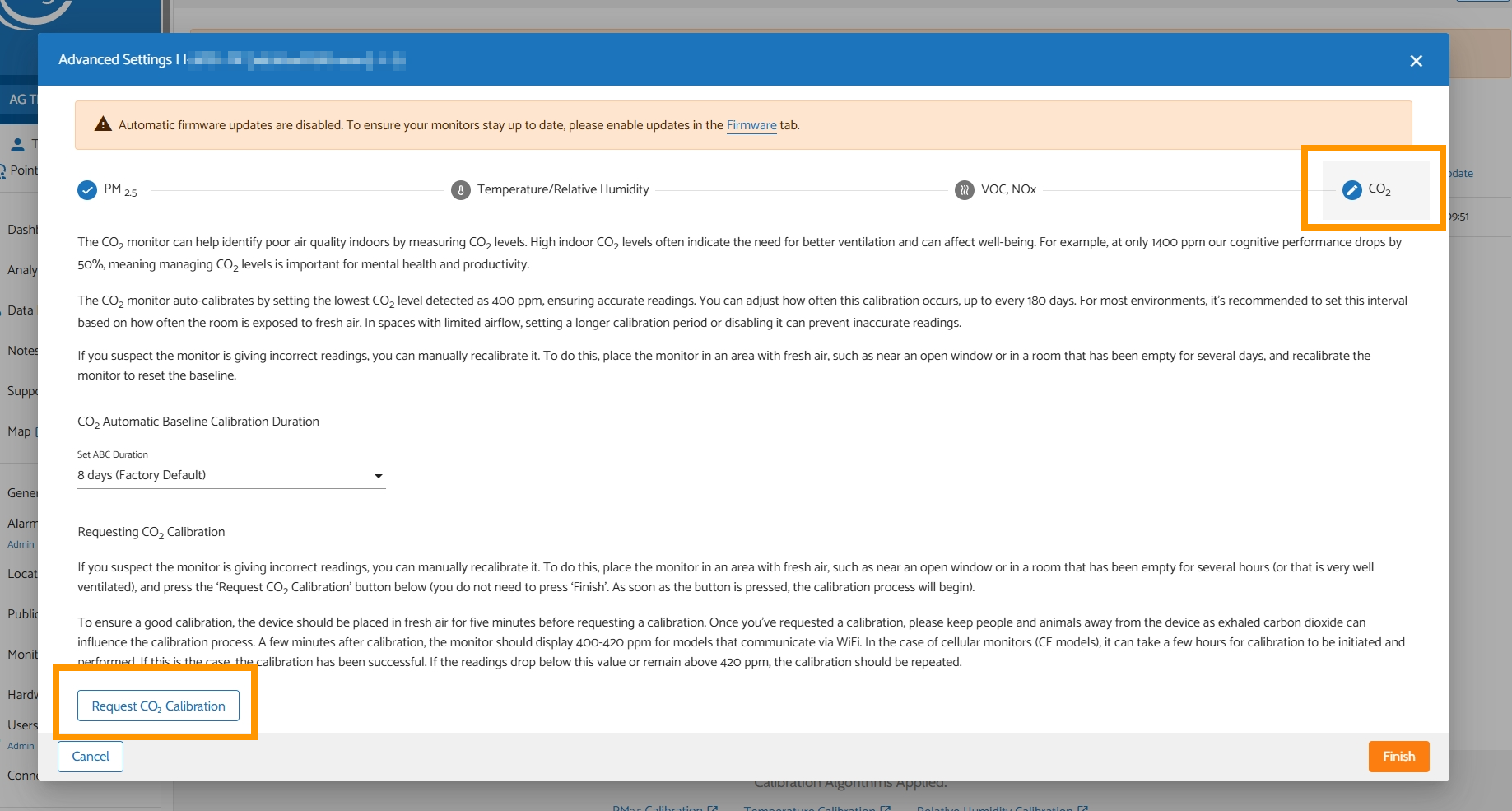
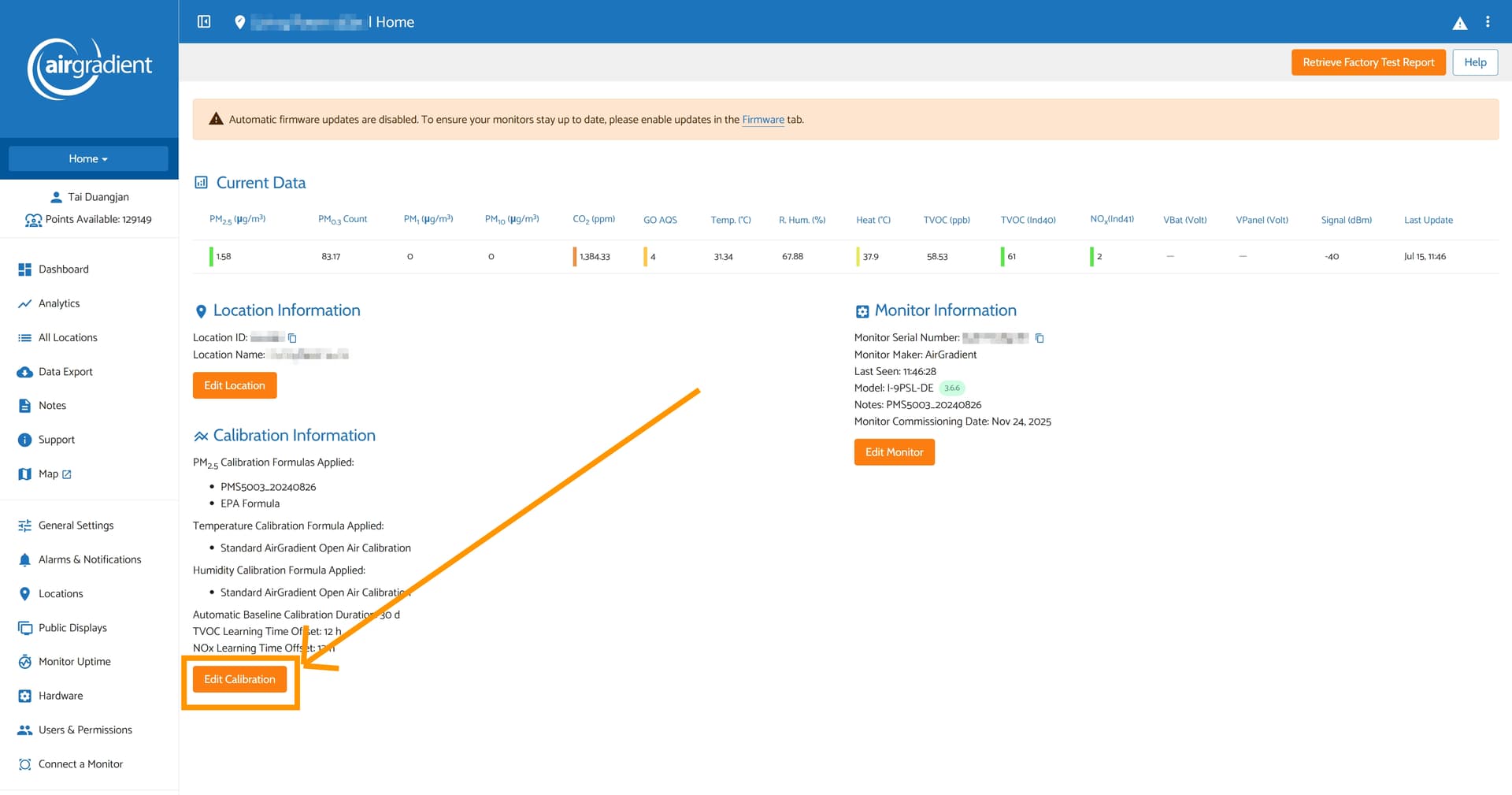
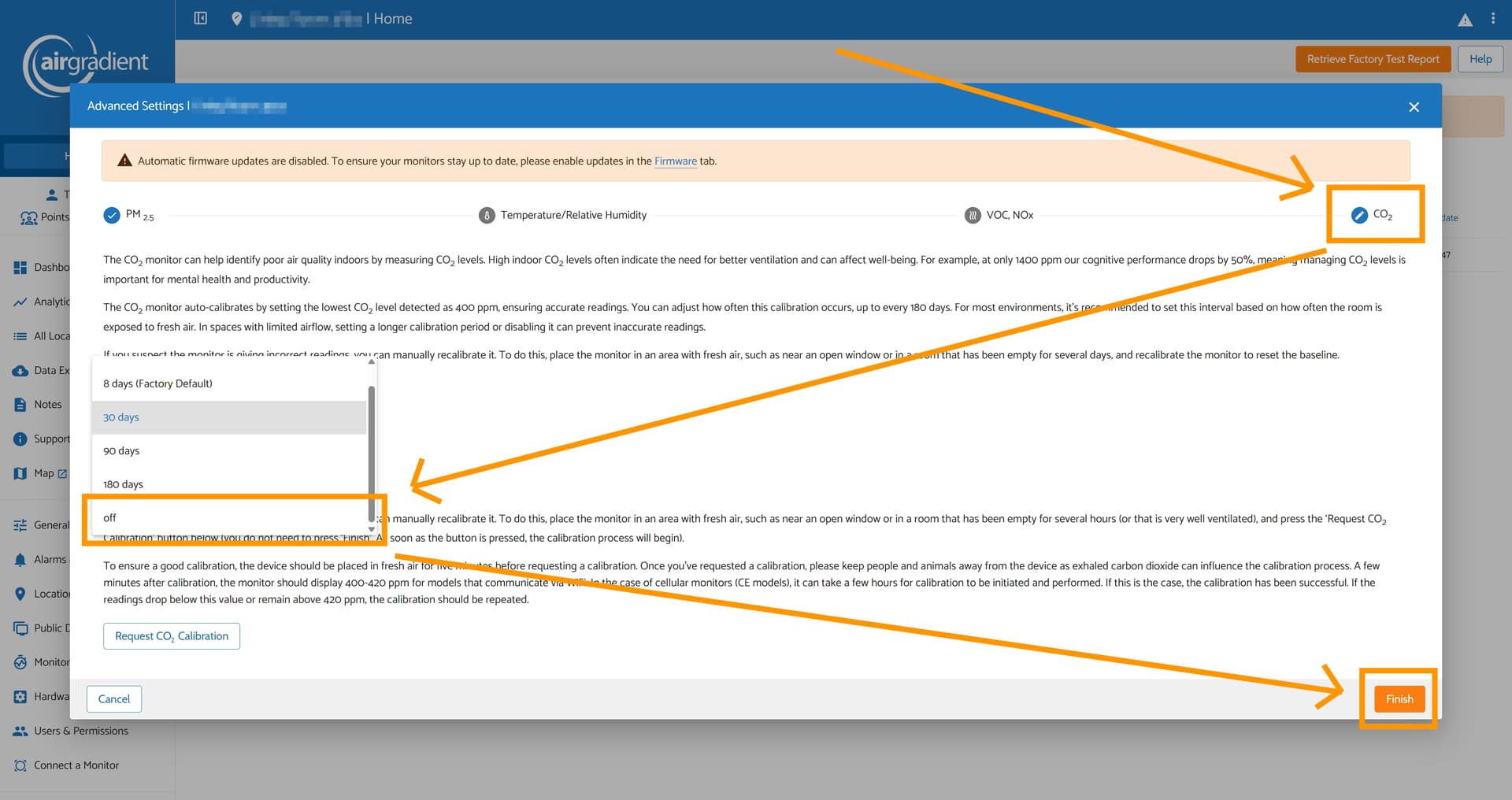
More on how to open the calibration menu: open up your AirGradient Dashboard in a web browser > Tap the gear button at the far right of your monitor you want to calibrate > Tap ‘Edit Calibration’ > Go to ‘CO2’ tab > Tap the ‘Request CO2 Calibration’ button (make sure your AirGradient ONE is already outside, exposing to fresh air) > Tap Finish.
Please feel free to let me know if you have any questions or if the issue persists. I’m happy to help. Thanks!
Thanks for the info, I will try this.
1 Like
You’re welcome! Looking forward to hearing from you if that resolves the issue or not.
My normal indoor CO2 is very high: about 1250. I took the unit outside and calibrated, but it was already close to 400. I could not find a way to disable ABC so I set it to the longest interval.
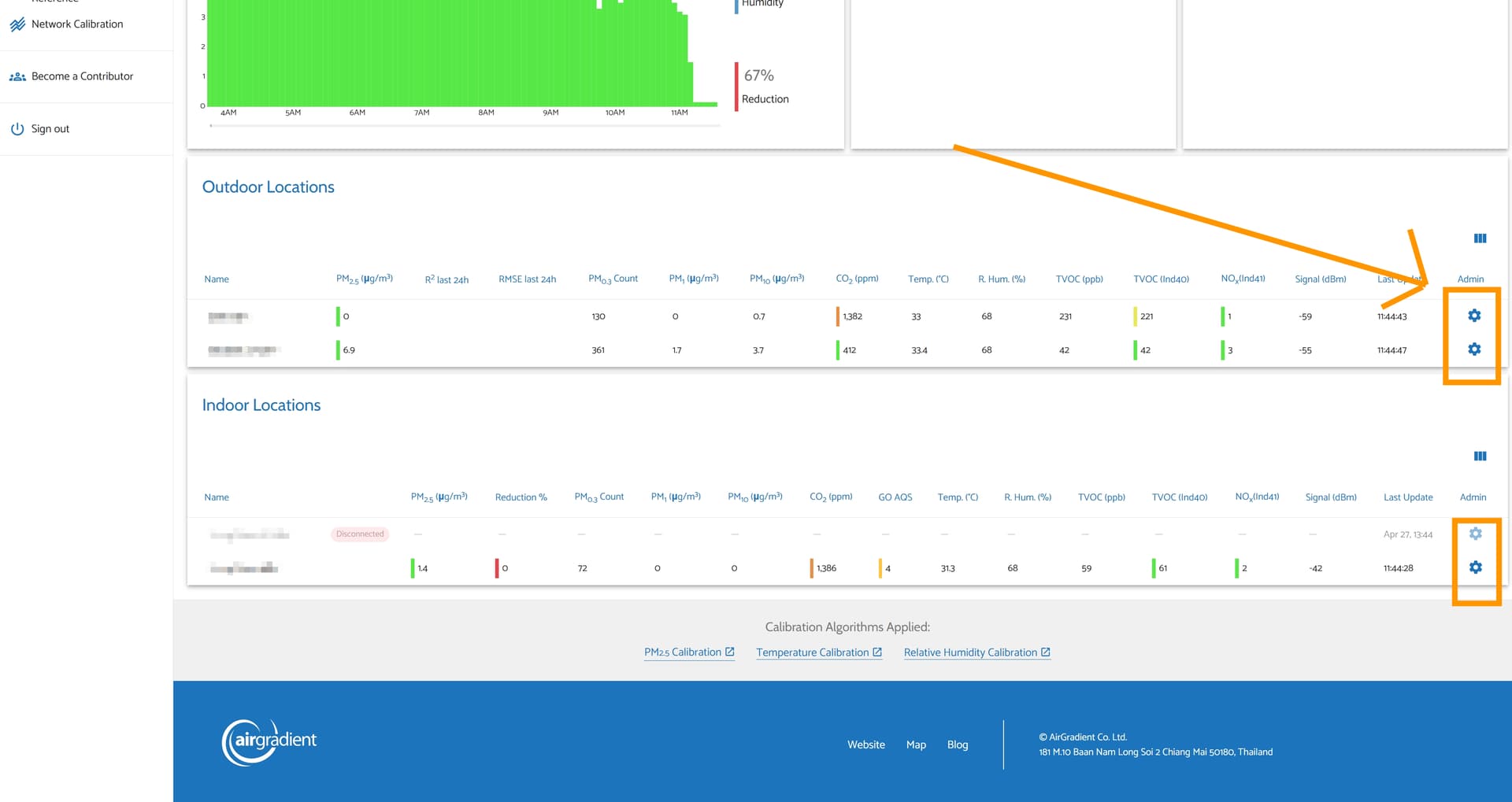
Hi @Steve_Conley, to disable ABC (Automatic Baseline Correction) via the AirGradient Dashboard, you can achieve that by going to your AirGradient Dashboard, and tapping the gear icon at the right of your specific air monitor on the list. Then tap ‘Edit Calibration’ > Tap the ‘CO2’ tab > Set ABC duration to ‘off’ (you might need to scroll down a little bit on the dropdown menu of the ABC duration) > Tap ‘Finish’. Now the ABC is disabled.
Please feel free to let us know if you have any questions. Thanks!
Thanks. I did not see it at the bottom before. That worked.
1 Like
You are welcome!
Feel free to reach out to us anytime. Thanks!