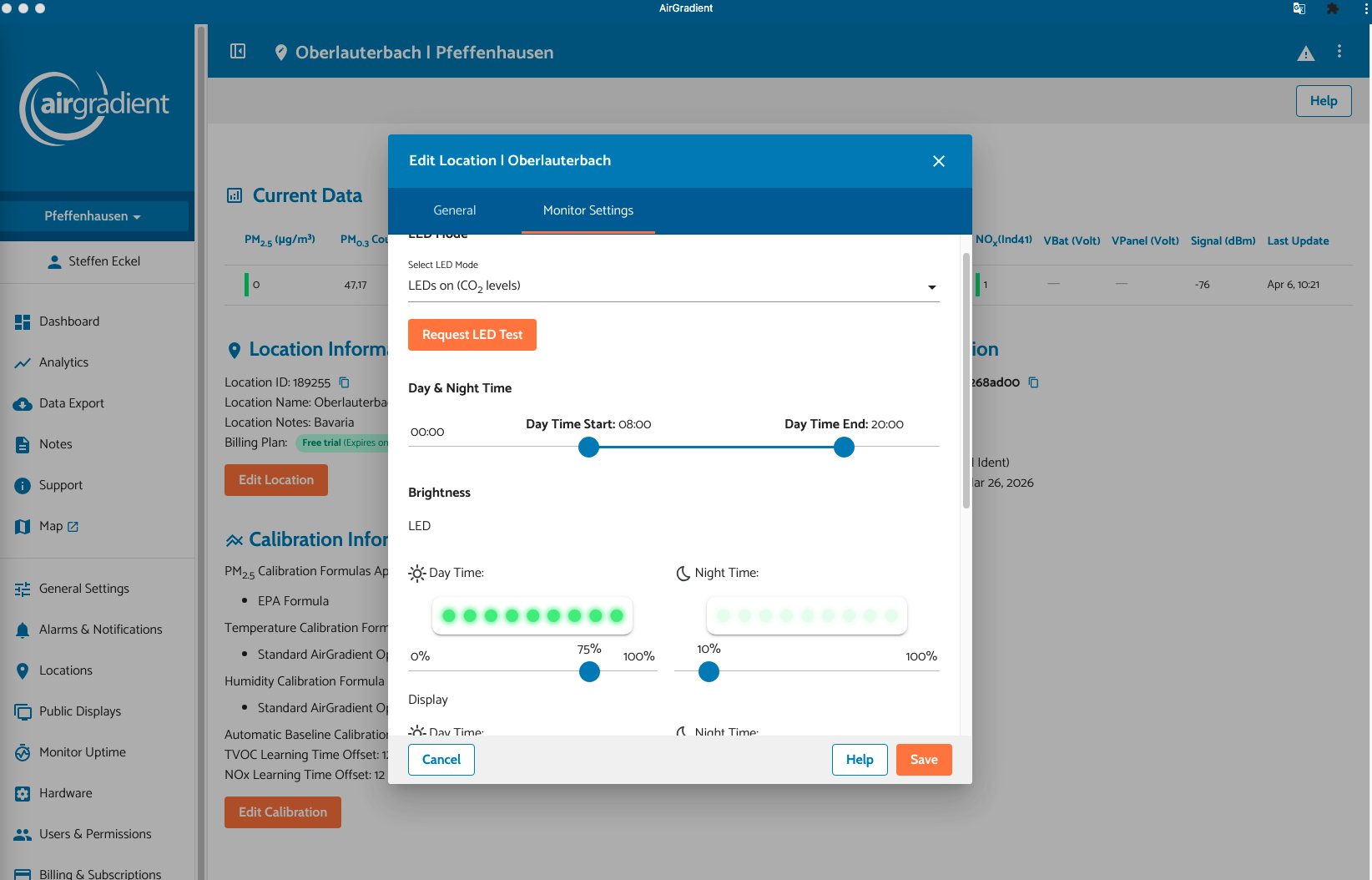
Hallo , lower Intensity for LED Setting will not send to the Unit under Fw 3.6.2.
Dashboard say all st okay , but the Unit doesn’t recognize the Change ?
best Regard
Hallo , lower Intensity for LED Setting will not send to the Unit under Fw 3.6.2.
Dashboard say all st okay , but the Unit doesn’t recognize the Change ?
best Regard
Are you only using the Dashboard site, or do you also use Hoke Assistant?
If using HA, by default it changes the Configuration Since to Local so HA controls all settings including LED brightness and the Dashboard won’t have any effect.
only the Dashboard no never running Home Assistant
okay maybe the Config for better Troubleshooting :
THERE ARE NO WAY TO CHANGE THE PARAMETER UNDER "GENERAL SETTINGS"
http://airgradient_xxx.local/config
{“country”:“DE”, “mqttBrokerUrl”:"", “httpDomain”:"", “configurationControl”:“both”, “pmStandard”:“ugm3”, “temperatureUnit”:“c”, "disableCloudConnection":false, “postDataToAirGradient”:true, “ledBarBrightness”:100, “displayBrightness”:100, “ledBarMode”:“co2”, “tvocLearningOffset”:12, “noxLearningOffset”:12, “abcDays”:8,“model”:“I-9PSL-DE”, “offlineMode”:false, “monitorDisplayCompensatedValues”:false, “extendedPmMeasures”:false, “corrections”:{“pm02”:{“correctionAlgorithm”:“epa_2021”, “slr”:null}}}
Monitor Read Out :
{“pm01”:0,“pm02”:0, “pm10”:0, “pm01Standard”:0, “pm02Standard”:0, “pm10Standard”:0, “pm003Count”:94.17, “pm005Count”:75.17, “pm01Count”:10.17, “pm02Count”:2.33, “pm50Count”:0, “pm10Count”:0, “pm02Compensated”:0, “atmp”:25.88,“atmpCompensated”:25.88, “rhum”:48.67, “rhumCompensated”:48.67, “rco2”:1757.67, “tvocIndex”:82, “tvocRaw”:30097.25, “noxIndex”:1, “noxRaw”:16349, “boot”:965, “bootCount”:965,“wifi”:-75, “ledMode”:“co2”, “serialno”:“80f1b268ad00”, “firmware”:“3.6.2”, “model”:“I-9PSL”}
THANK`S AND
best Regards
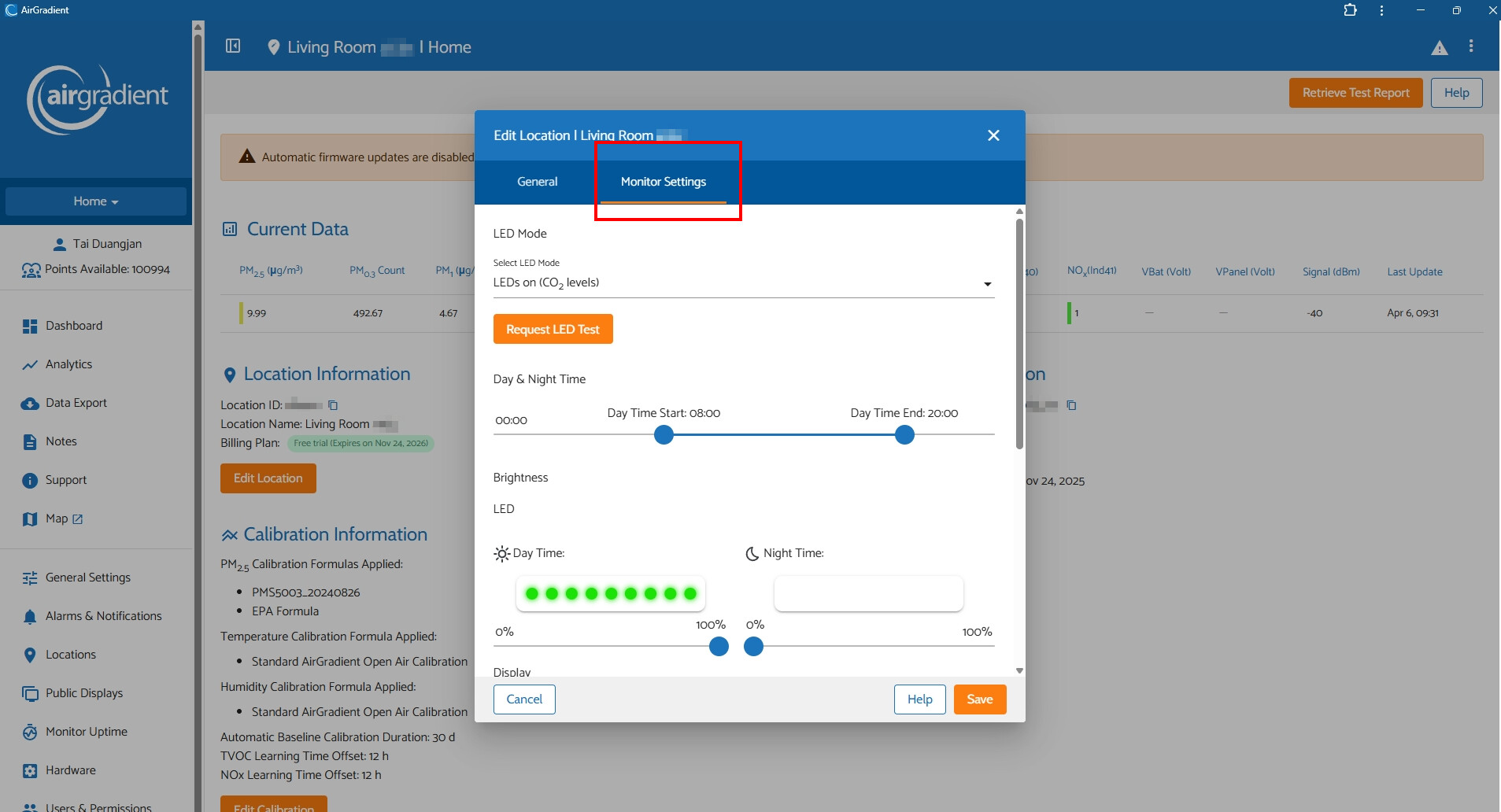
Hi @falcon2809, would you mind trying to go to the ‘Locations’ menu on the Dashboard? Then click the gear icon on the right of your monitor, then click the orange button ‘Edit Location’, select the ‘Monitor Settings’ tab, and try configuring the brightness.
Please let me know if that works or still doesn’t change anything. Thank you!
Hallo Tai_AirGradient,
yes it changes now, BUT only with a Delay from up to 40 sec. It was only a Coincidence that i recognized this Behavior concerning this big response Delay. Also the Adjustment Slider are not equal between the (hidden) Monitor Setup for Location Monitor Settings and General Setting. I saw also in some Cases a complete Reboot of the Maschine.! By the Way i use the Chrome APP under MAC OS 11.13.
Thank you for your Help
Steffen Eckel
Hello @falcon2809,
Glad to hear that it works!
Since the AirGradient monitors (e.g., I-9PSL-DE, O-1PST that uses Wi-Fi) have a 60-second interval to communicate with the AirGradient Dashboard. That said, you’ll see the reading (data from the monitor to the server (Dashboard)) refresh every 60 seconds. On the other hand, changes you make via the AirGradient Dashboard (data from the server (Dashboard) to the monitor) will take effect in approximately 60 seconds as the monitor fetches configuration from the server with a 60-second interval.
In case you would like the change to take effect instantly in real time, you can do it by requesting a PUT to your monitor’s local API using Bruno. Or if you are using Home Assistant, this is also a good way to set the LED bar and display brightness in real time.
Regarding the unequal sliders or values between the “General Settings” and the Location-specific settings. This is because the location-specific setting will override the settings that were set on “General Settings” if the location-specific setting is different and made after. It is designed for a situation where we have multiple air monitors and want to have device-specific settings.
In your case, if you’d like to use the General Settings, you can adjust the slider and then click the “Apply to All Locations”, which should now apply the settings to all your locations (a location = a monitor).
Please feel free to let me know if you encounter any issues.