AirGradient Forum

iOs app / stay private / see public

Excited to get two GO’s soon-ish.

So i am all ready to go when they arrive, i have a few questions

What app (ios) do i use to see my pending GO ?

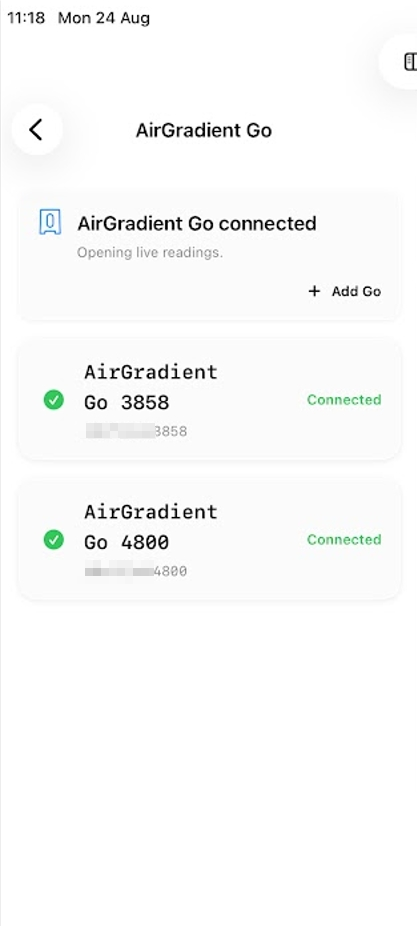
Can i somehow see both my GO’s in the one app?

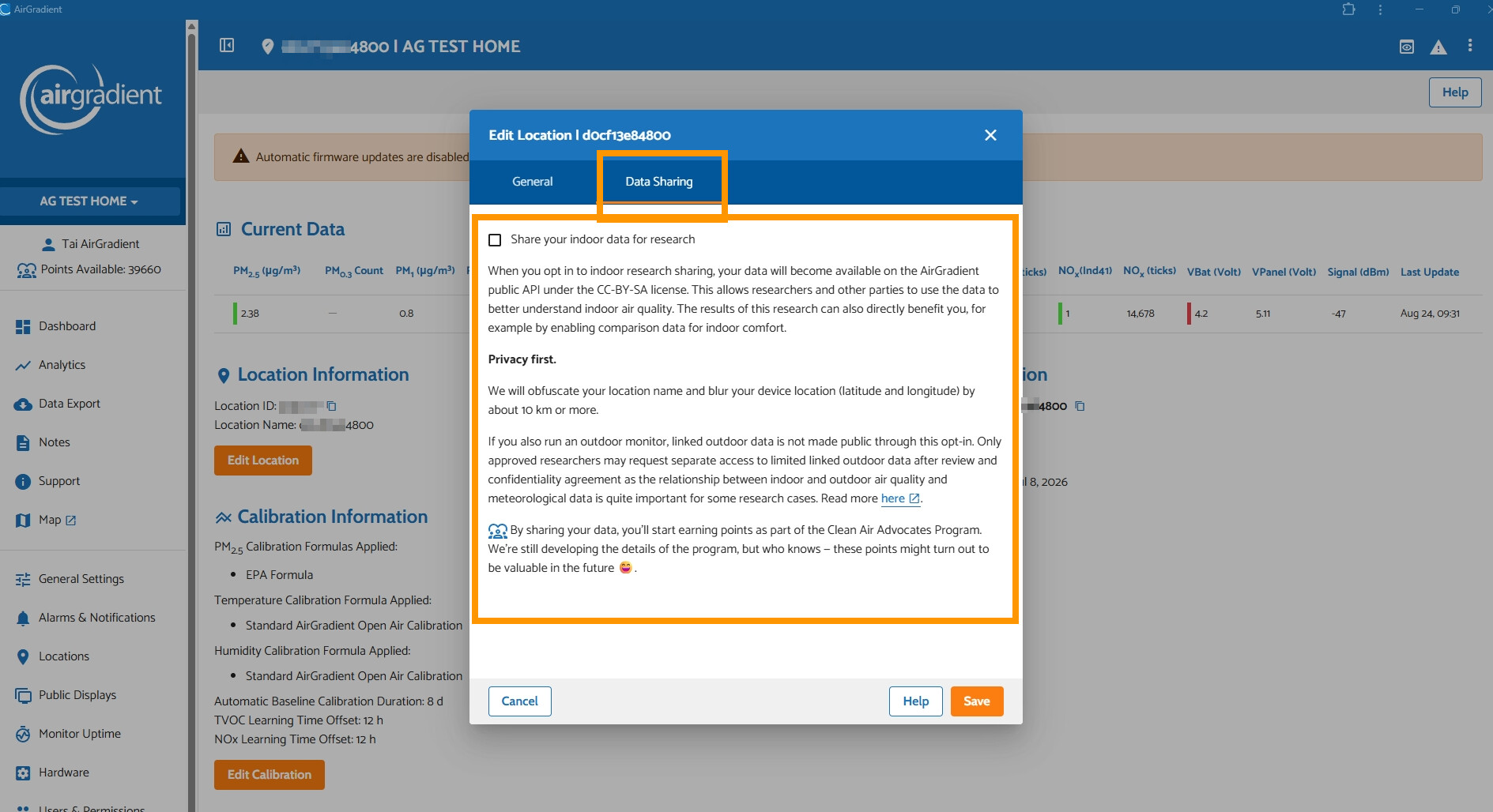
Given that they will only be the interior of our home, i do not wish to share our data. How do i ensure that my data remains private?

And in the app, will i be able to see anyones data who opted to make it public?

And what is the name of the proper App in the apple app store?

Ans how do i connect my unit(s) to the internet and the app?

Thanks for the help

.
1 Like

Hi @WildFireSmokeAvoider, excited to hear from you once your Go(es) arrive.

  • The app you need for your AirGradient Go is the ‘AirGradient Map’ app. It is available on the App Store here: ‎AirGradient Map App - App Store (please feel free to report any issues on our forum if you encounter any. I am happy to pass it on to our developer)
  • For Portable Mode (BLE connection), you can connect both of your Go(es) simultaneously to your iOS device. And for Stationary Mode (Wi-Fi), you can definitely see both of your Go(es) in one app (just like how it looks with the AirGradient ONE, and Open Air)

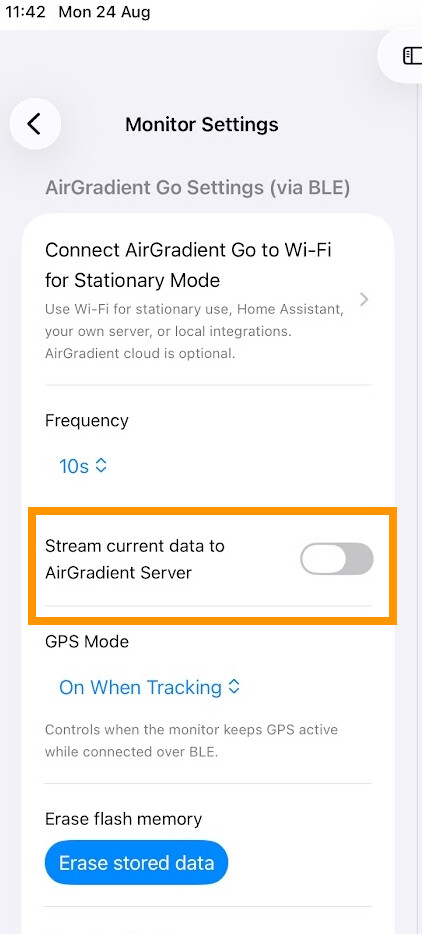
  • By default, the AirGradient Go operates in Portable Mode, which uses Bluetooth connection to your mobile device, and the data you receive from that Go is stored locally on your mobile. The data will not be sent to the AirGradient server until you enable the ‘Stream current data to AirGradient Server’ in ‘Configure My Monitor’ inside your AirGradient Go page in the app. In Stationary Mode (Wi-Fi), your data will be sent to AirGradient server so you can see your air quality data remotely. However, your air quality data won’t be shared with other people by default. You have to explicitly opt in to share your data.

  • Currently, the map shown in the AirGradient Map app shows outdoor air quality data shared by people all over the world.

  • You can take a look at our AirGradient Go Quick Start Guide for a comprehensive onboarding guide.

Please feel free to let us know if you have any questions. Thank you.