Hi, I just plugged mine in for the first time and everything seems to be working nicely but it’s showing 0 for the particle reading:
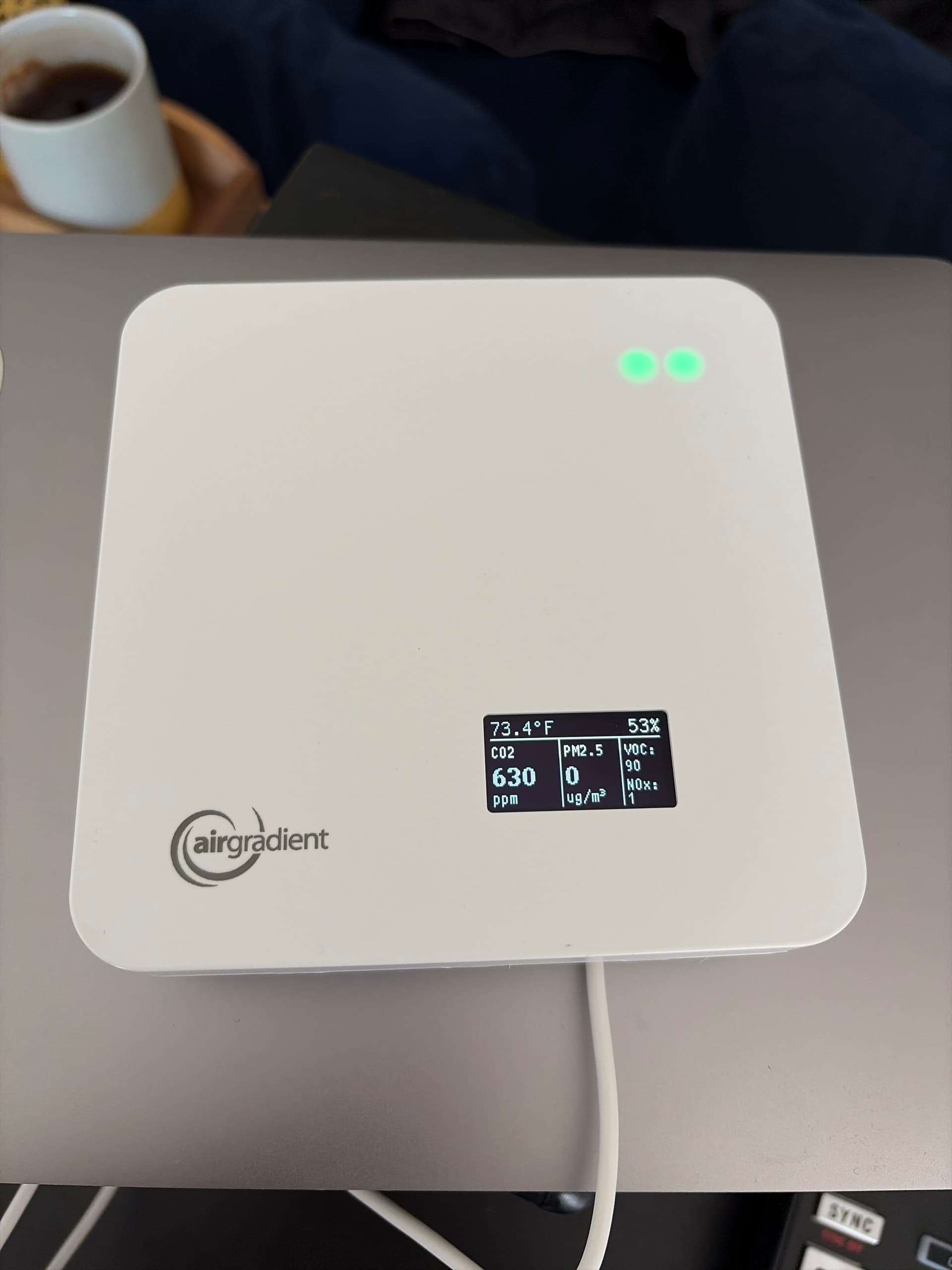
Any thoughts on how to debug?
Hi, I just plugged mine in for the first time and everything seems to be working nicely but it’s showing 0 for the particle reading:
Any thoughts on how to debug?
Was it preassembled or one you plugged sensors in?
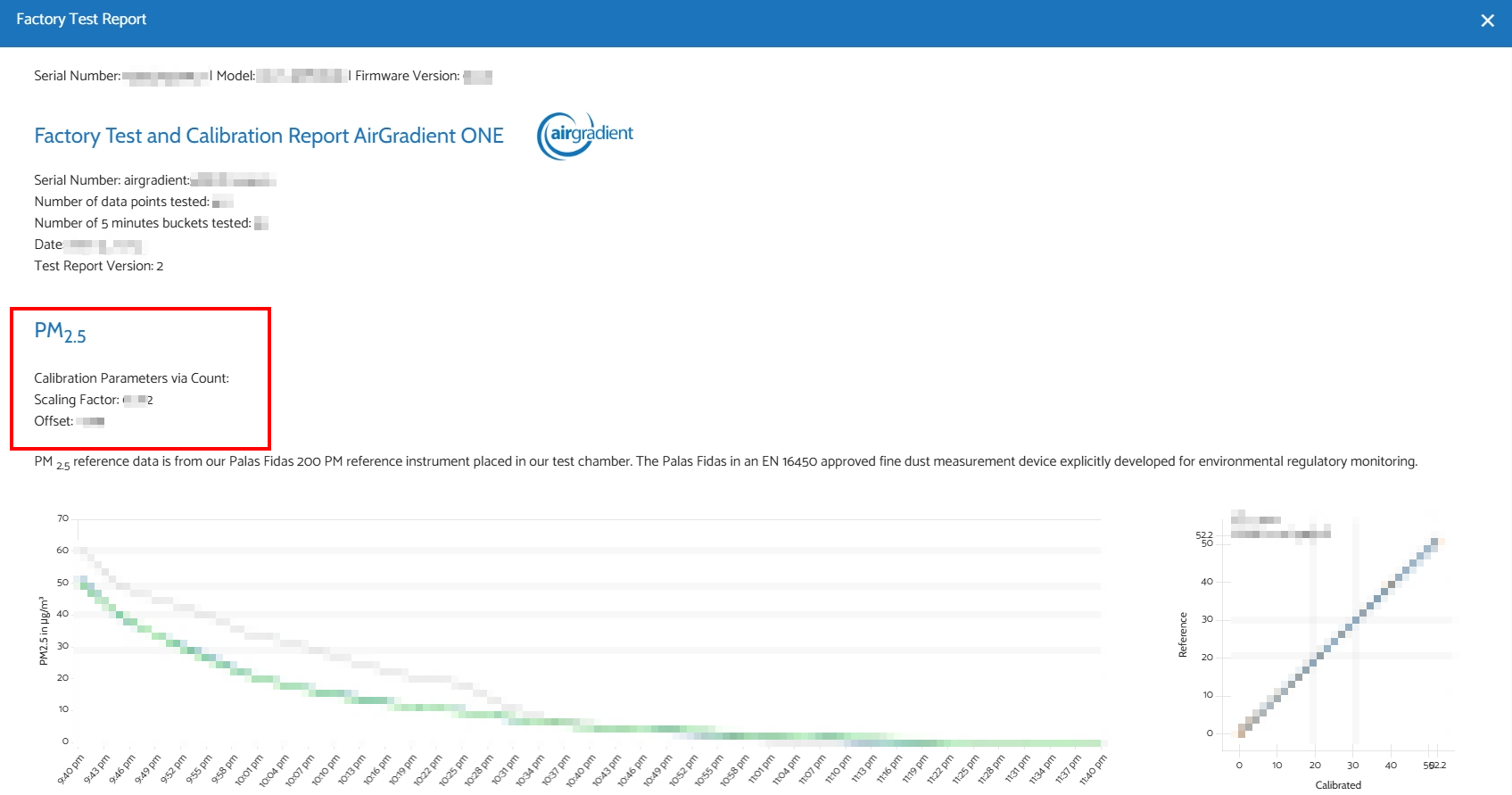
Particularly if self-assembled, there is a setting in the dashboard to apply a correction algorithm depending on which batch of sensor you received for the PM 2.5 sensor.
You would need to read a sticker on the side of the sensor to know which setting to apply.
If it was preassembled, I believe it comes with a calibration report that has the values you would use instead, but I haven’t received one of those so don’t have first hand experience with that process.
Hi @sashko, welcome to our community.
A PM2.5 reading of 0 could indicate that the environmental air is very clean, but to make sure, you can try putting the AirGradient ONE outside and see if the reading is different.
You can also try making some air particles, like burning incense or cooking, and see if there’s a spike (there should be).
I wonder if your AirGradient ONE is a fully-assembled or DIY-Kit?
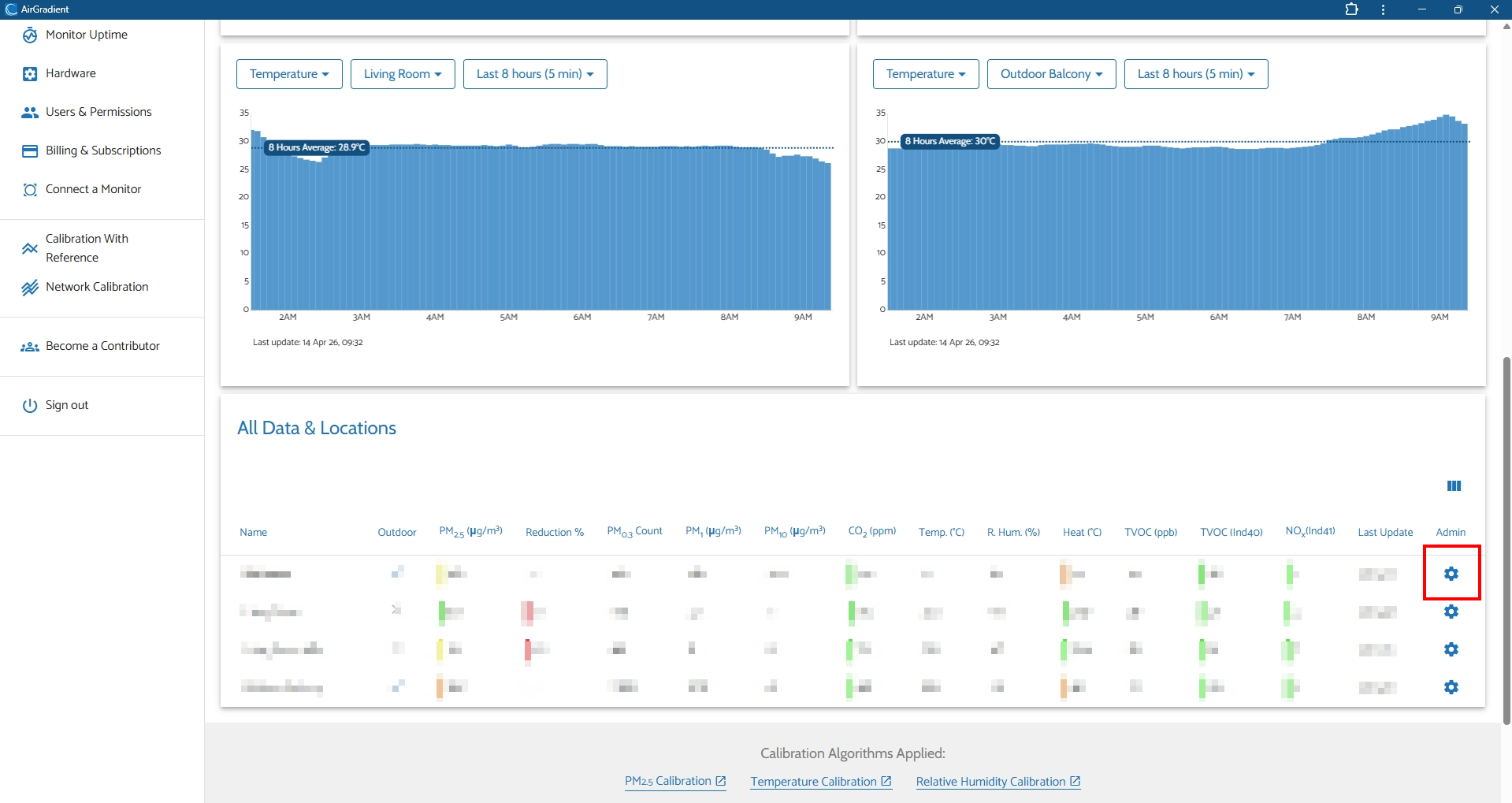
Could you please take a look at your monitor’s calibration settings by going to your Dashboard > tap the gear icon on the right of the list of your monitor.
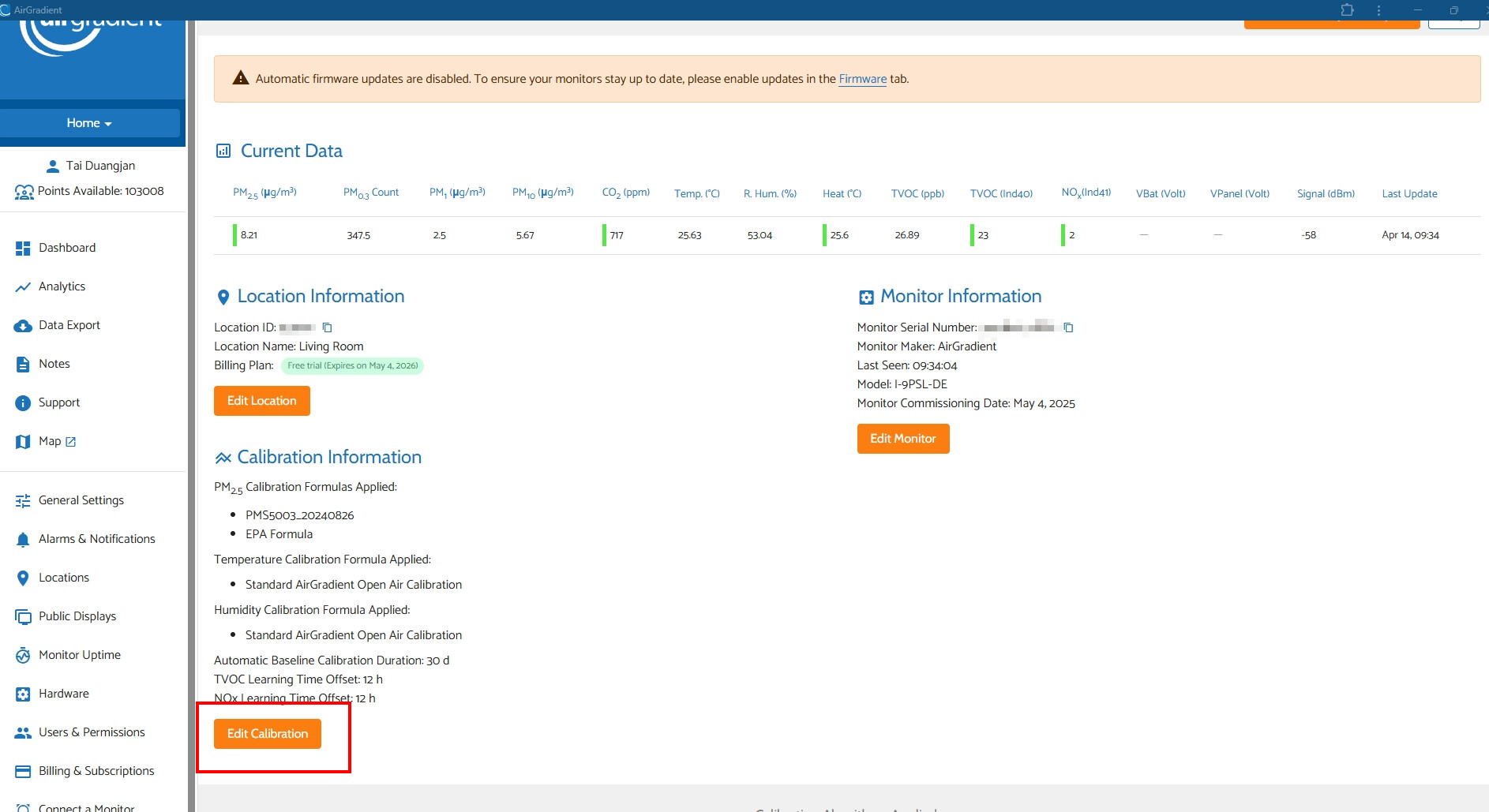
Then click ‘Edit Calibration’
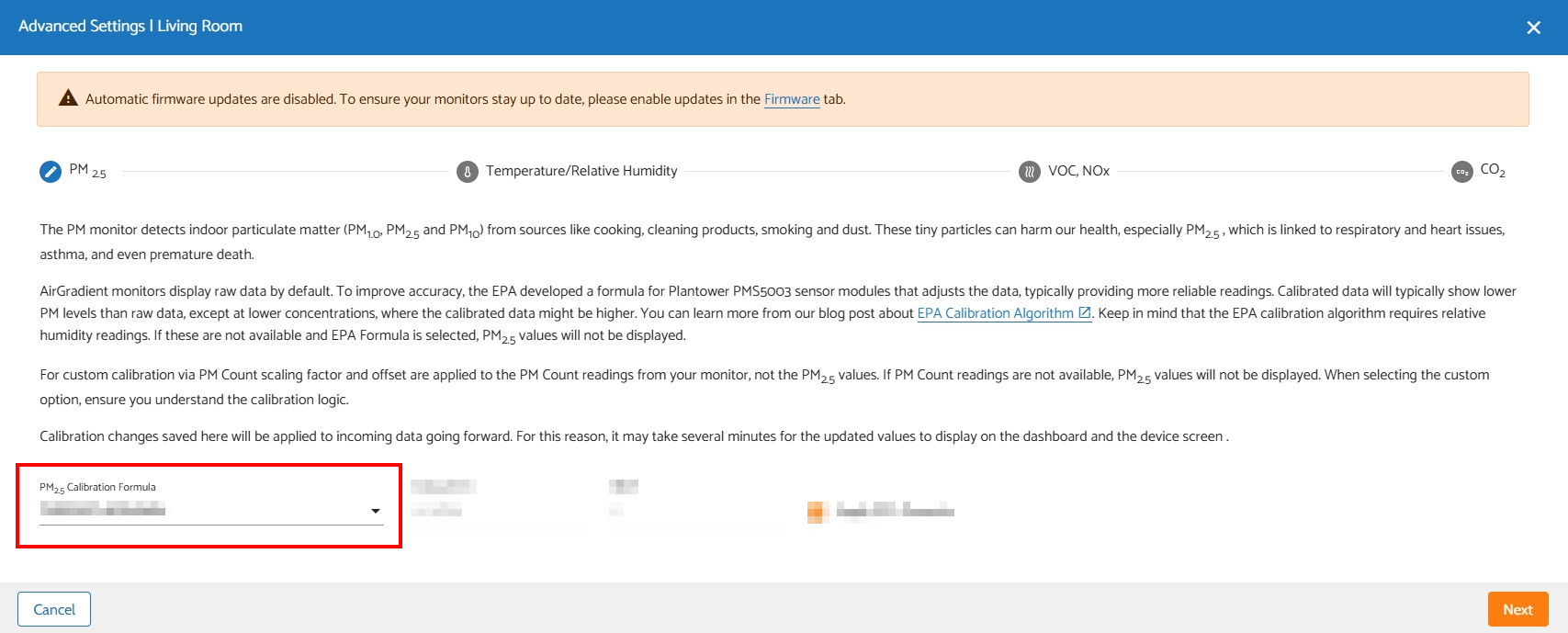
And see what’s selected here
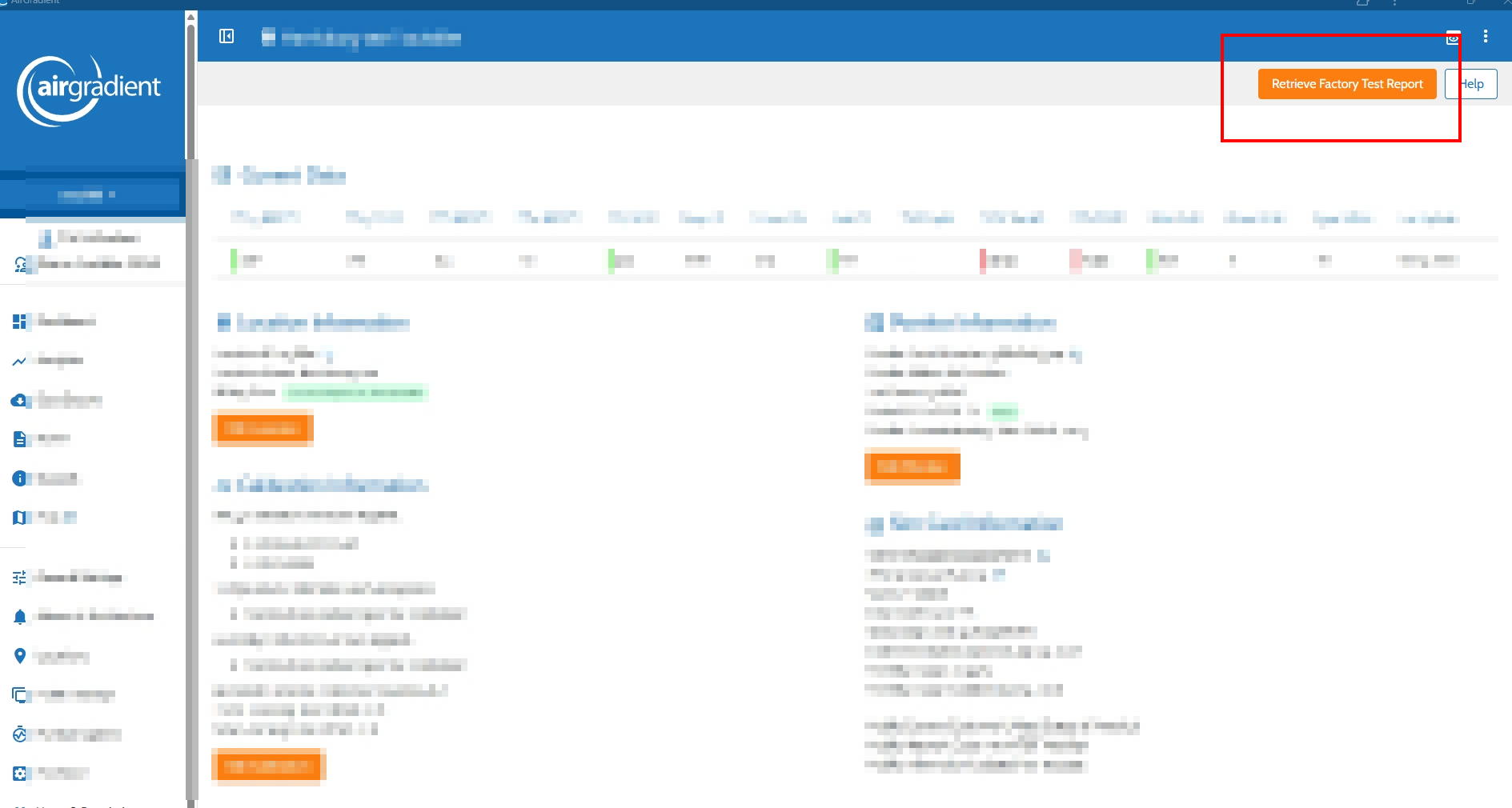
As @MallocArray mentioned, if your AirGradient ONE is a pre-assembled version (fully-assembled), you will see an orange button ‘Retrieve Factory Test Report’ at the top right of the window. You can click it and see the calibration value, and you can input the scaling factor and offset into the manual PM2.5 via Count menu. And also applying EPA.
Anyway, a fully-assembled monitor in newer batches should come with Factory Calibration by default, but it’s worth checking and applying those values if necessary.
In the meantime, to make sure that the PM sensor is working, could you please connect your monitor to a PC and collect its USB log?
You can do with the instructions here: Knowledge Base
It shouldn’t take too long. Then please attach the log file (.txt) and submit a support ticket. Note: please also refer to this thread in your ticket.
I’ll take a look for you. Thank you!